


joea87137192
Participant
April 27, 2019
Question

Flash Player errors - online streaming not authenticating

  • April 27, 2019
  • 1 reply
  • 424 views

I have recently started having problems streaming videos online using a U-verse TV account. It worked fine for a while and now it is all screwed up. I made no changes that I am aware of that would have changed any settings.-I am using a Windows 10 v1803 desktop PC. The PC is fairly new - about a year old. I get the same type of error on 3 browsers - Firefox v 66.0.3, MS Edge v 42, and Chrome v 74 - all the latest versions I think. I think I am using Adobe Flash Player 32 NPAPI.

I get error messages like this one -
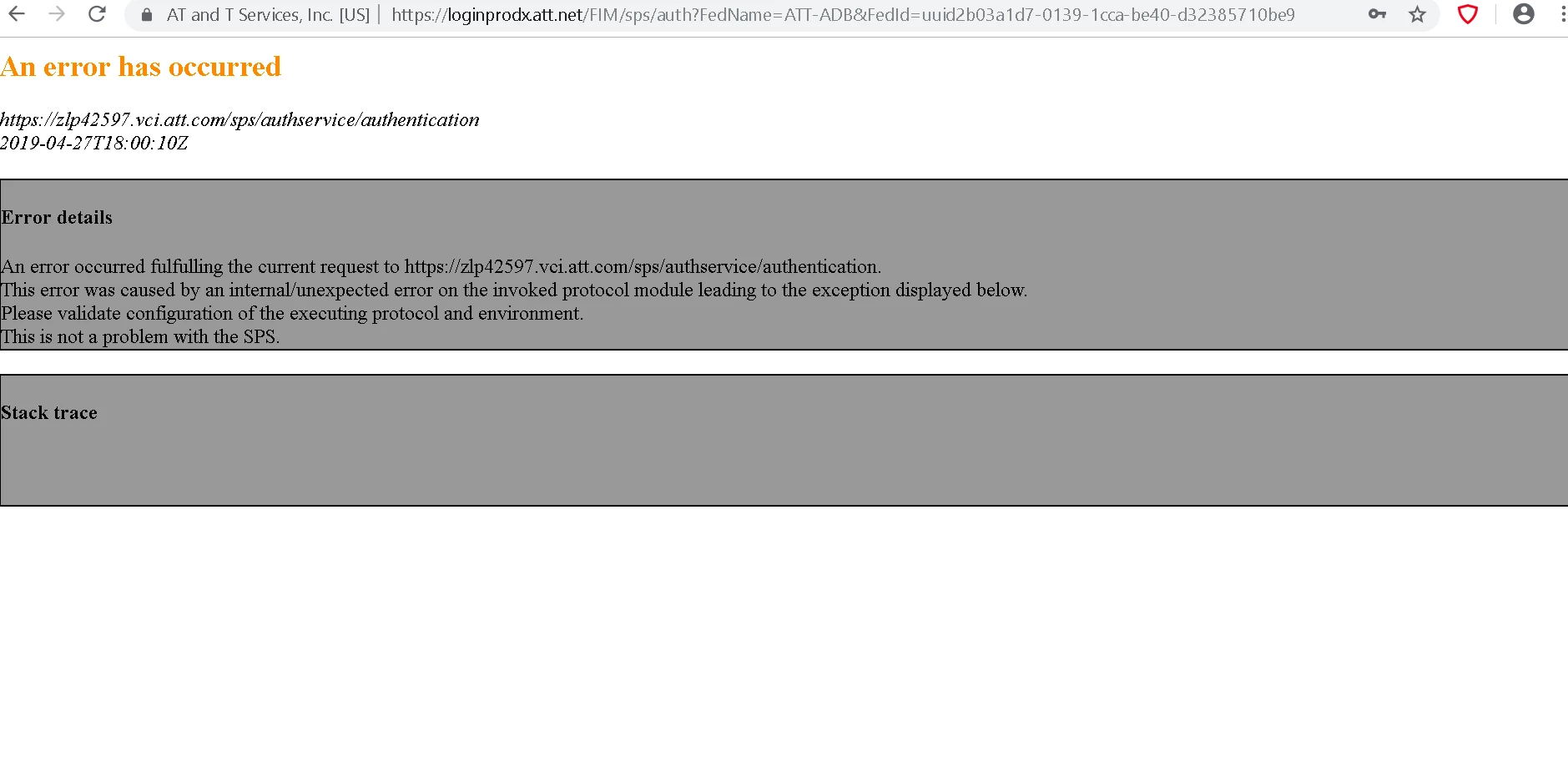
I have cleared cache and cookies and looked at my settings, but I cannot figure it out. Anybody know if this can be fixed?

    This topic has been closed for replies.

    1 reply

    jeromiec83223024
    Inspiring
    April 29, 2019

    If the problem happens in Incognito Mode / Private Browsing Mode, it's a problem on the content provider's end.  There's either something mangled in their database associated with your account, or they're having some kind of outage.

    If the problem does not happen in Incognito Mode, then clearing your browsers's Cache, Cookies and Media License Files will probably solve it.  For Flash Player specifically, you can reset it for IE and Firefox by going to Control Panel > Flash Player > Advanced > Browsing Data and Settings > Delete All and Deauthorize This Computer.  For Chrome, just clearing the cookies and media license files should also clear them for Flash.

    joea87137192
    Participant
    April 30, 2019

    It does not work in incognito mode. I have previously tried that and I tried again today. I also uninstalled then reinstalled Streamlight and Java on my PC. I have also cleared cache and cookies on all 3 browsers that I have tried to use - Chrome, Firefox and Edge.

    I can log in and view the same content on my phone with the ESPN app. My log in ID and password work fine on my phone.

    I went to a friends house and tried to watch on a Win10 PC with my password and it did not play. Then I used my sister's Uverse account ID and password on the same computer and it did work. That is why I think this is a flash player authentication problem.

    This is very annoying. No one at AT&T, ESPN or Adobe seems to have a clue. Everyone just blames someone else.

    I suggest the someone at Adobe and someone at AT&T talk about this incredibly annoying issue and fix it. I figure that will happen when hell freezes over, because no one really cares.

    Legend
    April 30, 2019

    Flash Player is being phased out and will be gone in 2020, so AT&T have to find another way to do this soon. For most Firefox users, it will actually be gone before the end of this year. It's hard to believe they are still using it, when it is being made deliberately difficult to use.