
jimmyfizz
Participant
January 5, 2017
Answered

Flash Player File Download problem

  • January 5, 2017
  • 1 reply
  • 451 views

I am using Win 10 ver 1607 (OS Build 14393.576) on a Surface Pro 4 and have downloaded the latest flash player 24,0,0,186 for use with Firefox 50.1.0.  I am trying to download a file from the O2 website which uses Flash and keep getting the following error "You don't have permission to save in this location" - see attached screenshot.  I have no trouble downloading other files to this location and it is ONLY when I have to use Flash that I have the download error.  Help would be appreciated in how to fix the problem as I have tried uninstalling, rebooting, reinstalling, using a registry cleaner etc but to no avail.  Thanks.
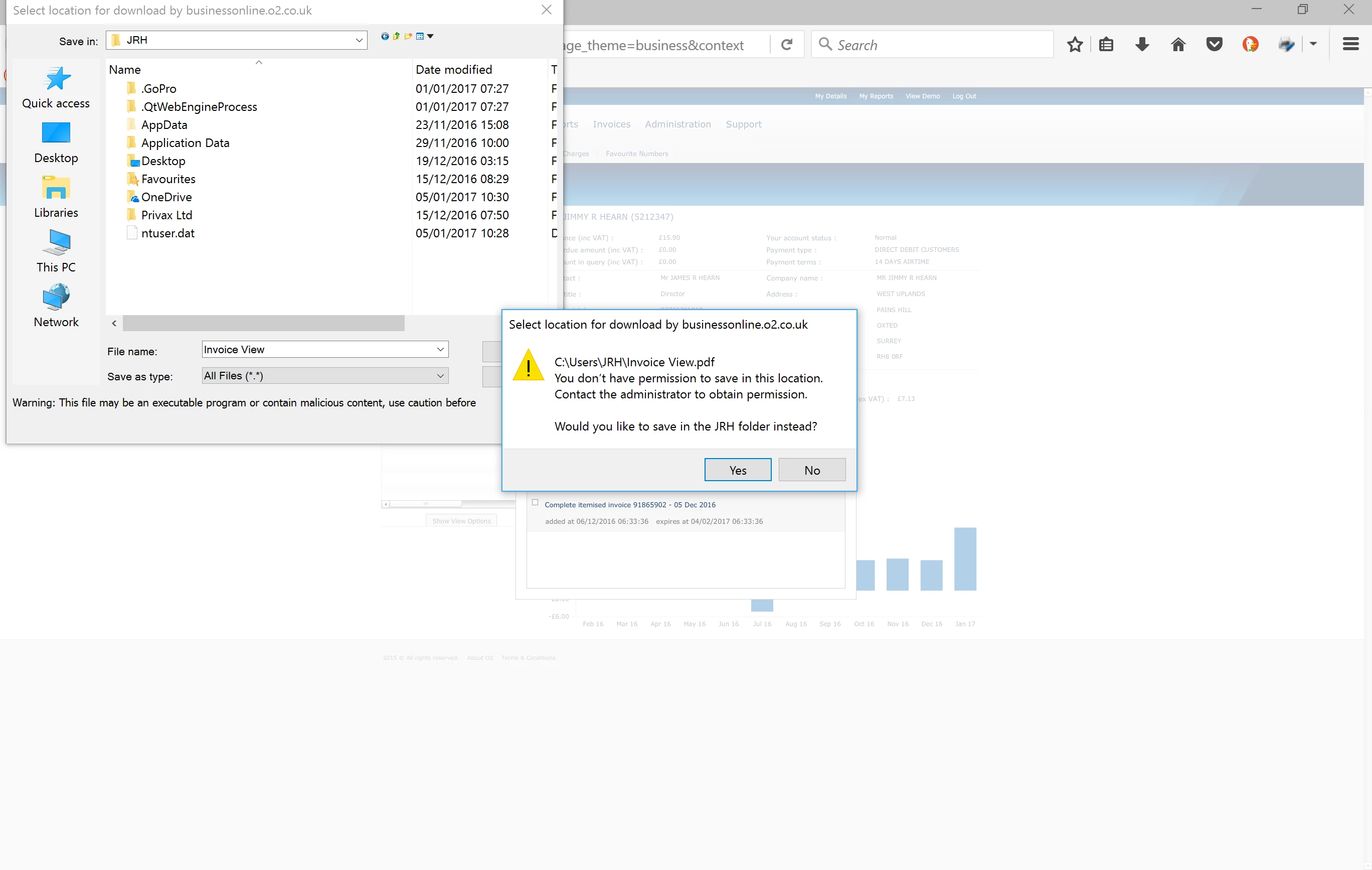
[Moved by moderator to the Using Flash Player Forum]

This topic has been closed for replies.
Correct answer jeromiec83223024

Here's the Firefox bug for completeness: 1329328 – 64-bit Firefox on Win10 - Flash Downloads result in OS Permission errors

1 reply

jeromiec83223024
Inspiring
January 6, 2017

This appears to be a problem specific to 64-bit Firefox.  My guess is that they need to make a change to the NPAPI sandbox.  I'll file a bug with Mozilla.

In the meantime, you could use basically any other browser, or the 32-bit variant of Firefox, although Flash in the context of 32-bit Firefox it's way less stable than Flash in the context of 64-bit Firefox.  Personally, I'd keep the 64-bit version and just use a different browser as a workaround for this specific problem.

jeromiec83223024
jeromiec83223024Correct answer
Inspiring
January 6, 2017