January 11, 2016
Question

Flash Player freezing

  • January 11, 2016
  • 3 replies
  • 452 views

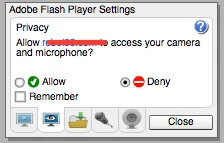
I go on some chat pages and use my camera and mic today when I went on and wanted to show my cam the Adobe Flash Player settings  came up as normal. Now my problems start  when I go to click Allow or Deny they both do nothing. I bring up the next page by clicking settings the box comes up and nothing works. I then bring up global setting and they all work but I am not sure what to do as I don't normally go there. Please help me I am using a MacBook Pro (15-inch, Mid 2012) running OS X El Capitan version 10.11.2

No mater where i put my cursor in the first 2 boxes nothing happens
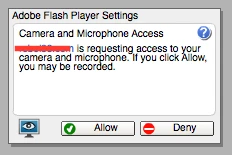
 

In the box bellow everything works
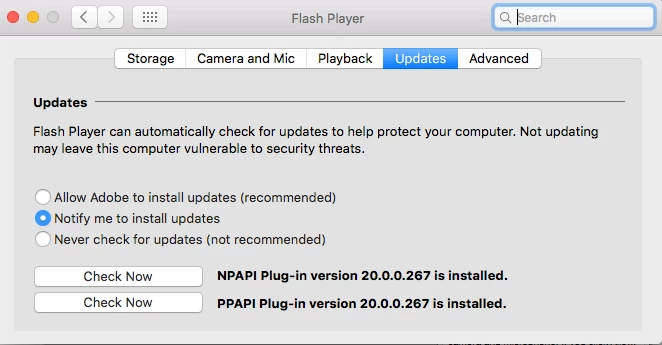
I have uninstalled Flash Player and reinstalled it without the PPAPI with no change I cannot put my camera on in chat pages.

This problem happens on every chat page I go on when I goto start up my camera I can talk on them in text no problem. When I add the camera the box comes up the chat page goes dull and I cant do anything to the chat page or in the box have to come out the page and re-enter.


Message was edited by: mac mac Now found out that Flash player is working in chrome its just not working in safari but cannot work out why.

    This topic has been closed for replies.

    3 replies

    January 17, 2016

    I had hoped that I would of had some help from Adobe but as anyone can see from this request it has been ignored as there is no advise from adobe here I even offered to pay for help and nothing.

    There was a little help from Adobe Twitter I had done most of what  they suggested.

    Its been almost 6 days and I hate Google Chrome and wish to use Safari.


    I have decided with no help from Adobe I am going to try restore my Mac from a backup.


    I can only hope that id anyone else has a problem with Adobe they get more help than I did.


    January 16, 2016

    ok i don't know if anyone from adobe is reading this but hope you are if I put my macbook pro back in time would this solve my problem what do you think?

    January 13, 2016

    I thank Adobe twitter for there help but no joy.

    I followed the link my flash is up to date and working I I go on chat page in safari it greys out and the setting boxes nothing works.

    I know the flash works as I have down loaded chrome and the flash works on the sits there.

    PLEASE HELP ME

    January 16, 2016

    dose anyone have any ideas

    If I have to pay for help tell me where to go