
Known Participant
January 17, 2017
Question

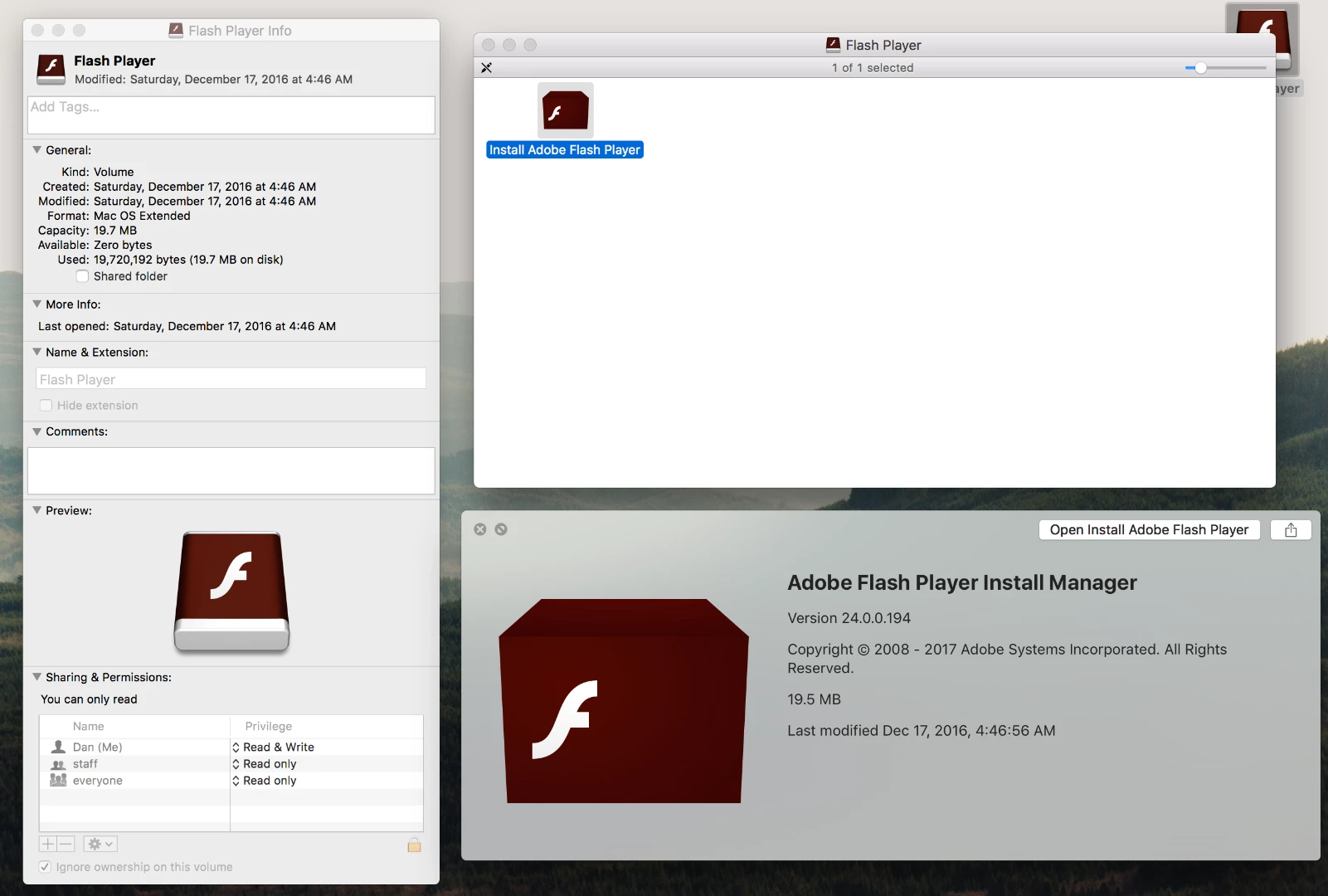
Flash Player Installer appeared on my desktop without warning. Legit or virus?

  • January 17, 2017
  • 1 reply
  • 1956 views

I've had this happen once before. Last time I just deleted it but I'm afraid it's malware. I can't find the source dmg that's creating this. It looks legit but is there any reason Adobe updates should show up spontaneously on the desktop like this?
This topic has been closed for replies.

1 reply

_maria_
Legend
January 17, 2017

Hi,

You can verify if it's a legitimate file or not by doing the following:

  • Launch Terminal app (/Applications/Utilities/Teminal.app
  • At the prompt type: codesign -vvd <Path to Install Adobe Flash Player.app>
    • Easiest way to do this is to drag the APP installer onto the Utilities app after typing codesign -vvd
  • Click Enter
  • Legitimate installers should display the following:

          Identifier=com.adobe.flashplayer.installmanager

          Format=app bundle with Mach-O thin (i386)

          Authority=Developer ID Application: Adobe Systems, Inc.

          Authority=Developer ID Certification Authority

          Authority=Apple Root CA

You can also use Disk Utility to see if there is a DMG mounted.  If so, you can nmount the DMG using Disk Utility.

--

Maria

dantaylrAuthor
Known Participant
January 17, 2017

The installer checks out in Terminal for everything you mentioned. Can't find a DMG source from disk utility. Is there a reason Adobe would be spontaneously mounting disk images to my desktop?

_maria_
Legend
January 17, 2017

I'm not sure what causes the DMG to all of a sudden display on the desktop. This has been reported once or twice in the past, but no definitive cause has been identified.