

matthew17647266
Participant
October 26, 2017
Question

'Flash Player is out of date' notification on Chrome

  • October 26, 2017
  • 3 replies
  • 778 views

How do I get rid of this bar that keeps dropping down every time I open a webpage?
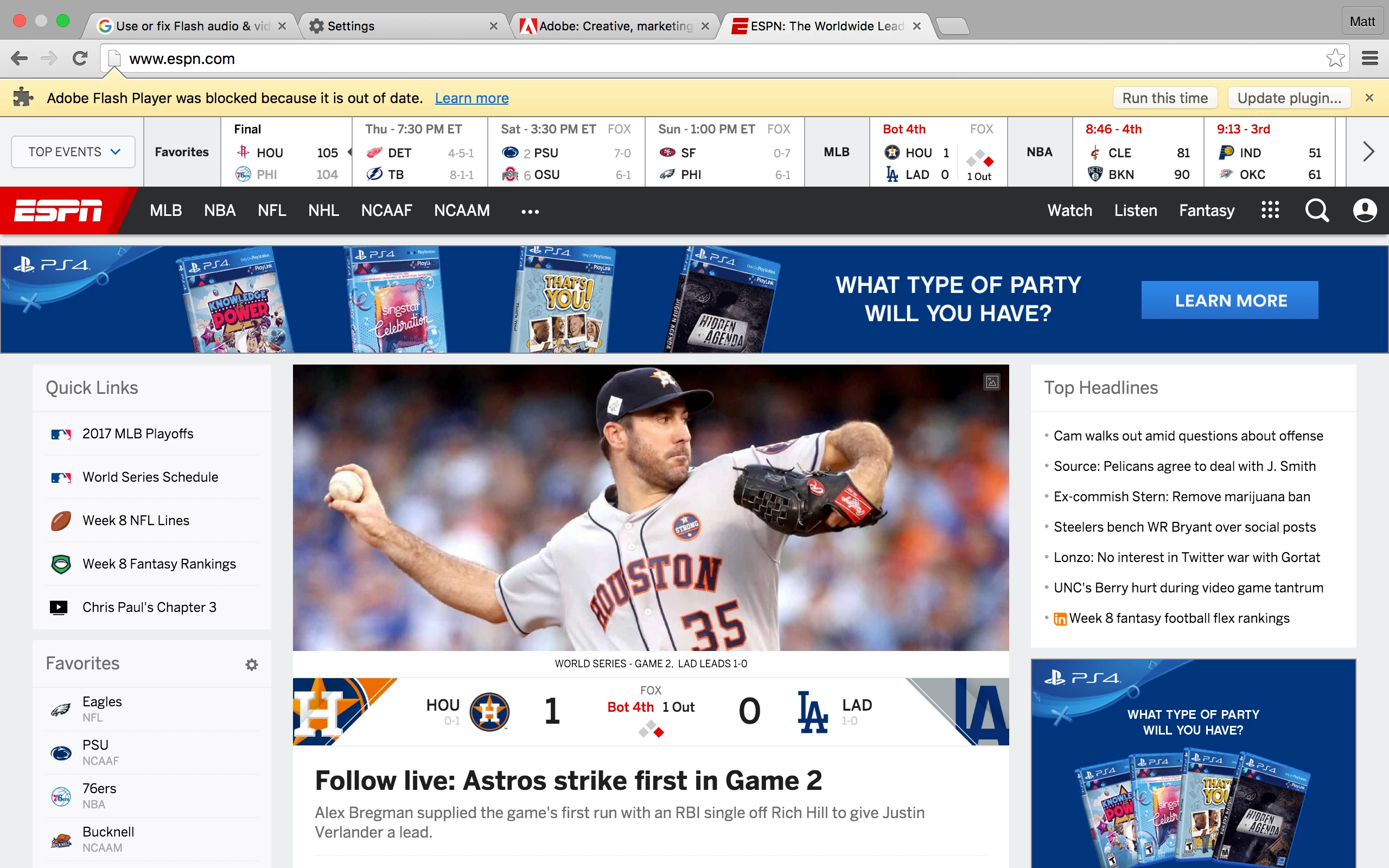
[moderator: edited title to be more clear, and helpful, as to what the issue is]

    This topic has been closed for replies.

    3 replies

    jeromiec83223024
    Inspiring
    October 30, 2017

    Unfortunately, it's time to upgrade to an operating system supported by current versions of Chrome and Flash Player, or you need to switch to a browser that still offers support.  Flash Player and the host browser are interdependent, so running a browser that's a year or two older than the current Flash version isn't a recipe for success, even if you were able to get it to launch.

    You can find a list of supported configurations here:

    Tech specs | Adobe Flash Player

    _maria_
    Legend
    October 26, 2017

    Is that Chrome 49, by chance?  If so, that message is coming from the browser, not the plugin.


    Installing the plugin manually won't really help as Chrome 49 isn't 'aware' of the installation location as Chrome 49 embeds Flash Player and is only aware of the embedded Flash Player locations. See Flash install did not work Mac OSX 10.7.5/Chrome 49 for unsupported work-around .

    divya010193
    Adobe Employee
    Adobe Employee
    October 26, 2017

    Hi,

    Which flash player version are you on?

    Which browser are you using.

    27.0.0.183 is the latest version. Please download and install latest Flash Player from get.adobe.com/flashplayer to avoid "out of date " message.

    If the problem persists, do let us know.

    Thanks!