Known Participant
January 2, 2017
Question

Flash Player isnt working on Google Chrome Windows 10

  • January 2, 2017
  • 2 replies
  • 7069 views

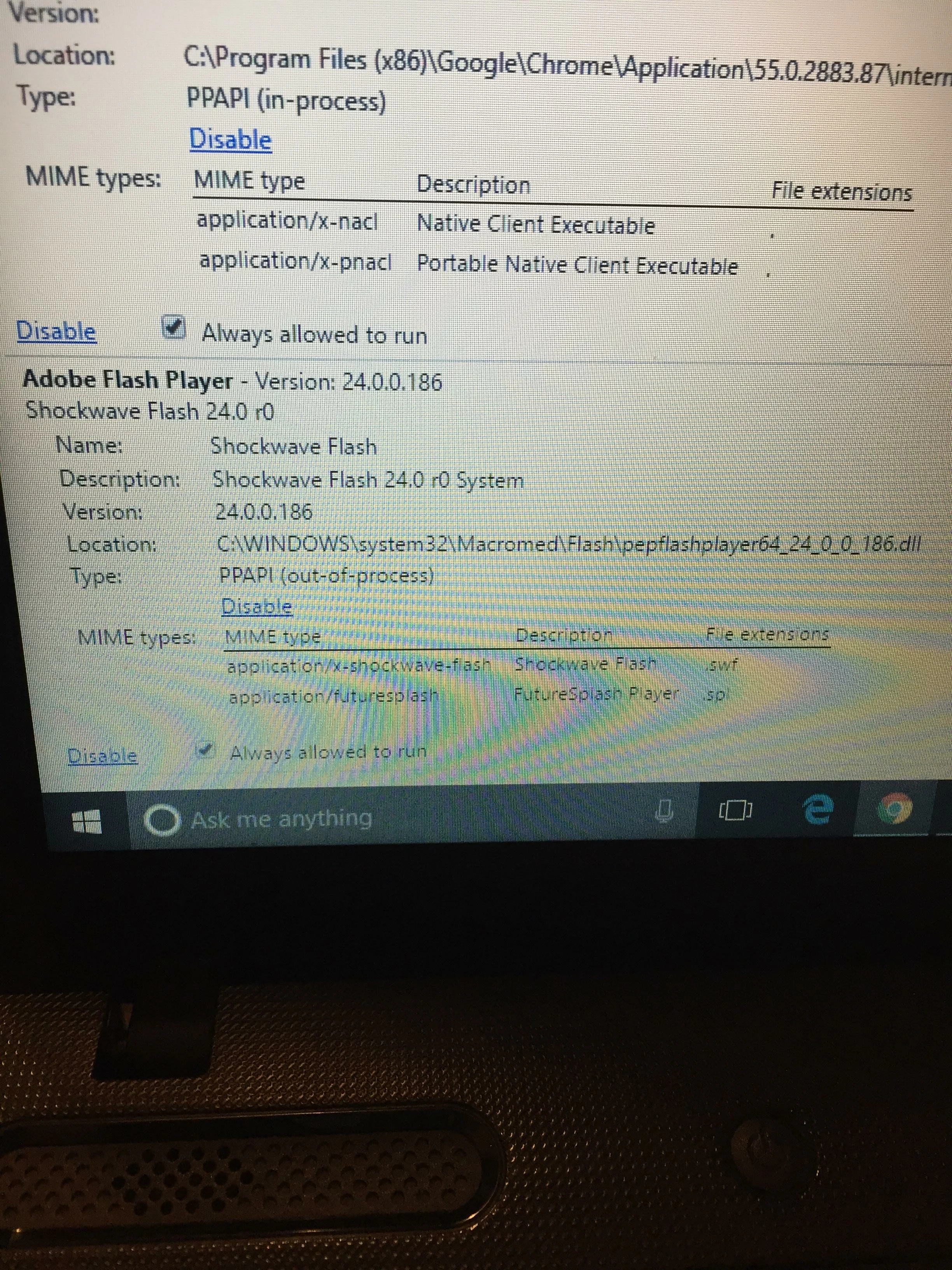
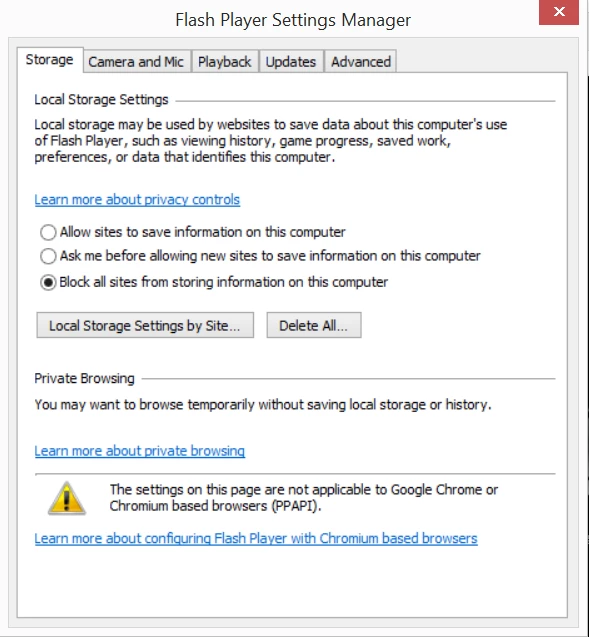
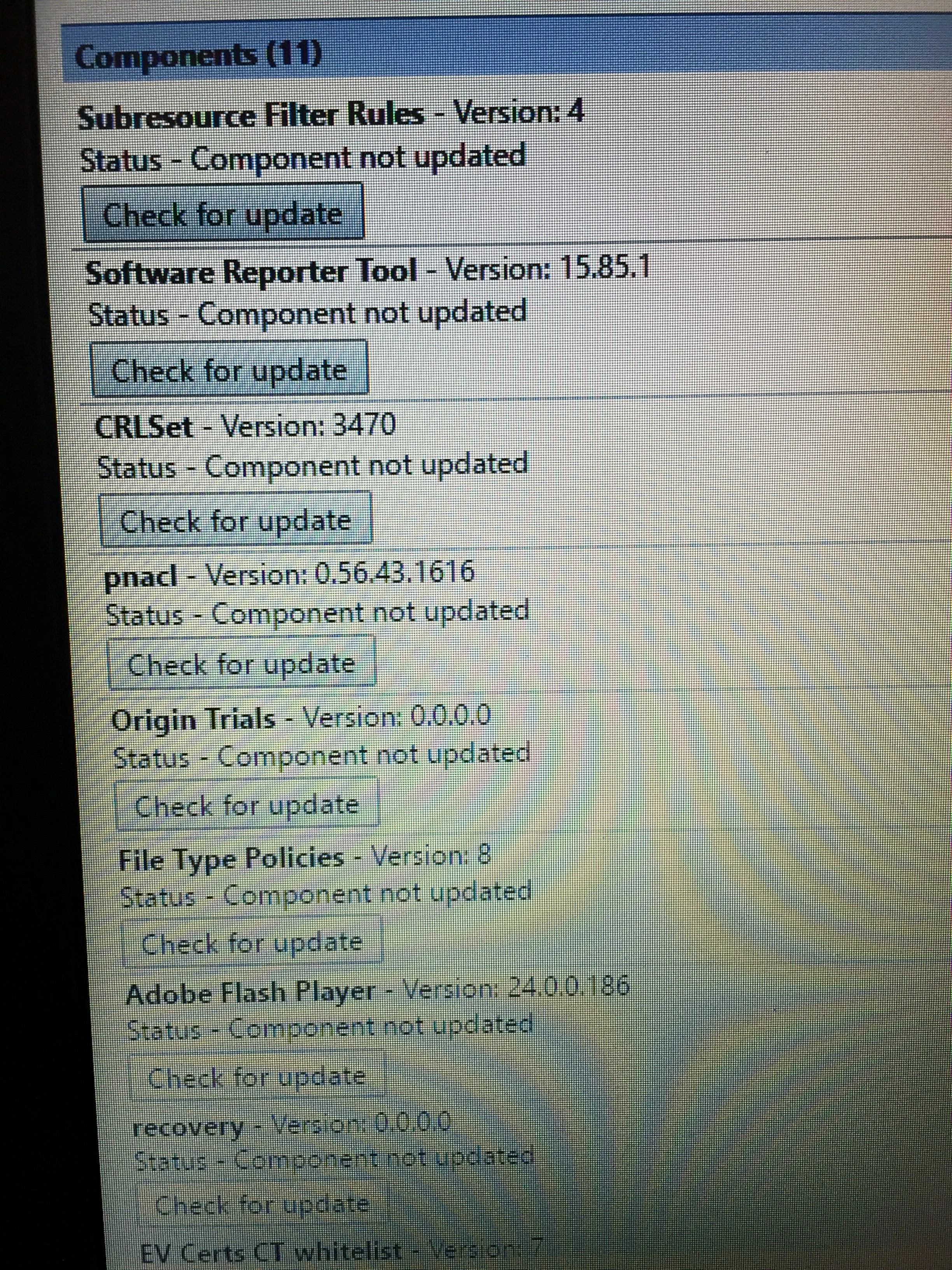
I enabled PPAPI plugins and made sure chrome was up to date. When I went to the components phase and checked Adobe Flash Player for an update, the update was found but the end results was status - component not updated. I also went to control panel and typed in "Flash Player" and clicked it. When it opened I saw at the bottom and it says " The settings on this page are not applicable to Google Chrome or Chromium based browsers (PPAPI)." I also went to the website https://get.adobe.com/flashplayer/?no_redirect and it said "Note: Adobe Flash Player is already installed, but disabled. Click here for more information." 

https://helpx.adobe.com/flash-player/kb/flash-player-google-chrome.html

Flash Version: 24.0.0.186

Browser Name: Google Chrome (PPAPI)

Operating System (OS): Windows (Windows 10)
    This topic has been closed for replies.

    2 replies

    January 6, 2017

    I am using Windows 7 and Adobe flash player is working here. You need to uninstall Adobe and delete from your computer. Then download the latest version again and install. [link removed by moderator]

    Known Participant
    January 6, 2017

    Are you talking about these Adobe?

    _maria_
    Community Manager
    Community Manager
    January 3, 2017

    Based on your information, you have the latest version of Flash Player installed.  I presume you got the following information from one of the help pages. If so, it's detecting Flash Player is installed and enabled.

    Flash Version: 24.0.0.186

    Browser Name: Google Chrome (PPAPI)

    Operating System (OS): Windows (Windows 10)
    Google Chrome does not use the Local Settings Manager which is what the  " The settings on this page are not applicable to Google Chrome or Chromium based browsers (PPAPI)." comment means.  To modify these settings on Google Chrome you need to use the online Settings Manager at Adobe - Flash Player : Settings Manager - Global Privacy Settings Panel

    What is the exact issue you are experiencing?  Please be specific.

    Thank you.

    --

    Maria

    Known Participant
    January 3, 2017

    It`s not playing the video ads. You know how you watch ad before watching the actually video? That`s what the problem Im having. Ever since I updated to Flash Version: 24.0.0.186 this problem been happening. Its like the video screen will just be blank black and then go straight to the actually video.

    _maria_
    Community Manager
    Community Manager
    January 3, 2017

    The video itself displays, but the ads do not?  Is this the only negative behaviour you are experiencing?

    Please provide direct links to affected sites. Note that the link you sent me in private message is blocked by Adobe (which means Adobe considers it to be a malicious site) and I cannot access it.