Participant
July 14, 2020
Answered

Flash Player might be out of date popup

  • July 14, 2020
  • 1 reply
  • 609 views

Hi, how do I stop the following popup in Edge.
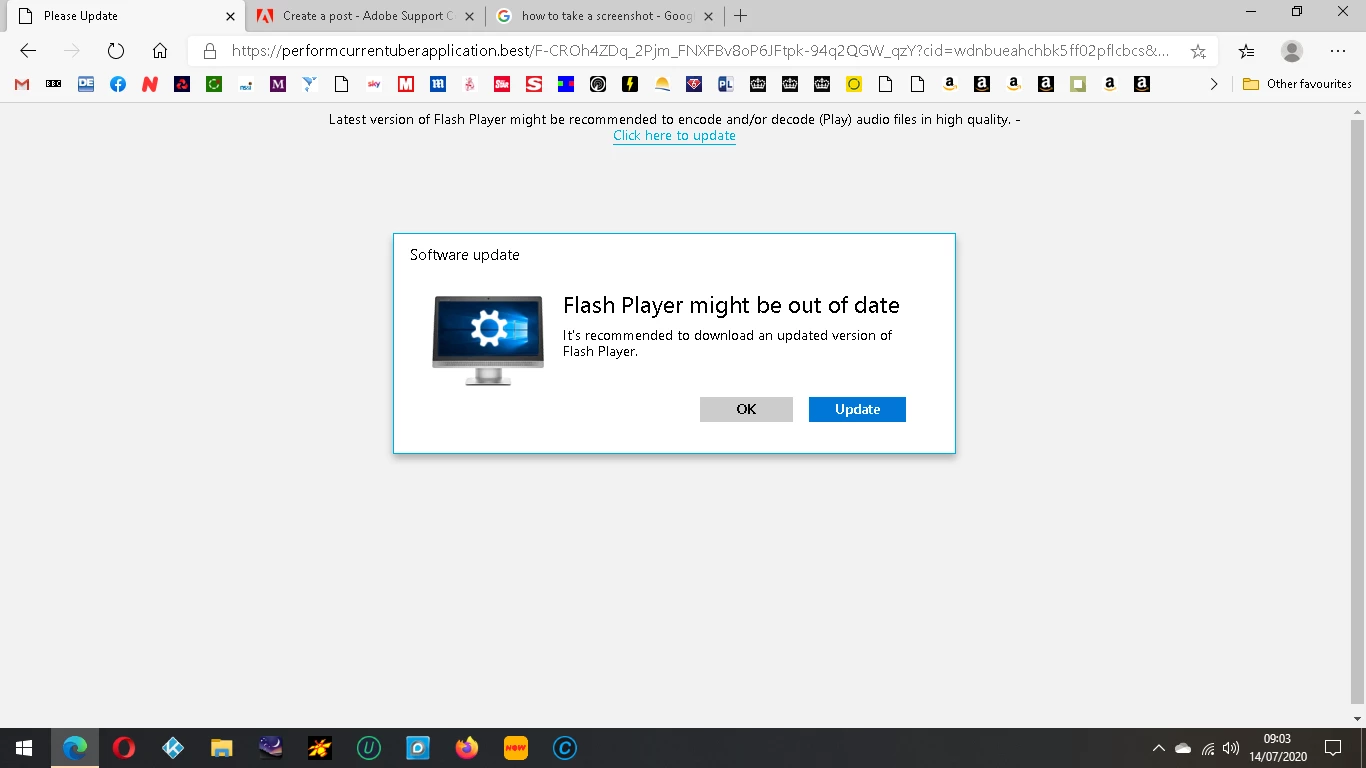
 

Thanks

 

This topic has been closed for replies.
Correct answer Test Screen Name

This is an ATTACK - they are trying to trick you into installing malware. Do not click on the link, and do not visit the site again. (Microsoft now do updates to Flash for Edge if needed, you cannot download them).

1 reply

Test Screen NameCorrect answer
Legend
July 14, 2020

This is an ATTACK - they are trying to trick you into installing malware. Do not click on the link, and do not visit the site again. (Microsoft now do updates to Flash for Edge if needed, you cannot download them).

ajblack4Author
Participant
July 14, 2020
Thanks for the reply. How do I stop it appearing in the first place?
Legend
July 14, 2020

By not going to the site. The message is not true, and not based on checking: it's an attack that will keep coming. Just don't go there. Be alert for attacks like this, millions of sites are infected.