


Participant
May 31, 2017
Question

Flash Player no longer working with freeconferencing.com

  • May 31, 2017
  • 1 reply
  • 868 views

I have been using freeconferencing.com with msedge for almost a year without any issues, until recently.
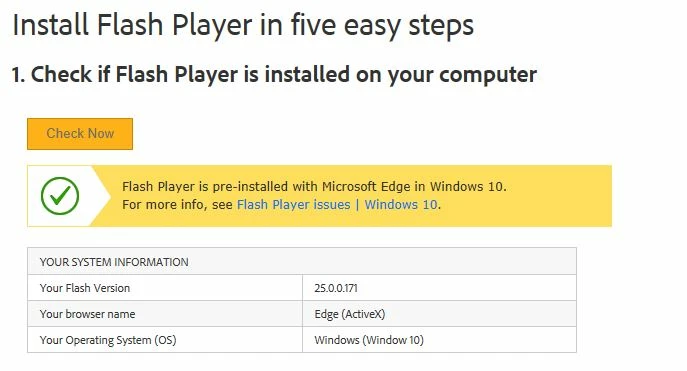
I have tried the troubleshooting help found on adobe.com, and just about everything else, and still, it is no longer loading on that site.
I tried on Google Chrome, and it works there - so I know it's not freeconferencing.com.
Any help please?
Thanks
This topic has been closed for replies.

1 reply

_maria_
Legend
May 31, 2017

It sounds like you have the Windows 10 Creators Update installed.  To verify go to Settings > System > About.  If Version is 1703 and OS Build is 15063.96 you have the Creators Update.  In this update Microsoft changed the default behaviour of Flash as it moves to preferring HTML5 over Flash in Edge, and setting Flash as click-to-play by default.

Please do the following:

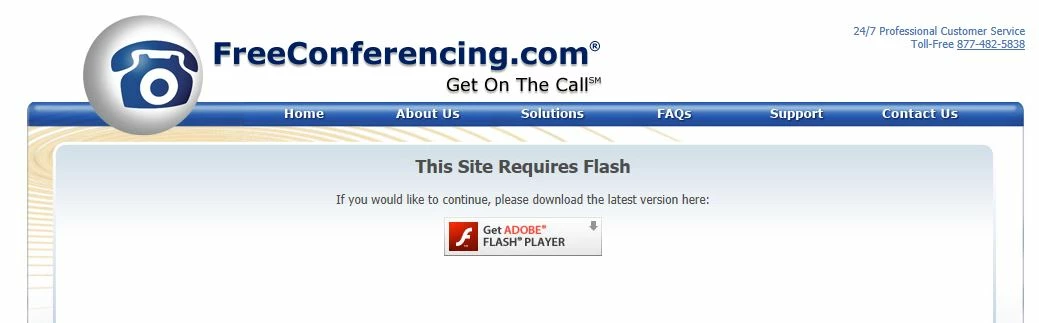
  • Click on the 'Get Adobe Flash Player' button
  • A 'Adobe Flash content was blocked' message will display
  • Click either 'Allow once' or 'Always Allow'


Note that this new behaviour is per-site, so you will need to do this for other sites that use Flash.  Microsoft does not offer an 'always allow, for all sites' option.  For more information, see Extending User Control of Flash with Click-to-Run - Microsoft Edge Dev BlogMicrosoft Edge Dev Blog

Participant
June 4, 2017

I have OS Build is 15063.296 not 15063.96
Does that make a difference?

_maria_
Legend
June 5, 2017

No, the .## build number shouldn't matter.  You still have Version 1703, which is the Creators Update.


What happens when you click on the 'Get Adobe Flash Player' button on this screen?

Does the puzzle piece in the address bar (to the right of the URL) display?  If so, click on the puzzle piece.