afantax
Participant
September 27, 2016
Question

flash player non funziona con Chrome

  • September 27, 2016
  • 2 replies
  • 761 views

Ho Chrome  Versione 53.0.2785.116 m che mi risulta aggiornato.

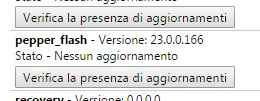
nei plug in e component ho attivi e aggiornati sia i plug in di flash sia i pepperflash
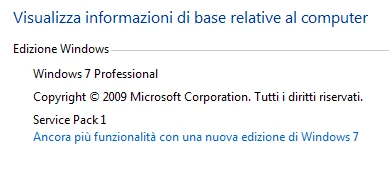
sto usando windows 7 professional
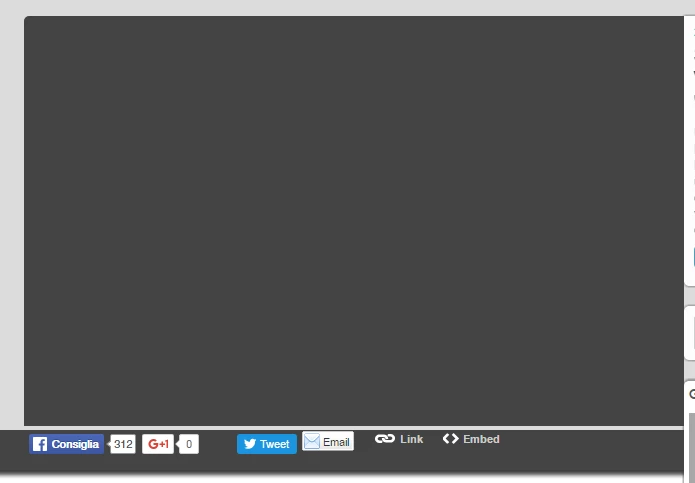
eppure ogni sito che incorpora video flash per me è off limits: vedo schermo nero o grigio. Ecco un esempio:
This topic has been closed for replies.

2 replies

afantax
afantaxAuthor
Participant
September 28, 2016

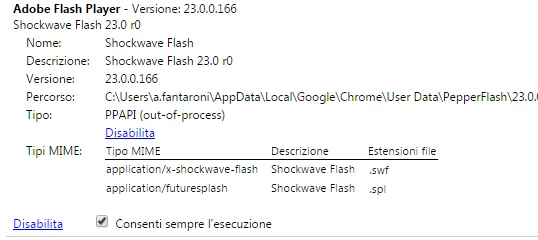
I see I have three different path for pepflashplayer.dll. I attach below the screenshot:

  • C:\Users\a.fantaroni\AppData\Local\Google\Chrome\User Data\PepperFlash\23.0.0.166
  • C:\Program Files (x86)\Google\Chrome\Application\53.0.2785.116\PepperFlash
  • C:\Program Files (x86)\Google\Chrome\Application\53.0.2785.113\PepperFlash

It could be the reason?

ridhij4208356012135538
Adobe Employee
Adobe Employee
September 28, 2016

Hi,

Different locations for pepflashplayer.dll should not be an issue. As per the first screenshot, chrome is loading the dll from C:\Users\a.fantaroni\AppData\Local\Google\Chrome\User Data\PepperFlash\23.0.0.166 location.

Could you try deleting the PepperFlash folders in all three locations and then open chrome and go to chrome://components and update Flash Player component and try using the same.

Thanks!

Participating Frequently
September 28, 2016

Seems like your flash player is not enabled. Please follow the instructions @ Flash Player with Google Chrome

afantax
afantaxAuthor
Participant
September 28, 2016

i have selected the option so flash always can run from following this

guide Enable Flash Player for Chrome

<https://helpx.adobe.com/flash-player/kb/enabling-flash-player-chrome.html>

Still not working.