
Participant
Dec 15, 2012 6:26 PM UTC
Question

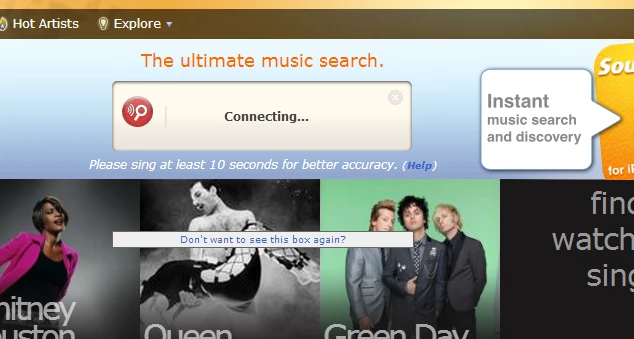
Flash player settings box doesnt appear on midomi.com

When I try to record sound, the box doesnt appear. It goes like this and i can't do anything, Tried uninstall reinstall, older versions and etc.. Dont know what to do. Works well on other pages, except midomi.com
    This topic is closed to new replies. Start a new post to keep the conversation going.

    5 replies

    jeromiec83223024
    Inspiring
    Nov 22, 2017 10:58 PM UTC

    To give you any useful advice, I'm going to need to know more about your computer and browser:

    https://forums.adobe.com/thread/1195540

    Translate
    jeromiec83223024
    Inspiring
    Nov 28, 2017 11:01 PM UTC

    Given the age of this thread, I'm going to lock it.

    Translate
    rickyz7
    Participant
    Nov 20, 2017 7:00 PM UTC

    maybe late answer, but i had same problem before, try upgrade your browser, it's work for me

    Translate
    hkudo
    Inspiring
    Dec 20, 2012 10:53 PM UTC

    Can you check your local setting manager for camera and microphone setting? It is in control panel.

    Translate
    Participant
    Dec 21, 2012 5:24 PM UTC

    I cant't find it. Im using Windows 7 32 bit.

    Translate