lydiaw13621681
Participating Frequently
September 25, 2016
Answered

Flash Player still not working

  • September 25, 2016
  • 1 reply
  • 2096 views

Hello all, I am so hoping someone can help me.  I have updated my computer and now flashplayer is not working.  I have followed the instructions to enable it and it still will not work.  I like to play games on different sites such as Melting-Mindz, Escape Games, Agame.com and some others but everytime I go to any of those sites and click on a game to play I consistently get the same message that adobe flash player is not enabled.  What can I do as I really just want to be able to play games once again.

This topic has been closed for replies.
Correct answer _maria_


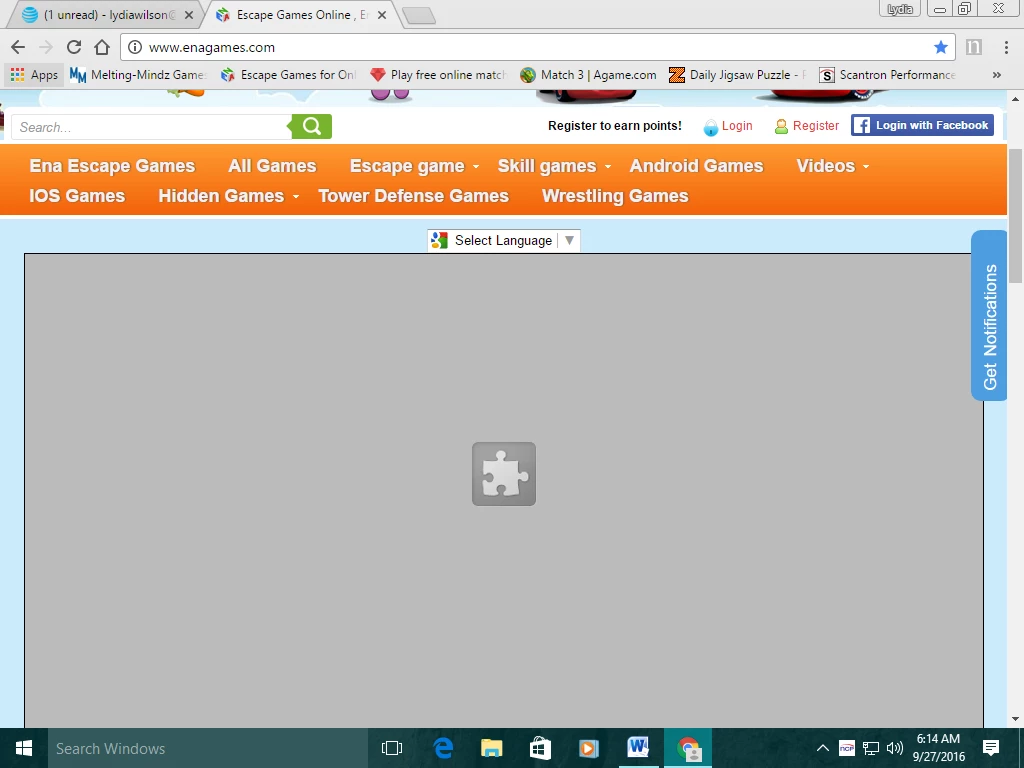
Thank you for posting the screenshot.  We have seen an increase in issues with Flash Player on Chrome within the last week and have escalated to Google.  We're investigating and haven't determined the cause of the issue yet.  I'd like to get some information from you to aid in the investigation.  Please do the following:

  1. Launch Chrome
  2. Navigate to chrome://help
  3. What is the Chrome version (copy and paste into your reply)
  4. Navigate to chrome://plugins
  5. Click the +Details link in the upper right to display plugin details (if not already displayed)
  6. Look for the Adobe Flash Player entry
  7. What is the Location path to the pepflashplayer.dll file (copy and paste into your reply)
  8. Open Windows Explorer and navigate to the Location obtained in step 7
  9. What files are listed in this directory?  List all file names in your reply

Thank you.

--

Maria

1 reply

_maria_
Legend
September 26, 2016

what operating system, including version, and browser, including version, is this on?

lydiaw13621681
Participating Frequently
September 26, 2016

My operating system is Windows 10 Pro with the 32 bit operating system x64 bases processor.  I use Google Chrome.  I hope this info helps.  Thanks for responding.

_maria_
Legend
September 26, 2016

What happens when you try to view Flash content?  Does it say "couldn't load plugin" or something else?  A screenshot of the actual behaviour would be greatly appreciated.

Please launch Chrome and go to chrome://plugins.  On the upper right click the '+Details' link to expand the plugin details (if not already expanded).  Look for the Flash Player entry and post a screenshot of the details.


See How do I attach a screenshot? for assistance in taking and posting a screenshot.

Thank you.