


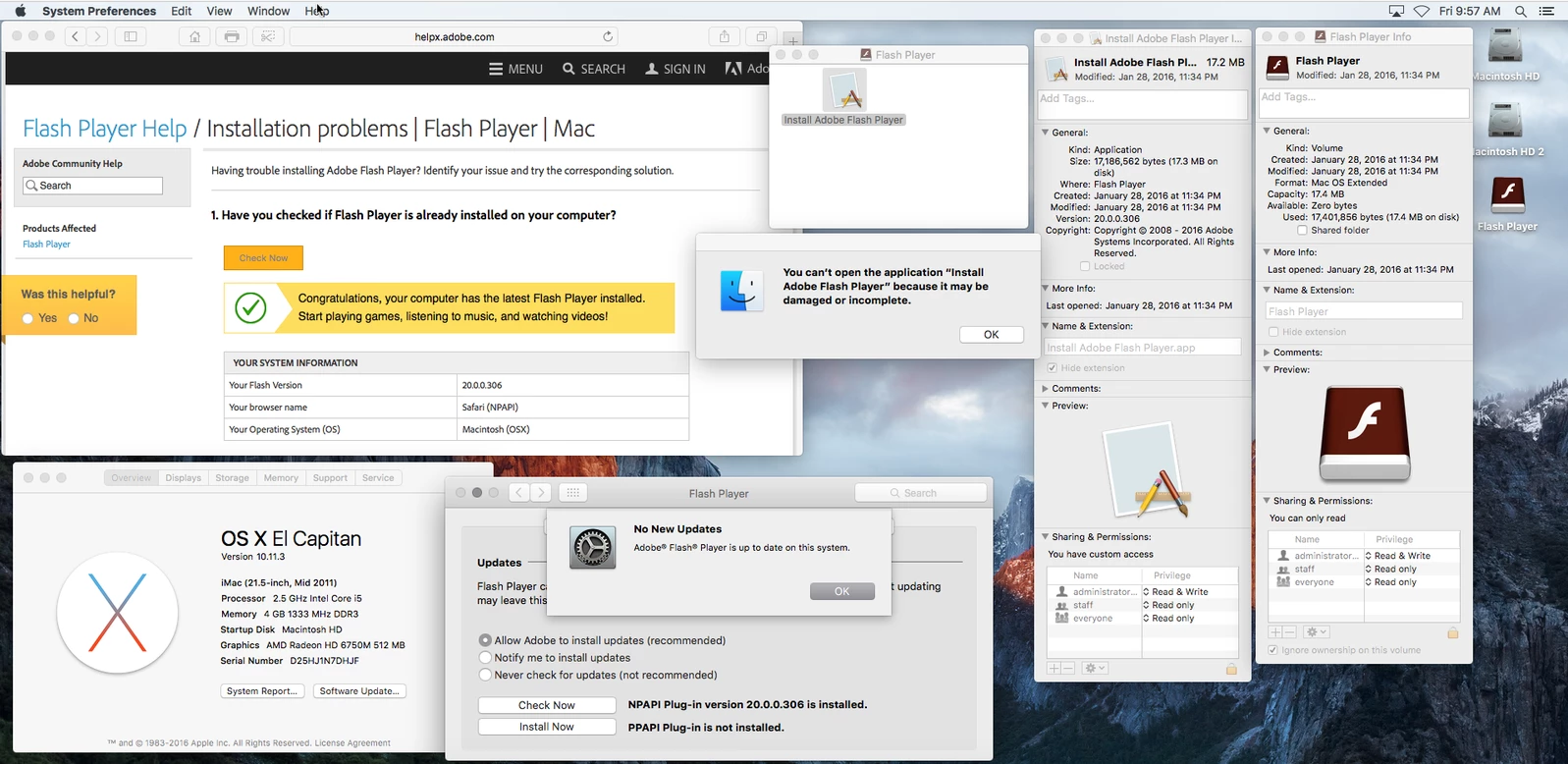
Flash Player update installer appearing on desktop, but fails to install - recreated on multiple iMacs
"Out of the blue" a Flash Player Installer icon appeared on all our 35 Computer Lab iMacs.
Same thing has happened on my personal iMac at home. (eliminating the possibility of it being a local network issue, perhaps)
I assume this appeared because there is a system preference setting for Flash Player allowing for Adobe to install updates (recommended).
After starting the install, we get an error message "You can’t open the application “Install Adobe Flash Player” because it may be damaged or incomplete."
This error message appears regardless of OS X version (running on 10.11.1 and 10.11.3)
I verified to make sure we indeed have the latest version of Adobe Flash, and we do.
We can remove the installer from the desktop, but it reappears a couple of weeks later with the exact same problem.
Is there a solution to this?
 AdChoices