Participant
November 20, 2017
Question

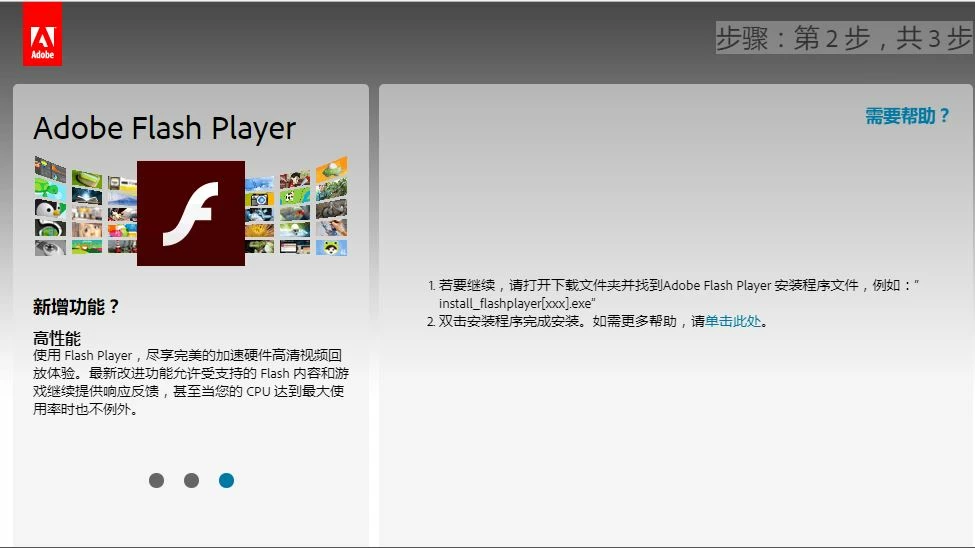
Flash Player Update Link is in Chinese. Malware?

  • November 20, 2017
  • 1 reply
  • 993 views
    This topic has been closed for replies.

    1 reply

    jeromiec83223024
    Inspiring
    November 22, 2017

    That looks like one of our URLs.  You should be able to confirm by clicking the lock icon and looking at the identity information in the SSL certificate.  It should be issued to Adobe Systems Incorporated in San Jose, California.

    My guess is that a load balancer misconfiguration redirected you to the wrong geo.  I've seen that happen very intermittently a couple of times recently.  I think it's fully resolved at this point, but it was complicated and took help from our networking team and CDN vendor to get it sorted.

    If you're consistently redirected to the Chinese language site, you may need to set your region back to the appropriate geo.  We may store that preference as a cookie.  I'm pretty far removed from the group that operates the public-facing website.  If you to go www.adobe.com and scroll all the way to the bottom of page, you should see a little globe icon that will let you fix it.  Alternatively, you could clear your cookies, but that can be pretty annoying if you're logged into a lot of services.

    At that point, you should be able to go here and get the download in the appropriate language:

    https://get.adobe.com/flashplayer/

    Thanks!