
Flash Player Version Issues
I found out on the support forums that i can check the version i have on my computer of which Flash Player i have installed but i have conflicting information. The first information is the Adobe website link which was referred to me through the FAQ:
Q: How do I know that Adobe Flash Player is installed correctly?
A: Adobe Flash Player requires users to restart their browser after installation. To validate that Adobe Flash Player is installed correctly, visit www.adobe.com/software/flash/about/.
So i took a picture of what it told me which is this image:(I dont know if the images are going to work because Adobe said they were going to be disabled so i have a link under each image to my website if you would like to see the image) I have no intention to harm your computer; i wouldn't want you harming mine.
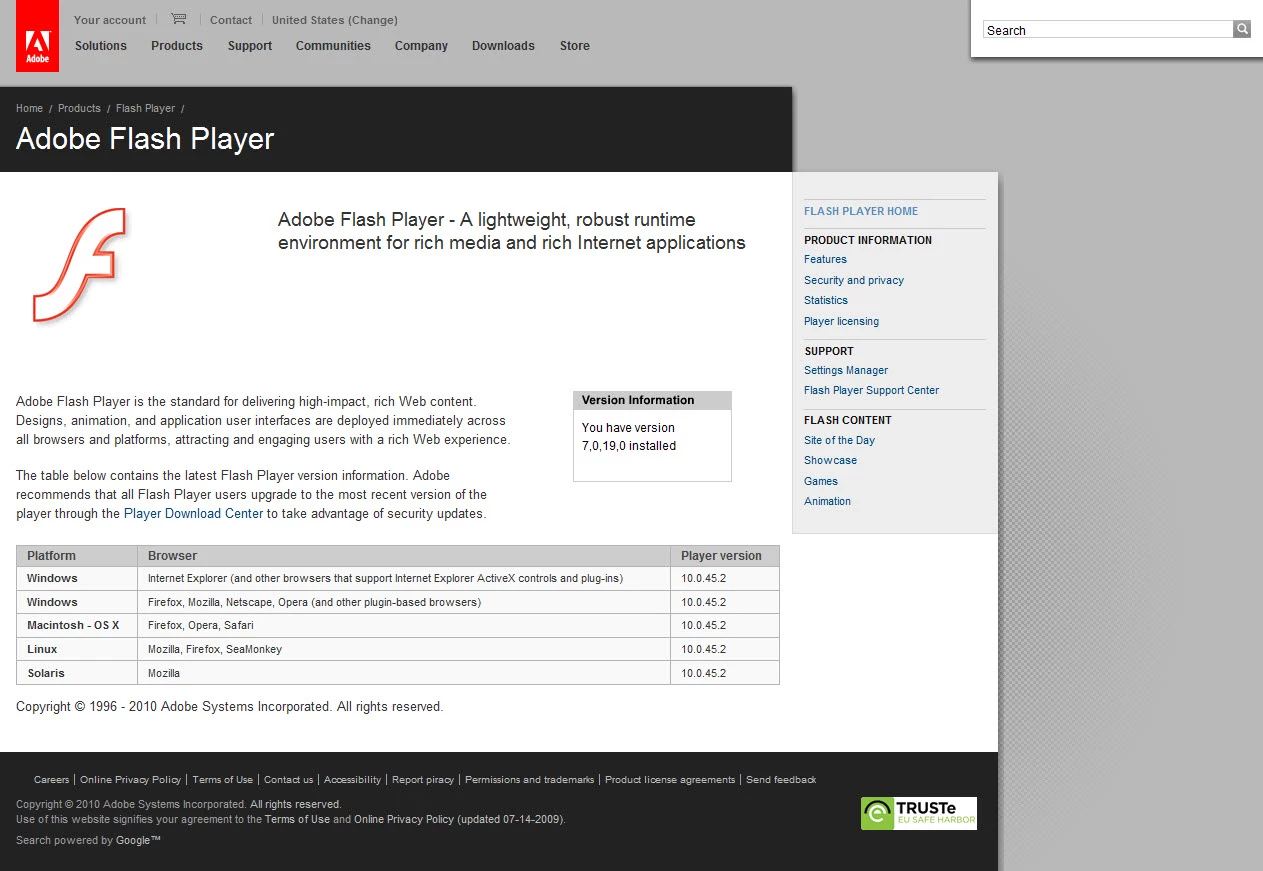
http://cstapleton.com/zero/flash_version.jpg
Then i looked in my Windows 7 programs and features to see which version i had because some of the FAQ said to just uninstall the old versions and reinstall. So i went and took a picture of that also:
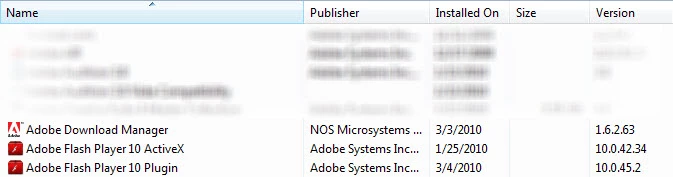
http://cstapleton.com/zero/flash_program.jpg
I dont understand why it has conflicting information for the VERSION.
I read in the FAQ that the ADM would appear and then would be deleted after i restarted so i restarted and it is not there anymore.
I keep having a weird issue with the Flash Player not working especially because its been asking for it all over sites i visit but i install or reinstall like up to 3 times and it keeps saying i dont have the right version. I thought when i bought the Adobe Master Collection CS4 that it would automatically update all that together. Am i not understanding correctly?
If anyone has an information that could help me i would value your comments and suggestions.
Thanks,
Chris
 AdChoices