December 14, 2012
Question

Flash Player Won't Connect To YouTube

  • December 14, 2012
  • 1 reply
  • 1130 views

Hi Folks,

I’ve created a presentation in Captivate 4 that has links to YouTube videos.

When I preview the presentation the links work.

When I publish the file and run it on Flasher Player 10 the links don’t work.

I get an Adobe Flash Player Security window:
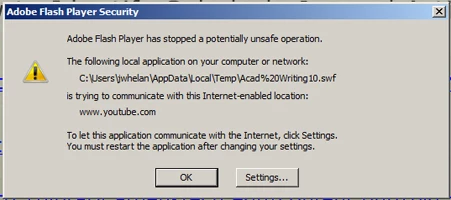
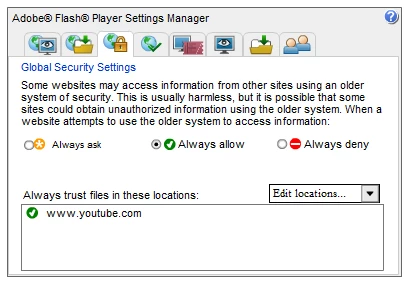
I have tried to put www.youtube.com into the Settings Manager but that doesn’t have any effect:
I've looked around the internet and found something that seemed to say there are problems with Flash 10 and YouTube. Is this the case?

I’ve tried downloading Flash Player 11, but haven’t been able to get it to run. Creative Suite 5 is on the computer I’m using so I think the system just defaults to that version.

I'm running Windows 7.

Any advice or insight will be greatly appreciated!

Thanks,

Jim

    This topic has been closed for replies.

    1 reply

    chris.campbell
    Legend
    December 14, 2012

    Hi Jim,

    Please try adding "C:\users\jwhelan\appdata\local\temp\acad%20writing10.swf" to your trusted locations to see if that makes a difference.

    Thanks,

    Chris

    December 14, 2012

    Thanks for replying, Chris!

    I put that address in the Settings Manager, but unfortunately it didn't work. It made me think to add the URL for one of the actual YouTube videos to the Settings Manager, but no luck there either.

    I don't know if I can use a local address. The presentation is going on the Internet and won't be connected to my machine. But, then I'm not sure if that matters...

    As you've probably already guessed, I don't have a real good grasp of the Settings Manager. I'm going to have to study it closer - Maybe I'm just doing something knuckleheaded.

    Jim

    chris.campbell
    Legend
    December 15, 2012

    Following up with one of our security engineers for additional info.  I'll let you know once I hear back.