


Participant
August 8, 2018
Question

Flash player won't enable

  • August 8, 2018
  • 1 reply
  • 752 views

I am using Windows 10

64 bit

Google Chrome as browser  Version 68.0.3440.84 

Flash Player  30.0.0.134

I have uninstalled and re installed Flash Player

Updated my Google Chrome and

Re Started my computer several times.

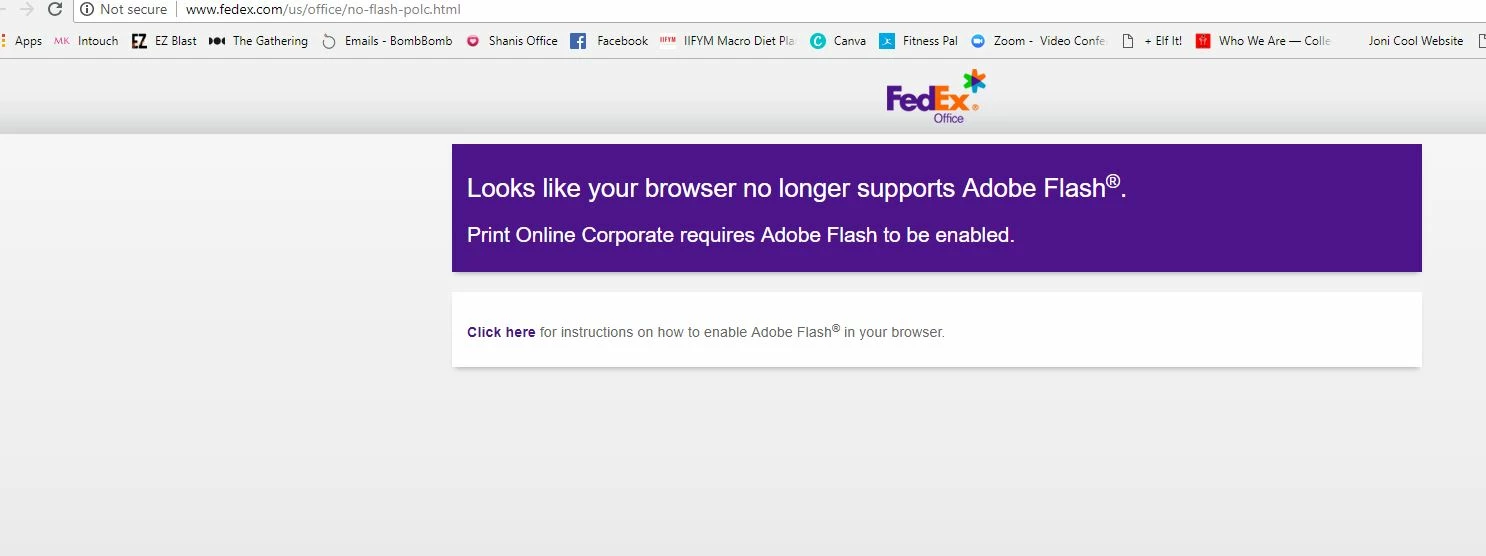
I have followed all of the instructions on your website For allowing flash player in setttings  and have gone through those steps several times even after uninstall and re install and nothing works.  This is the website I'm trying to use and this is what I get every time. 
    This topic has been closed for replies.

    1 reply

    _maria_
    Legend
    August 8, 2018

    Firstly, that is an erroneous message from FedEx.  Chrome does continue to support Flash Player.

    Google embeds Flash Player in Chrome, there is no need to install it separately.  What Google does is disable Flash by default for each site, forcing users to enable it, on a per-site basis, unless the user whitelists all sites.

    See Google's help document Use or fix Flash audio & video - Computer - Google Chrome Help for assistance.  If none of the recommendations work pPlease try the following:

    1. Launch Chrome
    2. Navigate to chrome://settings/content/flash
    3. In the Allow section, click Add
    4. In the Add a site dialog window enter: http://*
    5. Click Add
    6. Repeat step 3
    7. In the Add a site dialog window enter: https://*
    8. Click Add
    9. Reload Chrome

    This usually works for the vast majority of users.