
Flash Player Won't Update on Firefox
Hello,
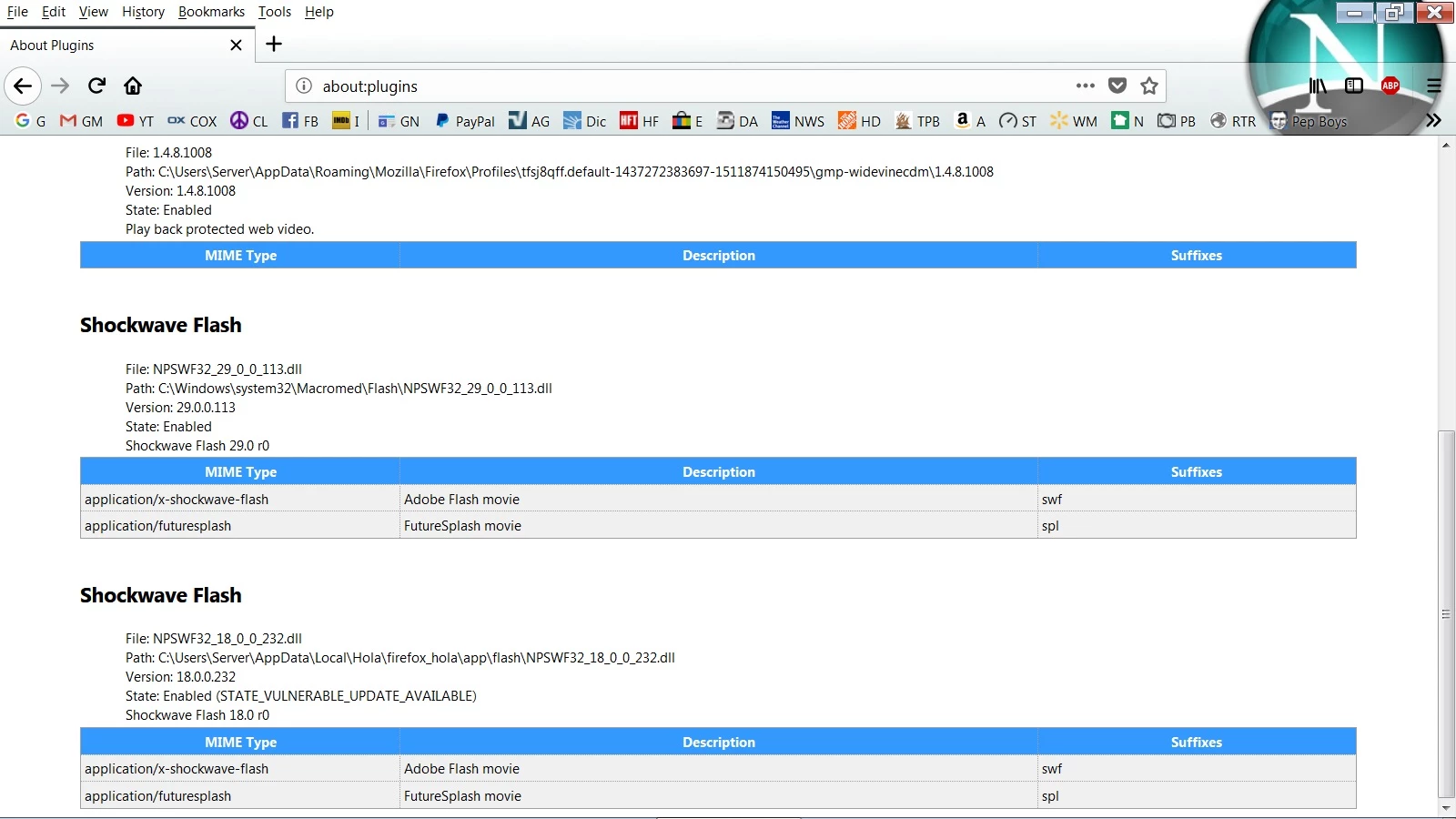
I have attempted to update Flash Player numerous times without success. I am using Firefox Quantum ver. 56.0.1. When I check the version of Flash Player it shows Shockwave Flash v. 18.0.r0. It also shows that it was last updated March 7, 2016. Firefox has blocked it, obviously, because it is out of date.
I go through the process of updating it and every step completes ending with a final step which says the program was successfully updated. I then restart the browser only to find nothing has changed.
I am running Windows 7 Ultimate which is current on updates. I do not have any antivirus software running or any other software that may prevent Flash from updating.
As I stated above, Flash Player thinks it has updated successfully and gives no errors to the contrary. Aside from attempting to update it numerous times, the only other thing I have done is run the uninstaller which also shows that it has completed successfully but when I launch Firefox, it still shows ver. 18.0.r0 installed.
I hope I gave enough details for someone to be able to help me figure out what's wrong.
Thank you,
Steve
[Here is the list of all Adobe forums... https://forums.adobe.com/welcome]
[Moved... Shockwave is a different product... Mod]
 AdChoices