


vlakob37401180
Participant
June 29, 2018
Answered

Flash Projector: "Invalid SWF file name" when trying to open https

  • June 29, 2018
  • 1 reply
  • 2308 views
  • Operating system version: Ubuntu 16.04
  • Web browser and version: Firefox 60.0.2
  • Flash Player version​: 30.0.0.113
  • Explain your problem in step-by-step detail if possible:

So the problem is that if I try to paste a url that starts with https://... into the URL field of the flash projector, it simply stays white.

If I try to directly open the url via console, it says: "Error: Invalid SWF file name".

It seems like this error appears every time I try to open any https website.

No Problems using the browser btw.
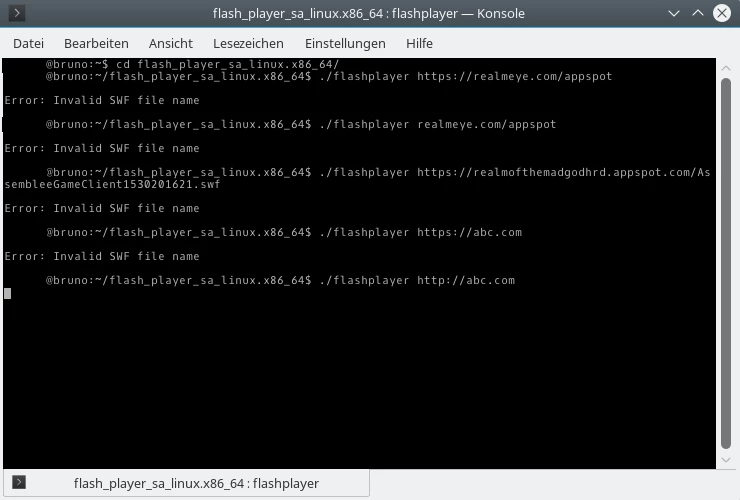
On the last command it opened the flashplayer.
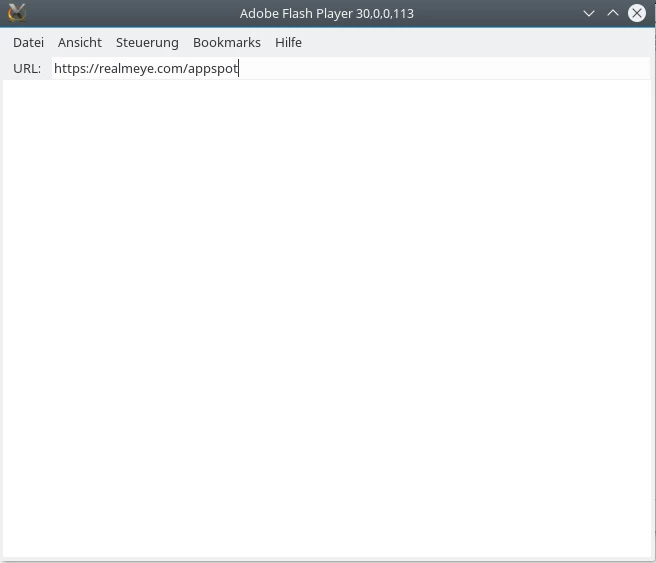
Here it simply stays white.

This topic has been closed for replies.
Correct answer alexp82024844

I had the same problem. The projector doesn't appear to accept https urls as parameters (I guess only the Linux version, since quite a few people use the projector to play the game and nobody else seems to have reported this issue).

Given that flash is now officially EOL and the Linux version of the projector hasn't been updated in a thousand years, the odds of this annoying bug being fixed now are pretty much nil.

I worked around this by downloading the swf file and opening the local file. I had to log back into the game and redo all my settings, but only once.

I have a script which automates downloading the latest file and running it:

#!/bin/bash

wget https://www.realmofthemadgod.com/client -O rotmg.swf

flashplayer rotmg.swf

rm rotmg.swf

(I remove the file at the end to make sure that I never play using an old version.)

I've saved that as a file called rotmg in my ~/bin and made it executable. This assumes that flashplayer is also on the path (I also have it in my ~/bin).

I also made a file called rotmg.desktop and put it in my .local/share/applications/ to get a menu entry (works for any environment that uses the XDG menu standard):

[Desktop Entry]

Version=1.0

Encoding=UTF-8

Type=Application

Name=Realm of the Mad God

Exec=rotmg

Icon=/FULL/PATH/TO/FAVICON/I/DOWNLOADED.png

Categories=Game;

1 reply

alexp82024844
alexp82024844Correct answer
Participant
July 4, 2018

I had the same problem. The projector doesn't appear to accept https urls as parameters (I guess only the Linux version, since quite a few people use the projector to play the game and nobody else seems to have reported this issue).

Given that flash is now officially EOL and the Linux version of the projector hasn't been updated in a thousand years, the odds of this annoying bug being fixed now are pretty much nil.

I worked around this by downloading the swf file and opening the local file. I had to log back into the game and redo all my settings, but only once.

I have a script which automates downloading the latest file and running it:

#!/bin/bash

wget https://www.realmofthemadgod.com/client -O rotmg.swf

flashplayer rotmg.swf

rm rotmg.swf

(I remove the file at the end to make sure that I never play using an old version.)

I've saved that as a file called rotmg in my ~/bin and made it executable. This assumes that flashplayer is also on the path (I also have it in my ~/bin).

I also made a file called rotmg.desktop and put it in my .local/share/applications/ to get a menu entry (works for any environment that uses the XDG menu standard):

[Desktop Entry]

Version=1.0

Encoding=UTF-8

Type=Application

Name=Realm of the Mad God

Exec=rotmg

Icon=/FULL/PATH/TO/FAVICON/I/DOWNLOADED.png

Categories=Game;

Robert Mc Dowell
Legend
July 4, 2018

> the Linux version of the projector hasn't been updated in a thousand years,

no true, the last version of the Linux projector is 30.0.113 updated 1 month ago

Adobe Flash Player - Debug Downloads