


October 10, 2016
Question

Flash update - Looping

  • October 10, 2016
  • 1 reply
  • 186 views

I am trying to play games, and keep getting a prompt asking me to update flash.

After updating and reloading the browser (Firefox) this prompt reappears.

I've installed 3 separate times, to no avail. Could I get some assistance?

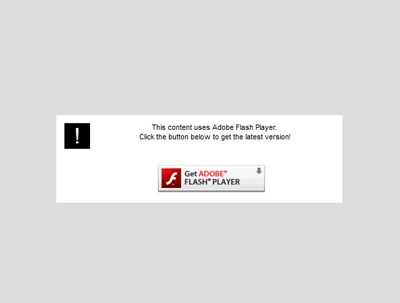
Below is a screenshot of the message I am seeing.

I am using a Windows10 64-Bit PC.
This topic has been closed for replies.

1 reply

_maria_
Legend
October 10, 2016

What is the Windows 10 version/build information (see How to Find Out Which Build and Version of Windows 10 You Have)?

Have you restarted the browser after installing Flash Player?

Ensure Flash Player is enabled in the browser, see Enable Flash Player for Firefox

What is the direct URL to the site experiencing this behaviour?

October 10, 2016

Pretty sure I gave you that information...

"After updating and reloading the browser (Firefox) this prompt reappears."

"I am using a Windows10 64-Bit PC."

The only other information I failed to add was that it is HOME EDITION

And I am getting the prompt on multiple sites.

This is the most recent.
http://www.newgrounds.com/portal/view/607660

Flash is showing as enabled, and up to date.

Screenshot verifies...

_maria_
Legend
October 10, 2016

No need to use bold font. Using bold font for every letter/word makes it more difficult to read.

You provided the OS version, but not the build info, as in Windows 10 version 1511 or 1607, which was my follow-up question.

'reloading' doesn't necessarily mean restarting. Could be refreshing the tab.  Questions asked were meant for clarifying ambiguous information, not a repetitive request for information.

Based on your screenshot, you appear to be using the 32-bit version of Firefox.  Please try using the 64-bit Firefox.  It is much more stable and includes its own security sandbox feature (Firefox' implementation of Flash Player's protected mode).  64-bit Firefox is available at https://www.mozilla.org/en-US/firefox/all/

Unfortunately, I'm unable to reproduce on 64-bit Windows 10 Enterprise version 1607 )OS Build 14393.222) with 32- and 64-bit Firefox. I don't have Windows 10 Home version available to test, only Enterprise version.