


Question
Flash updating with newest version on Chromebook
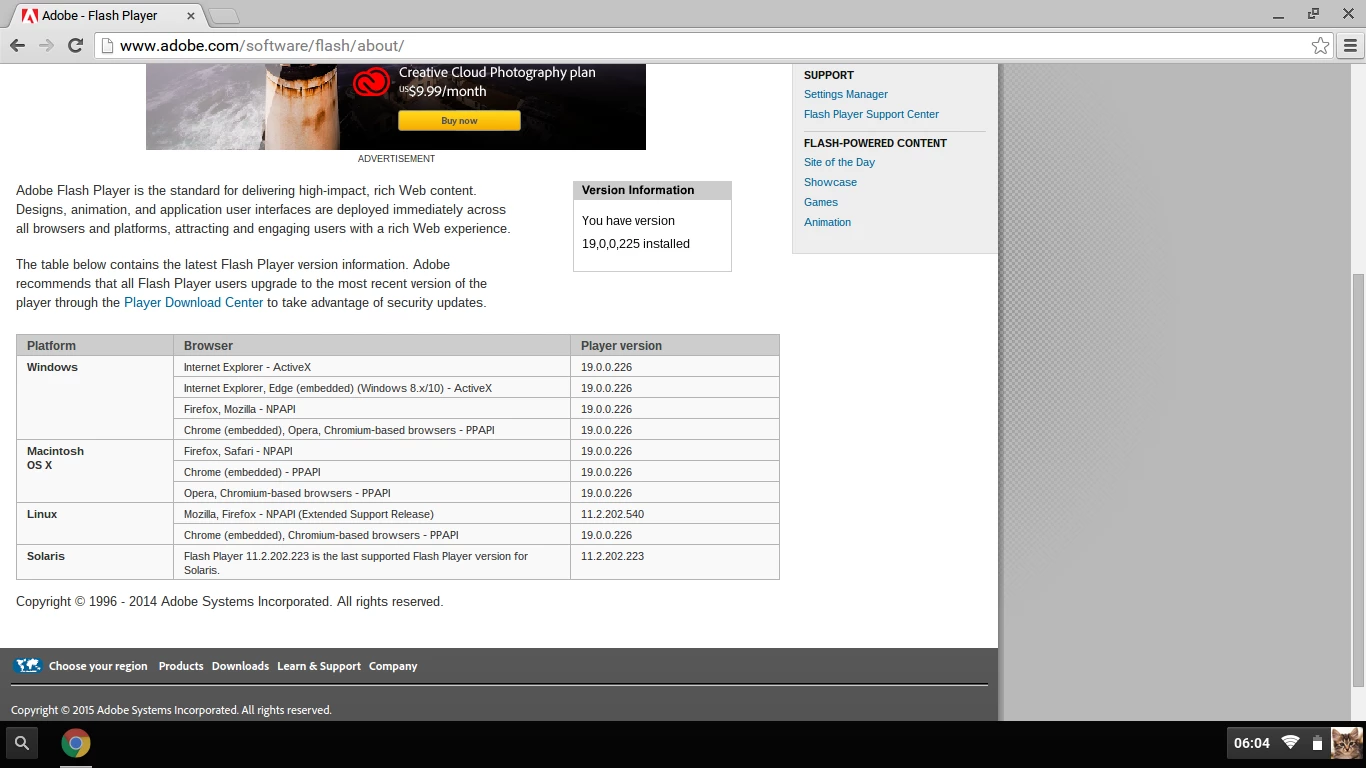
My Flash is the not up-to-date version, although my Chromebook is up-to-date. My Flash is version is 19.0.0.225 while it should be 19.0.0.226. When I try to download the newest version the download center of Adobe says it My Chromebook has the latest version. I play games etc because the Flash keep stopping and giving me the Flash isn't responding sign.
I have clear adobe cache, my cache, and made sure the plugin is always allowed to run. I have only only Flash plugin installed. I have troubled-shot the hell out of this for the last 6 weeks and I saw the following problems this morning below in the screen shots...but Chromebook and Adobe says everything is up-to-date. Any ideas?
Austin

 AdChoices