


Participant
April 17, 2018
Question

Flashplayer & Flashplugin Update message

  • April 17, 2018
  • 1 reply
  • 1263 views

We have Installed Flashplayer and Flashplugin in Version 29.0.0.113. We Update Flash with SCCM/SCUP or as an Package. This installation last month has overriden our Configuration File (mms.cfg) with AutoUpdateDisable=0. So we hat to deploy mms.cfg to all client with GPO with AutoUpdateDisable=1. But since the Flashplayer & Flashplugin 29.0.0.140 are available all User/ Customers get the Update Messsage.
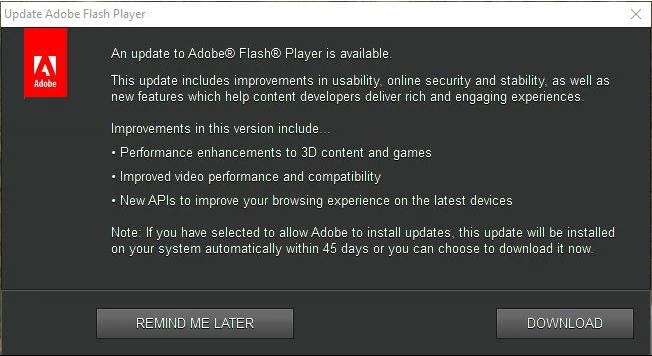
If I check the Configuration it is set correctly.
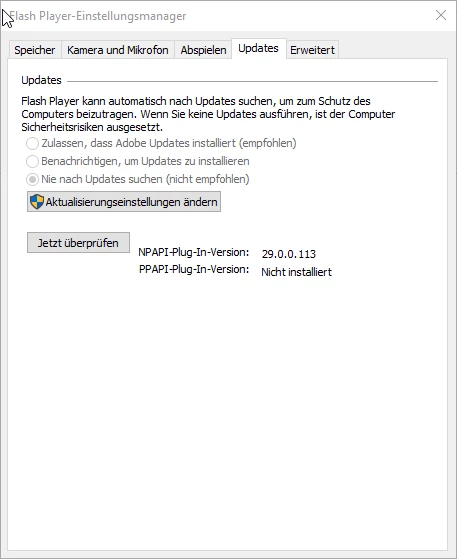
But we still get the Update message! How could we configurate Flashpalyer and Flashplugin to surpress this message?

OS W7; W8.1; and W10 in all Versions as well as Server 2008 R2; 2012 R2 and 2016 in 64 bit.

Thanks

Reto

This topic has been closed for replies.

1 reply

_maria_
Legend
April 17, 2018

This installation last month has overriden our Configuration File (mms.cfg) with AutoUpdateDisable=0.

Do you run the standalone uninstaller as part of your deployment workflow?

Please upload the mms.cfg file from an impacted system to cloud.acrobat.com/send using the instructions at How to share a file using Adobe Document Cloud and post the link to the uploaded file in your reply.  Please do upload the file, instead of copying the contents into your reply.

Participant
April 18, 2018

I habe Uploaded the file.
File after Installation from Flashplayer 29.0.0.113 with ; install_flash_player_29_active_x.msi; or install_flash_player_29_plugin.msi.
Then I have also Uploaded our configuration file our_standard_file_mms.cfg.

But this is only the first issue, that we have. This we have fixed over distribution with the configuration file over group policy.
The second Problem is that the the Update message even though we have deactivated the Update procedure over this configuration file. You also see in Printscreen that never check for Update is activated.

Participant
April 18, 2018