
December 20, 2016
Question

FoxNews Clips Won't Play

  • December 20, 2016
  • 1 reply
  • 5058 views

Windows 10  32bit;   IE11

FoxNews video clips will not start/play when using IE11.   They play just fine when using Chrome.      I have reviewed and applied the information on Adobe's   Flash Player Help  site.   I've applied both Adobe and Microsoft "fixes"  to address this problem but they have not been successful. 

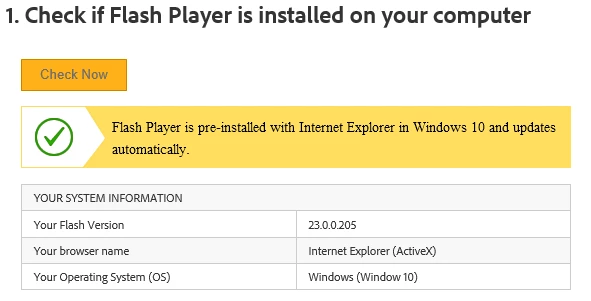
My Flash Player Help    "Check Now"  results using IE11 follow:
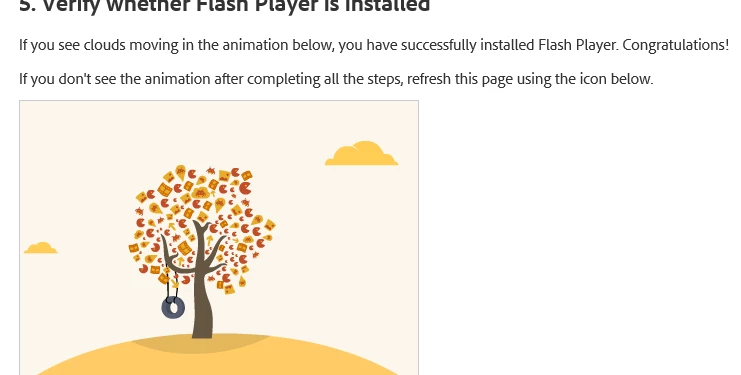
My Flash Player Help   "Verify Whether Flash Player is Installed"  test using IE11 was positive producing moving animation:
Despite the above positive and confirming  Flash Player Help Flash Player verification tests,  my FoxNews clips still do not start/play in IE11.  They play just fine in Chrome.

If you've encountered what I've described above under Win10 & IE11 and have subsequently resolved it , please direct.    Thanks

    This topic has been closed for replies.

    1 reply

    _maria_
    Legend
    December 20, 2016

    Hi,

    23.0.0.205 is not the latest version (it was released in October, and there have been 2 releases since then). Please run Windows Update to install the latest version of Flash Player (24.0.0.186) for IE/Edge on Windows 10.  If you can still reproduce the behaviour after updating to the latest version, provide a direct link to the video exhibiting the behaviour. 

    --

    Maria

    December 21, 2016

    I ran WIn10 'Windows Updates'.    They are "up to date".   However, the problem still persists. Any and all video clips located on  www.foxnews.com  will not play.   I did notice that after the update,  my IE11 Shockwave Flash is version: 23.0.0.205  dated 11/24/16.

    If I need to  'reinstall' or update Shockwave Flash,  how is this performed in Windows 10 ?   Thanks.


    _maria_
    Legend
    December 21, 2016

    Hi,

    As mentioned previously,  all Flash Player for IE/Edge updates are released by Microsoft, not Adobe. 

    23.0.0.205 was released on October 26, 2016 (your screenshot shows File date 10/24/2016, which is correct)

    23.0.0.207 was released on November 8, 2016

    24.0.0.186 was released on December 13, 2016

    All of these have been made available by Microsoft via Windows Update for Windows 8.1 and above

    23.0.0.205 = Microsoft Security Bulletin MS16-128 - Critical​, https://support.microsoft.com/en-us/kb/3201860

    23.0.0.207 = Microsoft Security Bulletin MS16-141 - Critical​, https://support.microsoft.com/en-us/kb/3202790 

    24.0.0.186 = Microsoft Security Bulletin MS16-154 - Critical​, https://support.microsoft.com/en-us/kb/3209498 

    Since your Windows 10 system is not offering the update,  I suspect there is an issue with your system.  Since these updates come from Microsoft, please contact Microsoft customer support, or their community forums (Windows - Microsoft Community​) for assistance in updating your Windows 10 system to the latest version.  If the playback issue persists after updating, please post back here and we'll investigate further.

    --

    Maria