

May 22, 2017
Question

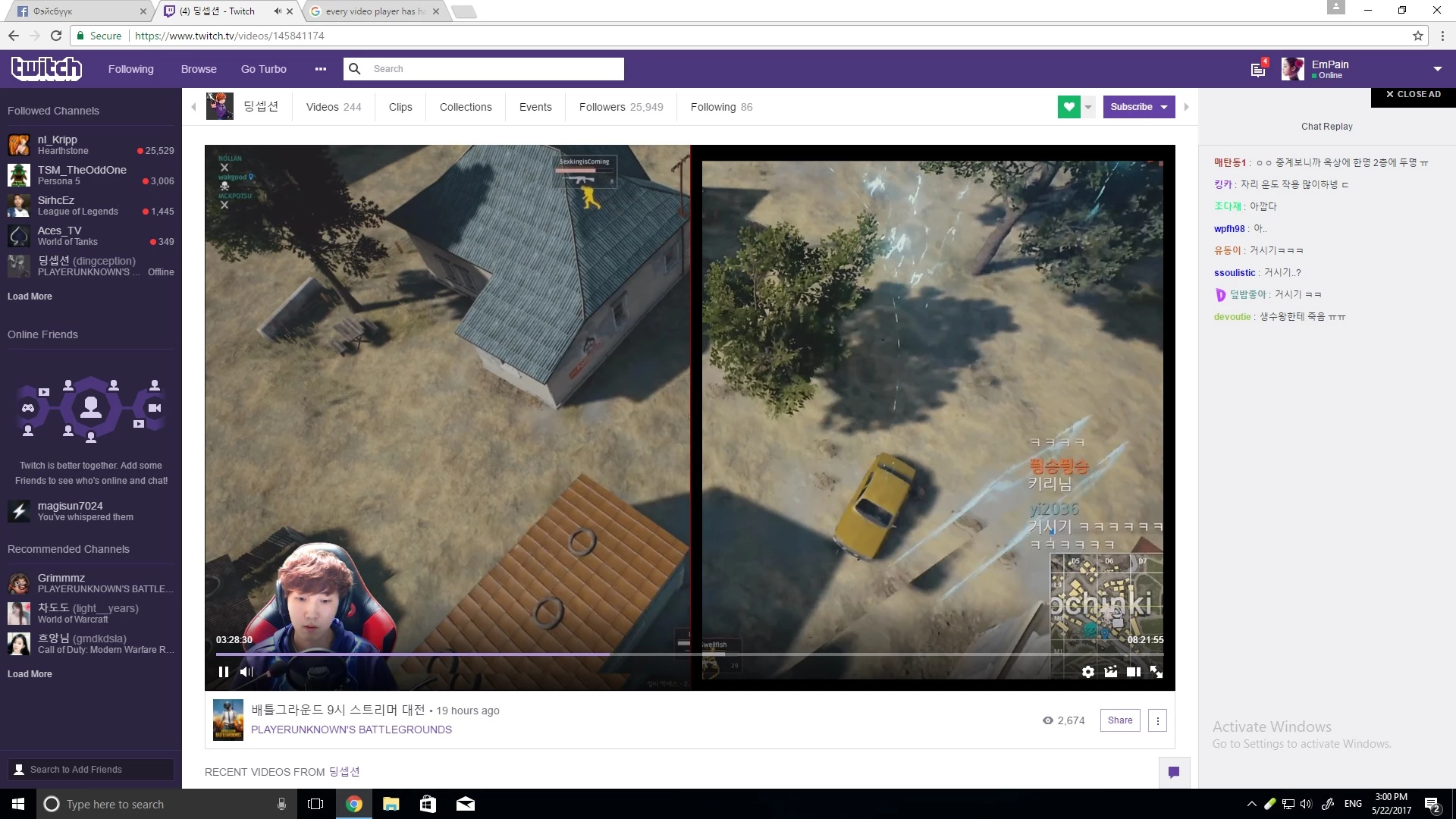
Half of the screen with border Help me
  • May 22, 2017
  • 2 replies
  • 268 views

Please Help me

Now my every youtube twitch or even video players video shows like this half of screen is bordered how can i fix this whats the problem

    This topic has been closed for replies.

    2 replies

    jeromiec83223024
    Inspiring
    May 22, 2017

    Typically, Twitch videos (including this one) are served as HTML5 video content now, not Flash. 

    The rendering problem itself looks like it's related to hardware graphics acceleration, and you would most likely need a driver update in order to correct it.  If one is not available, you might want to report the bug to your graphics chipset vendor.

    You can determine whether or not hardware graphics acceleration is in play, by disabling hardware graphics support in your browser.

    Here's a quick video on how to do it:

    How To Disable Hardware Acceleration In Google Chrome? - YouTube

    _maria_
    Legend
    May 22, 2017

    I am not able to reproduce. I tested the same URL as in your screeshot (https://www.twitch.tv/videos/145841174) On Windows 10 (Version 1607 OS Build 14393.1198) with Chrome Version 58.0.3029.110 (64-bit) and the video did not display in split screen as depicted in your screenshot. If you're still able to produce provide the Windows 10 Version and OS Build, as well as Google Chrome version.