


Answered
HELP! [Mod note - possibly hacked web site with false update]
- Operating system version: Windows 10 [64-bit]
- Web browser and version: Google Chrome [most recent], OR Microsoft Edge [Win10], OR Internet Explorer
- Flash Player Version:
| YOUR SYSTEM INFORMATION | |
|---|---|
| Your Flash Version | 29.0.0.171 |
| Your browser name | Edge (ActiveX) |
| Your Operating System (OS) | Windows (Window 10) |
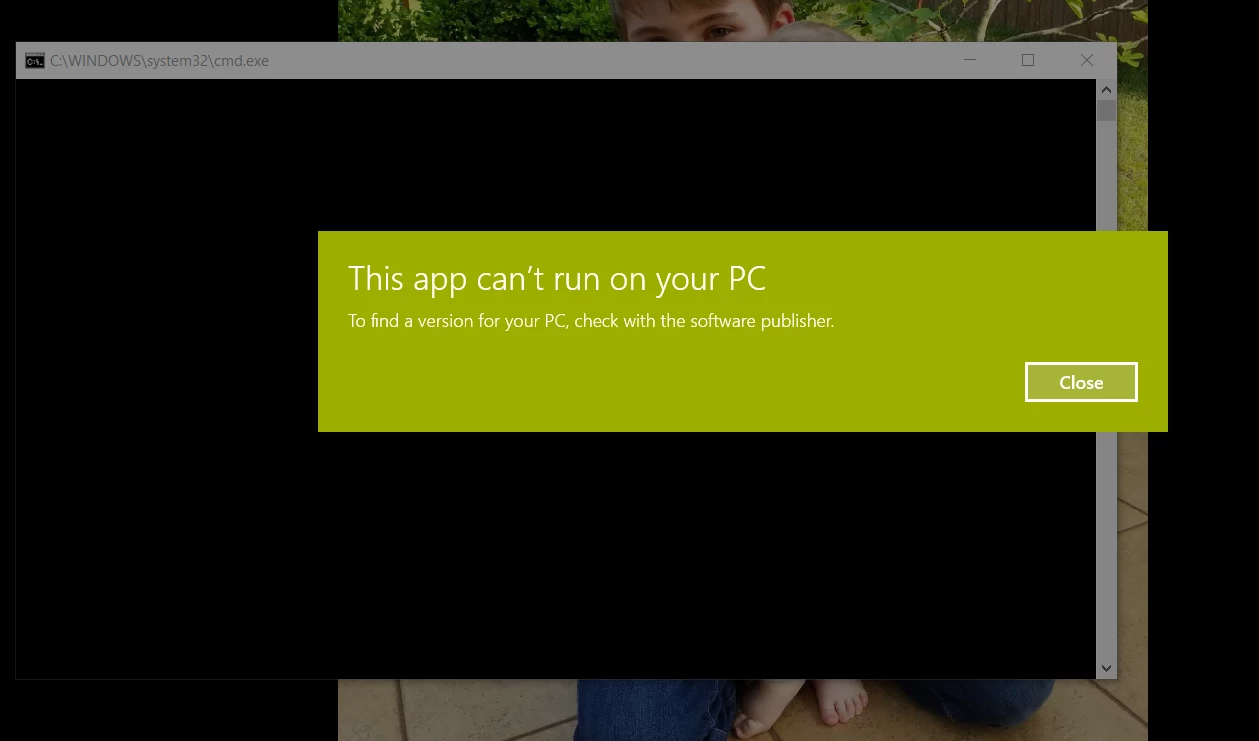
- Explain your problem in step-by-step detail if possible: I went to a website [REMOVED] that kept asking me to update my flash player - so I did. I started the download from my browser and proceeded to install. I kept getting virus protection warnings telling me the software is not trusted. Being it was Adobe , I ignored it. I started to install the software update for flash player and then this popped up [screenshot below]. The installation did not complete and now every 10 seconds I get this same screen to pop up. If I try to download the flash player update again it will do the same thing and pop up a second identical error window. I think I've broken my laptop with this flash player update...
- Screenshot: "This app can't run on your PC" "To find a version for your PC, check with the software publisher."

 AdChoices