May 23, 2017
Question

how can i install Adobe Flash Player
  • May 23, 2017
  • 2 replies
  • 1281 views

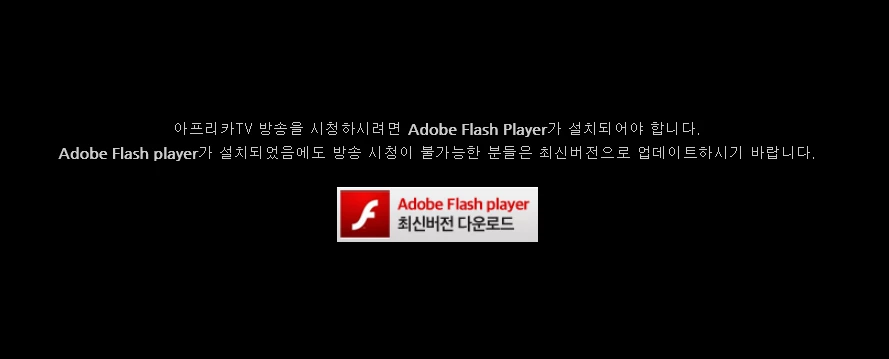
so i click "download"

i already did.

but i can't play any movie
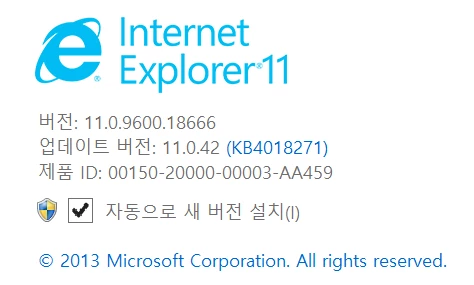
that is my internet explore information

how can i do?

    This topic has been closed for replies.

    2 replies

    jeromiec83223024
    Inspiring
    May 23, 2017

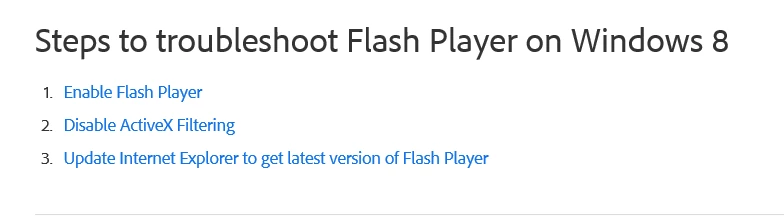
    First, confirm that ActiveX Filtering is configured to allow Flash content:

    https://forums.adobe.com/thread/867968

    Internet Explorer 11 and Edge introduce a number of changes both to how the browser identifies itself to remote web servers, and to how it processes JavaScript intended to target behaviors specific to Internet Explorer. Unfortunately, this means that content on some sites will be broken until the content provider changes their site to conform to the new development approach required by modern versions of IE.

    You can try to work around these issues by using Compatibility View:

    http://windows.microsoft.com/en-us/internet-explorer/use-compatibility-view#ie=ie-11

    If that is too inconvenient, using Google Chrome may be a preferable alternative.

    _maria_
    Legend
    May 23, 2017

    To confirm, is this on Windows 8 or 8.1?

    As of Windows 8, Microsoft integrates Flash Player in IE and all updates are released by Microsoft via Windows Updates.  There is not a separate Flash Player for IE installer on Windows 8.


    What is the complete link to the page that displayed this message?

    You'll need to ensure you have the latest version of Flash Player is installed by running Windows Update, or downloading the installer directly from the link at the bottom of the Flash Player issues on Windows 8 page.  Also, ensure Flash Player is enabled and ActiveX Filtering is disabled.