August 31, 2015
Question

How can i solve following problem while playing some videos with flash player?

  • August 31, 2015
  • 1 reply
  • 281 views

Hello,

when i want to watch videos, they are starting like in this pictures below:
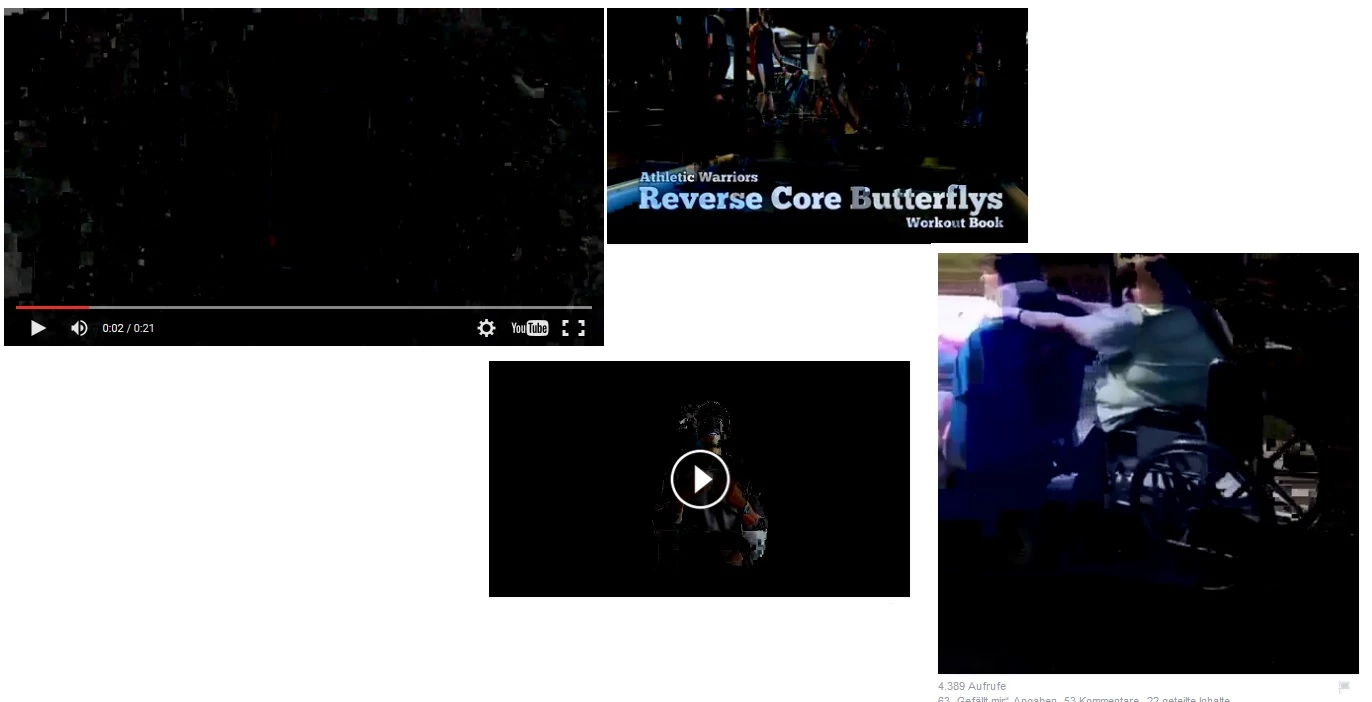
They are black and u can see big pixels. Sometimes the colorts aren´t right/ or inverted.

After a few seconds, the video changes to normal.

This issue happens on different pages, Youtube, Facebook, ...

I´ve already tried to

- de- and reinstall Firefox, Flash Player, etc.

- restaurated firefox,

- manually deleted all plugins/ addons

- changed from win7 to win10 - issue remained

Here are my dxdiag-informations:
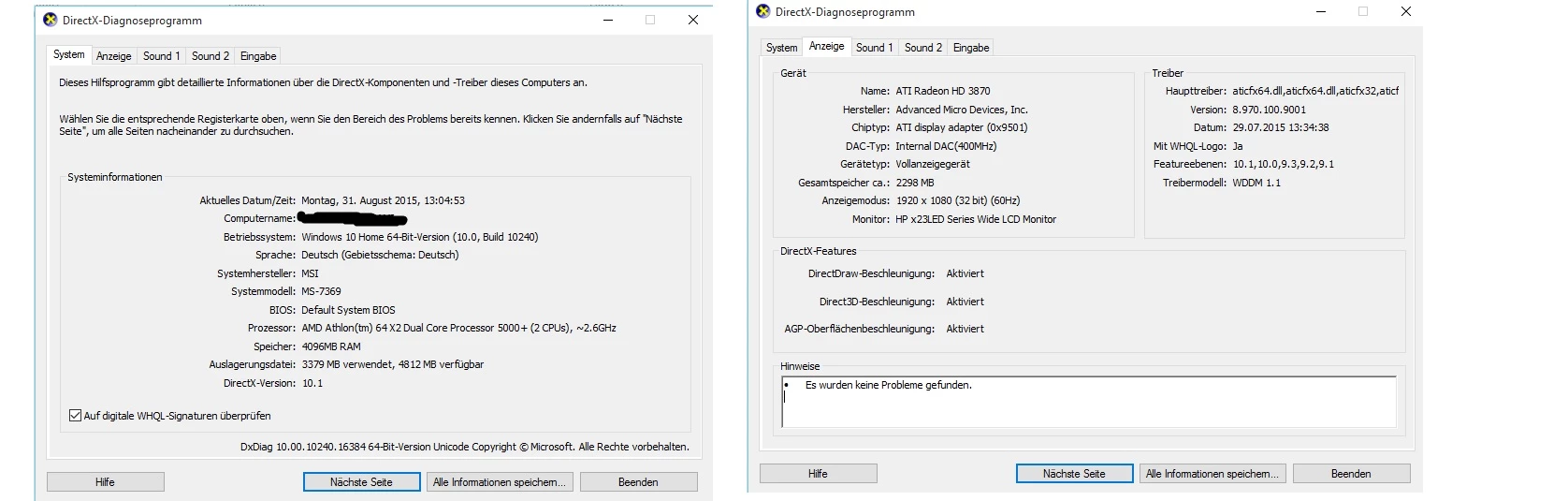
I hope somebody can help me, because this is really annoying.

Greetings and thanks!

Benni

    This topic has been closed for replies.

    1 reply

    Participating Frequently
    August 31, 2015

    Hi,

    Please try below steps:

    1)

    Please work through the video troubleshooting guide:

    https://helpx.adobe.com/flash-player/kb/video-playback-issues.html

    2)

    If you use AMD Hardware Graphiccard on Windows 10. - Use Ati Catalyst 14.12 for Hardware Accelerated Video. Green Screenscreen will go away. - The AMD Generic Drivers from Windows 10 has no Video Acceleration and AMD Catalyst 15.7.1 , 15.7 , 15,6 and older ones for some Graphiccards.

    If you use Windows 10 ~ 32Bit ~Download 14.12 Drivers for win 8.1 32Bit... Install them manually the Display Driver.

    If you use Windows 10 ~ 64Bit ~Download 14.12 Drivers for win 8.1 64Bit... Install them manually the Display Driver.

    Thanks

    September 1, 2015

    Thank you for your help but the issue still remains.

    I´ve done all of the troubleshooting guide plus installed the drivers from win 8.1, 64 bit.

    Do you have some other tipps?

    Thank u for your time!

    greetings