韬戈45571520
Participant
December 2, 2016
Answered

how can i uninstall my flash player ?

  • December 2, 2016
  • 1 reply
  • 2048 views

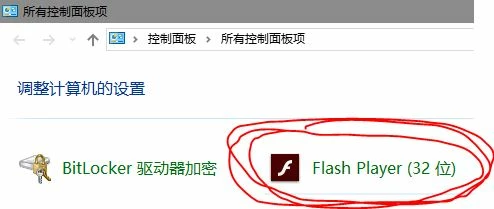
I have version 23,0,0,207 installed , and now i want to uninstall it ,but i downloaded "uninstall_flash_player.exe"and run it , clicked uninstall flash player but the flash player still in the Control panel , please tell me how can i uninstall the flash player in my computer real ?
This topic has been closed for replies.
Correct answer _maria_

i have already used the software downloaded from https://fpdownload.macromedia.com/get/flashplayer/current/support/uninstall_flash_player.exe

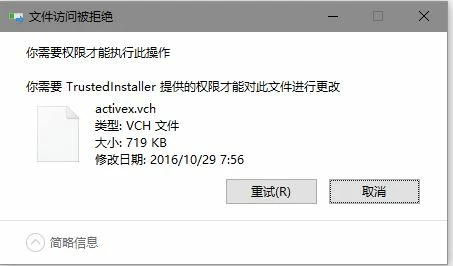
and also follow the prompts to del the files in C:\Windows\system32\Macromed\Flash but i have recived notice (see the pic)

failed with this method


The item in the screenshot you posted is the Flash Player Settings Manager.  Since Microsoft embeds Flash Player in IE/Edge on Windows 10 the Settings Manager is present in the Control Panel.  This cannot be removed via the uninstaller.  Since Microsoft embeds Flash Player they lock the files so they cannot be easily removed.  Deleting these files by force can have unintended consequences should you want to 'reinstall' Flash Player (there is no installer for Flash Player for IE/Edge on Windows 10).

1 reply

_maria_
Legend
December 2, 2016

what operating system is this on?

韬戈45571520
Participant
December 4, 2016

My system is windows 10 with 64bit

divya010193
Adobe Employee
Adobe Employee
December 4, 2016

HI,

You can download the uninstaller from: Uninstall Flash Player for Windows

As of Windows 10, Microsoft embeds Flash Player in IE, and Edge. 

The following 2 FAQs may be of assistance:

Thanks!