Participant
March 15, 2017
解決済み

I accidentally uninstalled Adobe Flash Player and am unable to re-install it. All I get is "Flash Player is integratd with Internet Explorer in Windows 10. You do not need to install Flash Player." Please help!

  • March 15, 2017
  • 返信数 3.
  • 1179 ビュー

Hello.  I have Windows 10 and use internet Explorer 11.  I accidentally uninstalled Adobe Flash Player through my Control Panel and am unable to re-install it.  I keep getting the message, "Flash Player is integrated with Internet Explorer in Windows 10.  You do not need to install Flash Player."  Please help.  Thank you.

このトピックへの返信は締め切られました。
解決に役立った回答 _maria_

Hi richardm57436705 ,


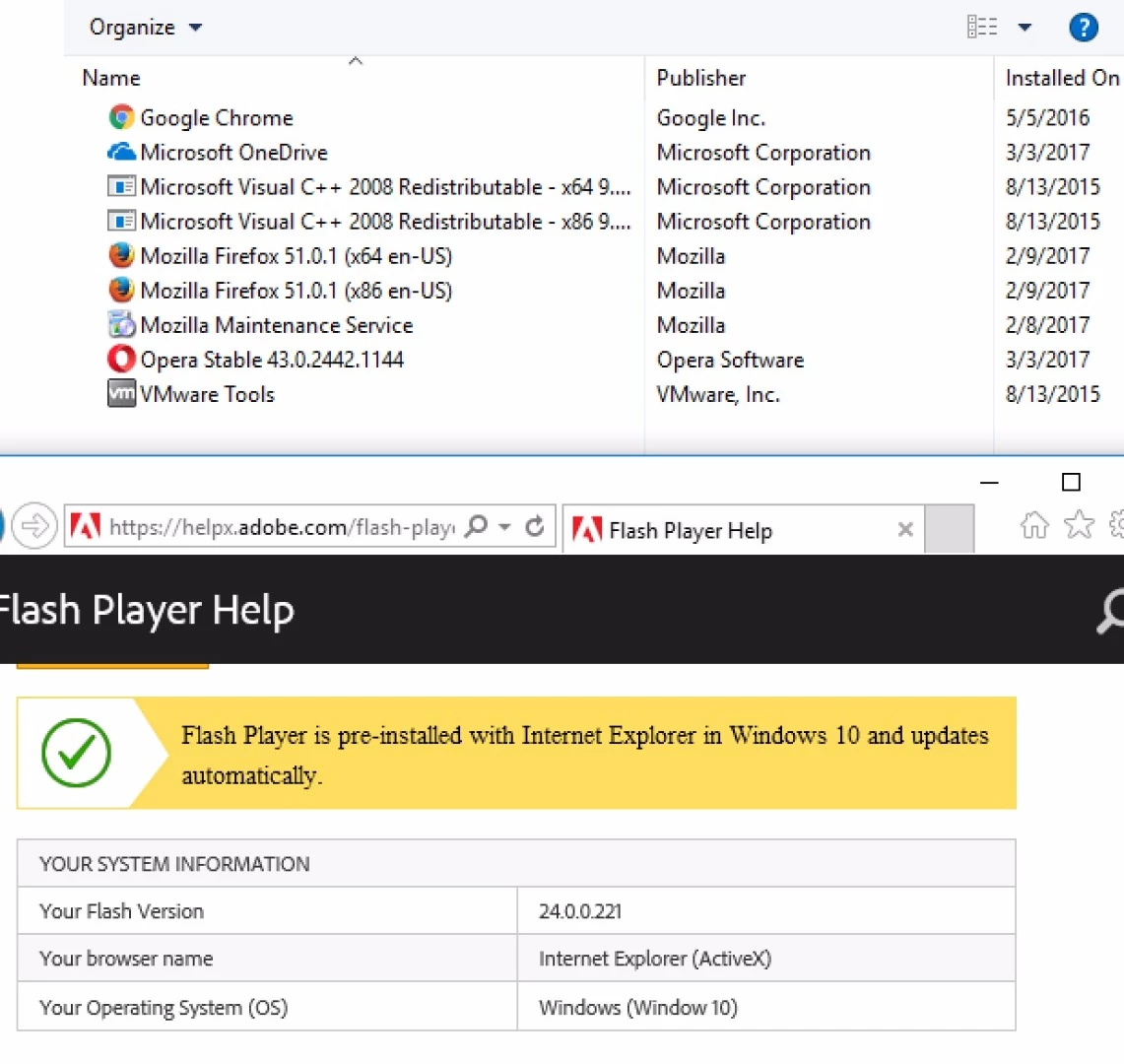
The embedded version of Flash Player does not display in the Control Panel, so it was some other version of Flash Player (e.g. NPAPI plugin for Firefox or PPAPI plugin for Opera and Chromium-based browsers) that you uninstalled.  Here's a screenshot of IE on Win10 showing Flash Player installed, and the Control Panel, which doesn't display Flash Player ActiveX:

--

Maria

返信数 3

_maria_
_maria_解決!
Legend
March 15, 2017

Hi richardm57436705 ,


The embedded version of Flash Player does not display in the Control Panel, so it was some other version of Flash Player (e.g. NPAPI plugin for Firefox or PPAPI plugin for Opera and Chromium-based browsers) that you uninstalled.  Here's a screenshot of IE on Win10 showing Flash Player installed, and the Control Panel, which doesn't display Flash Player ActiveX:

--

Maria

John T Smith
Community Expert
Community Expert
March 15, 2017

Since Microsoft has LOCKED both IE and Edge, you will need to search Microsoft – Official Home Page for help with either of those web browsers

Colin Holgate
Inspiring
March 15, 2017

It is included in IE11 and Edge, so you don't need to install the plugin used by other browsers.

It may have been deactivated, see this article on how to enable it again:

Enable Flash Player for Internet Explorer