
Participant
April 10, 2013
Question

i cannot get my flashplayer to recognize my webcam. I'm trying to capture MY image on a webpage

  • April 10, 2013
  • 3 replies
  • 1554 views

Hi,

I have Microsoft's LifeCam HD-5000.

It does appear to work with other apps.


i tried all of the steps mentioned on https://www.coursera.org/signature/guidebook/troubleshooting-webcam

but to no avail.

Below:

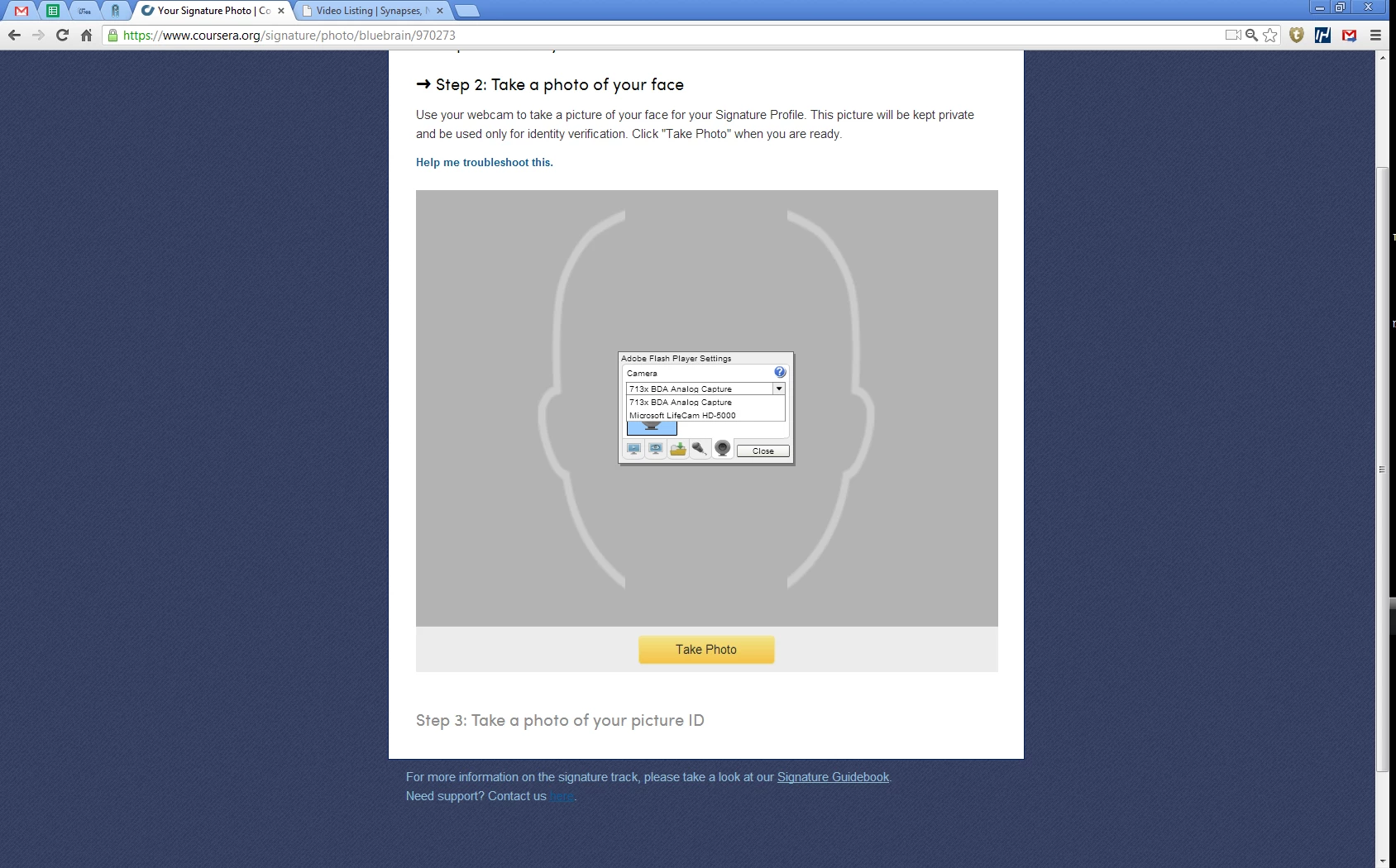
  1. The webcam page as i see it on all 3 browsers
  2. for some reason i cannot choose my Microsoft's LifeCam HD-5000.
  3. it immediately resorts to the 713x BDA Analog Capture (whatever that may be)


please help asap!

thanks for your time!!

    This topic has been closed for replies.

    3 replies

    Participant
    April 24, 2013

    I have the same issue amd tried the same solutions on all three platforms. I use a Logitech c310 webcam. 

    I ask that Adobe support contact Coursera signature support to resolve at feedback@coursera.org.  Each course has upwards of 2000 users and I am certain we are not the only people experiencing this problem.

    April 10, 2013

    I don't know if you have tried it yet, since I can't open the link, but:

    Open your control panel, search for Flash Player, click on it and you can choose the setting for camera and microphones, there you can choose to allow websites to use the camera.

    Hope this helps

    neve_chenAuthor
    Participant
    April 10, 2013

    thanks a lot Koi_no_sakura, but i already tried it and failed.

    neve_chenAuthor
    Participant
    April 10, 2013

    i should point out that all 3 browsers, the flash plug ins, the flash player, and the webcam have up-to-date drivers..

    Coursera support ("I'm not sure why you aren't able to select the correct camera - it's not an issue that we've seen before on our site, as far as I know. I hate to say it, but I think this problem might be better addressed by Adobe Flash support, or by the support team for your computer or webcam manufacturer. ") and Microsoft support were at a loss.