


michaelw54536214
Participant
May 27, 2016
Answered

I have an ISSUE with Adobe Flash Player

  • May 27, 2016
  • 1 reply
  • 684 views

I am using Windows 10 Pro UPDATED with the latest updates.

My System is an intel Core Duo CPU E8500 @3.16GHz with 3 GB or Ram.

I am using Fire Fox Version 47.0b8

I have the latest version of Adobe Flash Player Version 21.0.0.242

I am asked to update my window drivers, I do.

I am asked to update my Video drivers, I do.

I am asked to update my Adobe Flasy Player, I do.

Adobe suggest for me to  uncheck the "Enable Hardware Acceleration". I did.

When My Flash Player Freezes or Crashes. I send in Error Reports.

I spend hours searching for answers to my questions with no avail.
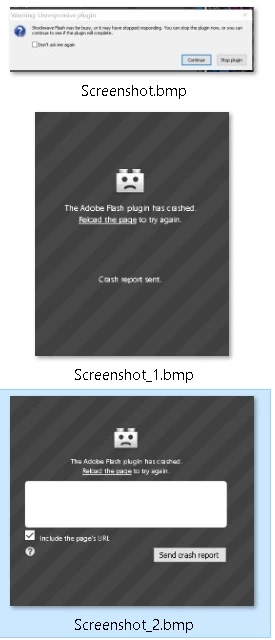
If you notice there are some missing details on these error messages. They tell us SQUAT on what the problem or error is.

Why can't Adobe put out a stable Flash player that does not Crash or Freeze?

From what I have read on this issue, has been an on going problem since Windows 7

I am sick and tired of trying to do something on my computer when your program Crashes and/or Freezes. If you would put out a program to help us diagnose the problem. This would help us. But instead we send your company that intel to help them make there program better. Well Guess What.... I am tired of being a Crash Test Dummy for Adobe. My reviews are not looking good for Adobe. 

This topic has been closed for replies.
Correct answer michaelw54536214

I found the problem to why adobe flash player freezes and/or crashes.

It's a glitch in Windows 10 that effects 3rd party software like adobe and causes windows to freeze and/or crash.

http://answers.microsoft.com/en-us/windows/forum/windows_10-performance/windows-10-keeps-freezing-my-computer-randomly/5113f79a-6511-4f26-8ae3-0d331394fb0d?page=4

1 reply

michaelw54536214
michaelw54536214AuthorCorrect answer
Participant
May 31, 2016

I found the problem to why adobe flash player freezes and/or crashes.

It's a glitch in Windows 10 that effects 3rd party software like adobe and causes windows to freeze and/or crash.

http://answers.microsoft.com/en-us/windows/forum/windows_10-performance/windows-10-keeps-freezing-my-computer-randomly/5113f79a-6511-4f26-8ae3-0d331394fb0d?page=4

michaelw54536214
Participant
September 8, 2016

I have to agree. These corporations pass the buck too many times to address an issue. With Microsoft and Adobe and other Companies that use their product for their software within their programs. These issues cause problems for the end user to spend hours searching for answers or pay for tech support just to find out they can't fix it. The only option really is to downgrade till they fix the issues. I have also read where some users have purchased MS Windows 10 to avoid the bugs in the Insiders Preview. I have also seen the bugs with in different browsers creating even more problems for the end users of Adobe Flash player not operating correctly with different OS's. Even when searching for answers. You will notice these bugs carry over from past versions of windows and browsers. So there is a definite problem. To narrow down where a bug is originating from is a problem in itself. I have found the Compatibility Wizard in Windows is not compatible with older versions of software even though that is what the program is for. Even the MS Troubleshooter program will only find some problems and not give any details of the problem to help diagnose the issues. The only information it gives basically says "its broke".