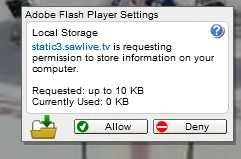
Sometimes there are weird bugs with that dialog at specific display resolutions, where the clickable area of the button is really small, or it's not exactly where the button is being displayed.
The easiest way to deal with this is to avoid the dialog entirely. If you go to Control Panel > Flash Player > Storage > Allow websites to save information on this computer, you'll avoid the dialog altogether. If you want to browse without worrying about Flash saving information on a particular site, you're better off using your browser's Incognito/Private browsing mode, which is a better overall solution to this problem.

 AdChoices