


Install Adobe Flash Player 27 using Windows 7 Group Policy (100% Working Method)
I couldn't find any answers to this problem on the web so I am making this quick tutorial so others can get it working quicker than I did.
The current versions of Flash Installers have a built in Admin User check that doesn't allow the MSI installer to with GPO work during login.
It logs the event log error "+GPO Product: Adobe Flash Player 27 ActiveX -- You must have administrative privileges to install Flash Player 27. Please log on with administrative privileges and try again."
First if you don't have the MSI downloaded, you will want to register with Adobe to distribute flash as an MSI and they will give you the download links. (They will email you back with the links usually the same day you register)
Download the version you want to install, both of these work great using my method.
install_flash_player_27_active_x.msi
install_flash_player_27_active_x.msi
Next you will need to create a modification (MST) to ignore that Admin User check. The easiest way to do this is by installing ORCA MSI Editor that comes along with the Microsoft Software Development Kit. I installed the Microsoft Software Development Kit for Windows 7.
I also had to manually install orca from here: "C:\Program Files\Microsoft SDKs\Windows\v7.0\Bin\Orca.Msi"
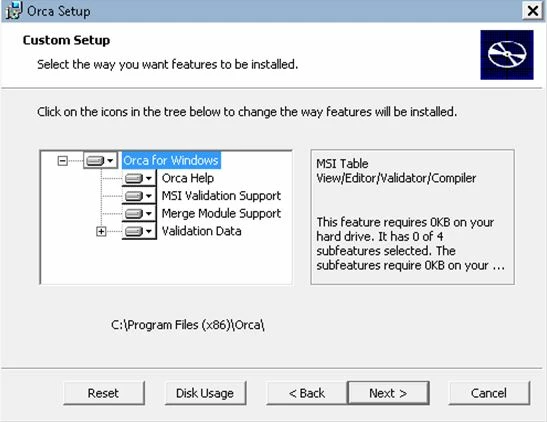
Run the ORCA program and open the MSI file. Select Transform from the menu, then New Transform.
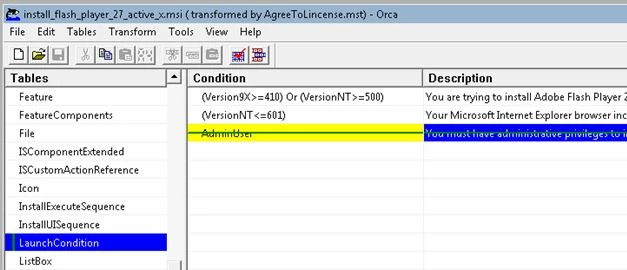
Browse to LaunchConditions, and right click AdminUser, and right click and select Drop Row.
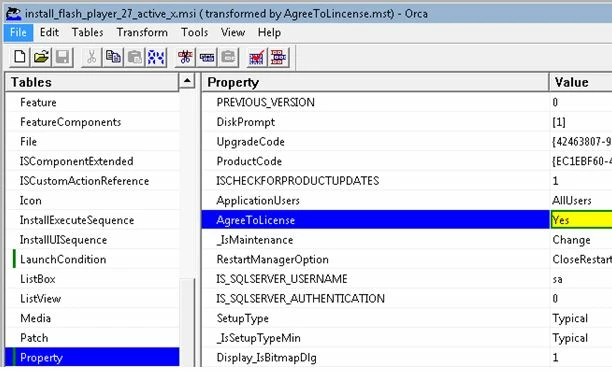
Next browse to Property and change AgreeToLicense from NO to YES.
Next, Select Transform from the menu, and choose Generate Transform, and save that file to the same location as the MSI files.
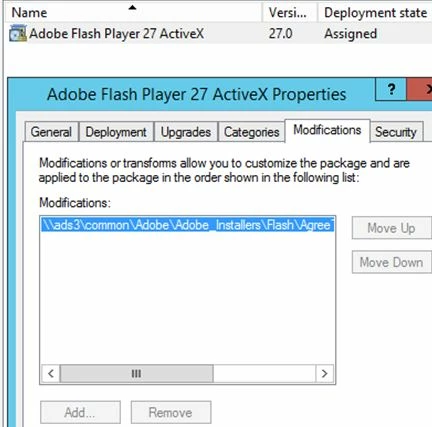
Installed the MSI using the GPO USER Configuration. Right click on the Software Installation and make sure to change the New Package option to Advanced before adding the package.
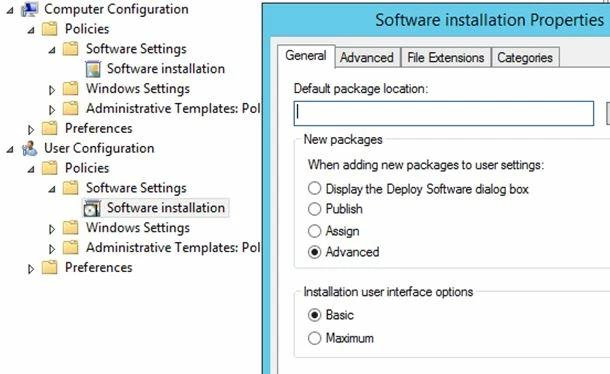
Add the package and then also add the modification file you created.
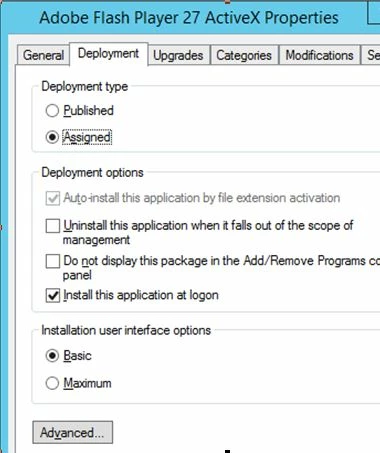
Make sure to set the Deployment type to Assigned and check the Install this application at Logon.
That’s it Flash installs perfect for our non admin users. I hope that helps some other people out.
Matt Hessler @mattjhessler
 AdChoices