August 1, 2013
Answered

Install error for flash player 11.8 on mac os x 10.8.4

  • August 1, 2013
  • 1 reply
  • 5188 views

Hello,

I have a problem when I try to install flash player 11.8.800.94 on my Macbook Pro, with Mac OS X 10.8.4. I have uninstalled the older version of flash player, removed folders in Library/Preferences and Library/Caches, repaired write permissions on disk (as suggested in another thread found somewhere), but still no luck.

The problem is that I don't get any detail. It gets slightly further to that point:

and then I get:
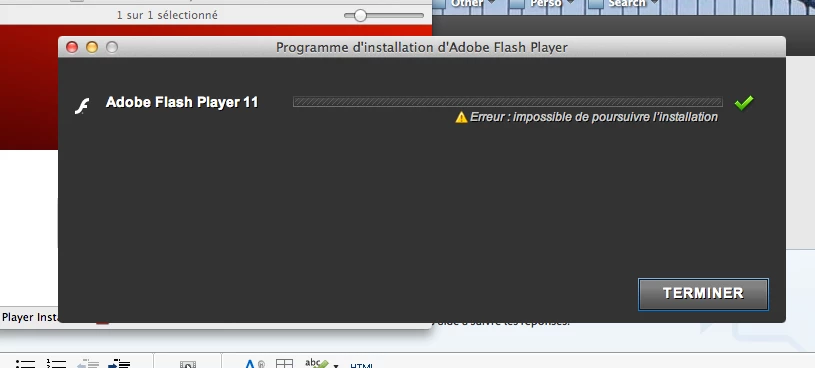
I clicked on Finish ("Terminer" in French) and it opened a web page with possible solutions. I tried to follow all this but it still doesn't work.

I also tried installing an archived version to at least have a flash player installed, but then Firefox complains that I have to update the plugin for security reasons.

Doesn anybody have an idea what I should do, or even where I should start to look to get an idea of what the problem is?

Thanks a lot for your help.

Loudzon
This topic has been closed for replies.
Correct answer C_F_McBlob

Download the offline installer here: http://fpdownload.macromedia.com/get/flashplayer/current/licensing/mac/install_flash_player_11_osx.dmg

If it won't download directly, right click and "Save as"… DO NOT mount the DMG or run the installer yet!

Go to: Mac HD/Library/Internet Plugins

Trash the Flash Player.plugin file from there

Go to: Mac HD/Library/Application Support/Adobe

Trash the Flash Player folder (the whole folder)

Empty the trash

Reboot

Mount the DMG and run the installer.

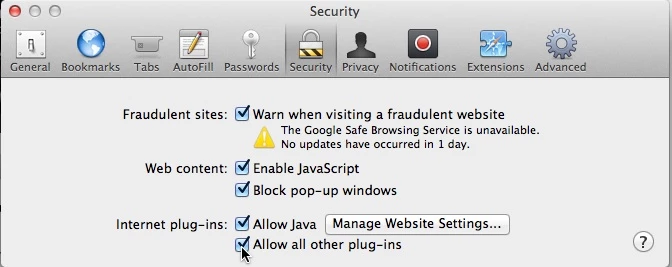
BEFORE opening any Flash content in Safari, open Safari>Preferences, and check the Security tab to make sure "Allow all other plugins" is checked.

1 reply

C_F_McBlob
C_F_McBlobCorrect answer
Inspiring
August 1, 2013

Download the offline installer here: http://fpdownload.macromedia.com/get/flashplayer/current/licensing/mac/install_flash_player_11_osx.dmg

If it won't download directly, right click and "Save as"… DO NOT mount the DMG or run the installer yet!

Go to: Mac HD/Library/Internet Plugins

Trash the Flash Player.plugin file from there

Go to: Mac HD/Library/Application Support/Adobe

Trash the Flash Player folder (the whole folder)

Empty the trash

Reboot

Mount the DMG and run the installer.

BEFORE opening any Flash content in Safari, open Safari>Preferences, and check the Security tab to make sure "Allow all other plugins" is checked.

August 1, 2013

Thanks a lot, it works!

I had done everything you said, except for the offline installer. But is it known why the online installer doesn't work sometimes?

Thanks anyway!

Cheers!

Loudzon

C_F_McBlob
Inspiring
August 1, 2013

Loudzon wrote:

...is it known why the online installer doesn't work sometimes?

I have no clue, but it seems to happen a lot with Mountain Lion. It could be the "gatekeeper". The last Mac I had before my Mini was a 13" MBP with Snow Leopard - no gatekeeper in 10.6. I don't know  if it was part of Lion either, but I haven't seen a lot of 10.7 complaints about this.