This topic has been closed for replies.

1 reply

_maria_
Legend
March 1, 2017

Hi,

The error:

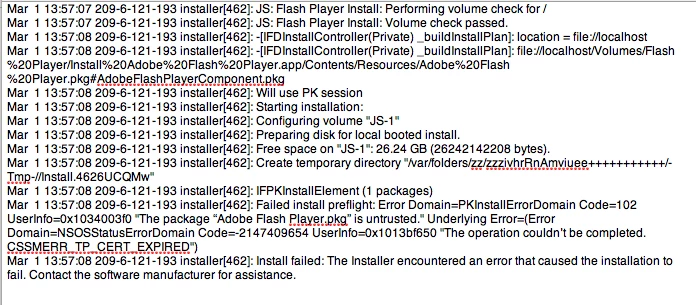
Failed install preflight: Error Domain=PKInstallErrorDomain Code=102 UserInfo=0x1d9a30 "The package “iPhoneSDKTools.pkg” is untrusted." Underlying Error=(Error Domain=NSOSStatusErrorDomain Code=-2147409654 UserInfo=0x1013bf650 "The operation couldn’t be completed. CSSMERR_TP_CERT_EXPIRED")

is most likely an issue with your system not validating the package signature.  You can perform an internet search for "error domain pkinstallerrordomain code 102" and several search results indicate this is the cause of the error. 

I don't have access to a 10.6.8 system today, but will investigate further tomorrow.   Also, what is the name of the installer file you are using?

--

Maria

johnjohnjohnjohnjohn1
Participant
March 1, 2017

Thanks, Maria.  The file is called, "install_Flash_player_osx.dmg."

John Sanbonmatsu, Ph.D.

[moderator: deleted personal information]

_maria_
Legend
March 2, 2017

Hi johnjohnjohnjohnjohn1


I am not able to reproduce on my OS X 10.6.8 test machine.  The file 'install_Flash_Player_osx.dmg' installs Flash Player successfully. 

As mentioned before, this is an issue with your system, not Flash Player.  The process returning the error (installer) is a system installer process used to extract and install files (see Installer (macOS) - Wikipedia for more information).  Performing an internet search for the error will give you some idea of what the root cause is and how to fix it.

--

Maria