beh63447479
Participant
March 31, 2019
Question

Installing Adobe flash on Mac

  • March 31, 2019
  • 2 replies
  • 840 views

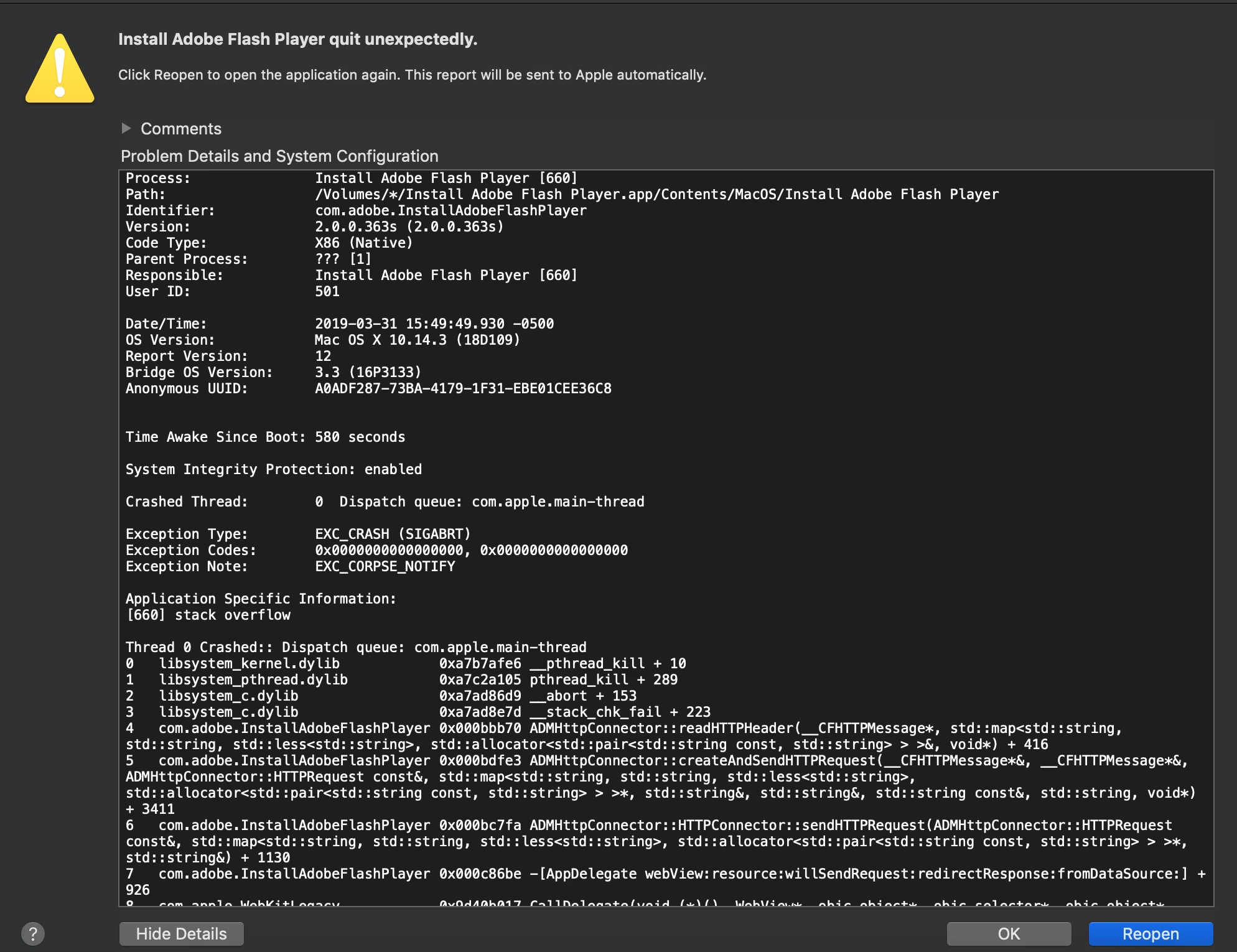
Every time I try installing Adobe flash player, the program ends up crashing and displaying the error message "Adobe Flash Installer Quit Unexpectedly". I've tried downloading a new copy, reopening the installer, closing safari, and restarting my computer. Nothing's helped so far.

  • Mac OS 10.14.3
  • Safari 12.0.3

This topic has been closed for replies.

2 replies

_maria_
Community Manager
Community Manager
April 1, 2019

Please also provide the Flash Player crash log file saved at ~/Library/Logs/Diagnostic Reports

Kajal_Singh
Adobe Employee
Adobe Employee
April 1, 2019

Hi,

I have tried installing Adobe Flash Player using the same combination, Mac 10.14.3 build 18D42 and Safari version 12.0.3(14606.4.5), for me, Adobe Flash Player Installed successfully. Could you please tell us from which URL you are trying to download Adobe Flash Player. Please use Adobe Flash Player Install for all versions  to download the Adobe Flash Player. If you are still facing this issue please upload your Adobe_ADM.log and Adobe_GDE.log files, saved at ~/Library/Logs/Adobe_ADMLogs to cloud.acrobat.com (see How to share a file using Adobe Document Cloud) and post the link to the uploaded files in your reply.

Thanks!