
dillong29065444
Participant
April 19, 2017
Question

Installing flash player in Opera 44.0.2510.857

  • April 19, 2017
  • 1 reply
  • 651 views

After attempting to install the latest version of Flash from Adobe Flash Player Install for all versions

I receive the error below
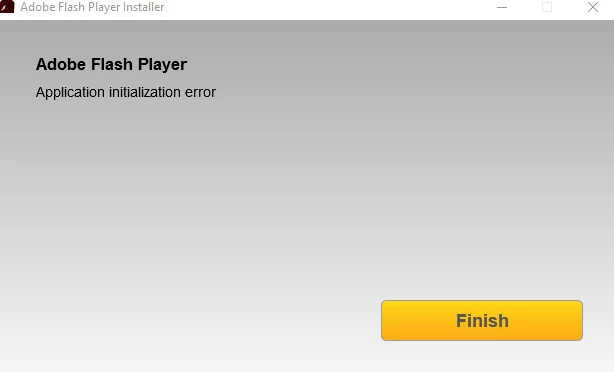
I'm trying to install in the Opera browser, and am running Windows 10. I've been unable to find an Offline or Full Installer :/. Please point me in the direction to one of those installer or recommend a fix

This topic has been closed for replies.

1 reply

_maria_
Legend
April 19, 2017

HI

I'll need to get the installation log files from you to troubleshoot the 'application initialization error'.  Please review the FAQ Where do I find the Flash Player installation log on Windows? and upload the files Adobe_ADM.log and Adobe_GDE.log to cloud.acrobat.com/send using the instructions at How to share a document​.  Post the link to the uploaded files in your reply.

Also, are you using anti-virus/malware/adeware/etc software?  If so, which one, including version.


As an alternative, you can try using the offline installer posted at the bottom of the Installation problems | Flash Player | Windows 7 and earlier page in the 'Still having problems' section, however, without the installation log files we can't troubleshoot why the initialization error is occurring.

Thank you.

--

Maria

dillong29065444
Participant
April 19, 2017

Link to uploaded files Shared Files - Acrobat.com

Running Trend Micro, Agent version 11.0.2995 Service Pack 1

I've tried running that installer several times, still receive the same error.

_maria_
Legend
April 19, 2017

Are you using a proxy server?

Go to Control Panel > Internet Options > Connections tab > LAN Settings > which option is selected?