


Participant
July 2, 2017
Question

Insufficient user permission.

  • July 2, 2017
  • 2 replies
  • 1263 views

Hi there.

Since yesterday I have tried to install flash from Adobe on my computer.

It worked fine in the past to install flash on my HP Omen, but now I suddenly get the message that I dont have administration permission to install the program.
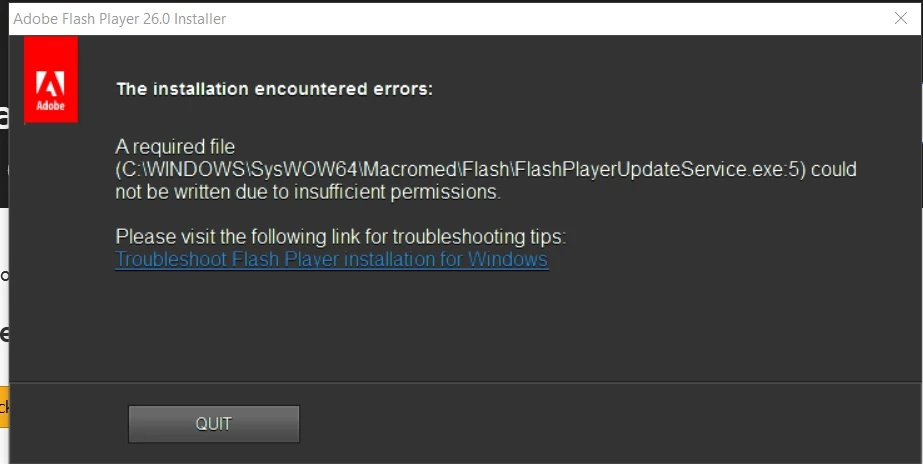
When I find the file in the location and try to do something about the permissions issue, I get an error saying that it isnt an .exe file, all the while it says so.

What IS this sorcery and why cant I wrap my head around it and get it fixed?

This topic has been closed for replies.

2 replies

Participant
July 2, 2017

I tried again and now it worked to install flash for FF.

I've checked that it is installed and that it works.

I seriously dont know what I did different, since I did all the steps everytime I tried installing flash.

Participant
July 2, 2017

When trying to work around the issue and change permissions on the file it self, this is the message I get:

Translated:

An error occurred while specifying attributes for the file
No access.

_maria_
Legend
July 10, 2017

What operating system, including version, is this on?

Participant
July 12, 2017

Win 10 home, version 1607