
Participant
April 13, 2017
Answered

Is this a legitimate download/safe?

  • April 13, 2017
  • 1 reply
  • 6984 views

Hi, recently I have been getting numerous updates that adobe is ready to be updated, it is frustrating when i am on another chrome viewing account and watching shows, doing task when suddenly, it changed my screen to another chrome just to pop up a message that is shown below...

looks like a suspicious activity to me but i am not sure if this is legitimate, any advice? As it does looks like there are adobe updates...

The problem is, i recall just weeks ago i have updated it, and for a while, these popups stopped... and now it sometimes says adobe is updated but chrome is blocking it or something, which is real confusing, so is it updated??
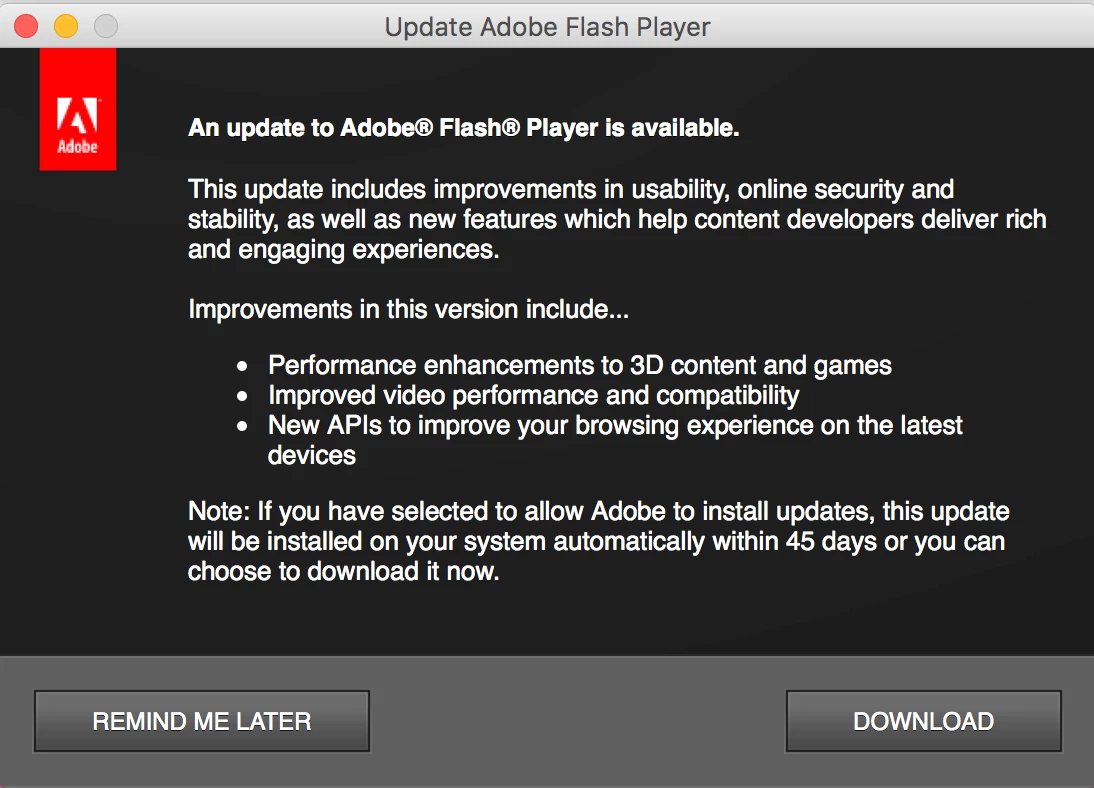
Hope to get this resolved soon as i am very concerned if i am doing important work and the popup shifts my windows to another page again ._.

Thanks in advance!

This topic has been closed for replies.
Correct answer _maria_

Hi,


Thanks for posting the screenshot.  The Update Notification you're seeing is for the PPAPI plugin.  You have version 25.0.0.127 installed and we released version 25.0.0.148 on Tuesday.  The notification will go away once you install the update.  To avoid the notification in the future you can opt into background updates, which is the update option 'Allow Adobe to install updates (recommended)'.  With this option selected, Flash Player checks for an update daily and if a new version is available it's downloaded and installed silently in the background with no user interaction.  Since this is a daily check Flash Player will usually update within 24 hours of a new version being available.  With the notification option it can take up to 7 days for Flash Player to prompt that a new version is available for download.

--

Maria

1 reply

_maria_
Community Manager
Community Manager
April 13, 2017

The screenshot posted does appear to be legitimate.  If you have more than one player type installed (e.g. NPAPI for Firefox/Safari, PPAPI for Chrome/Opera) you'll be notified for each player type.  It's quite possible you've updated one player type, but not another.  To find out which player types, and versions, you have installed go to System Preferences > Flash Player > Updates tab.  Please post a screenshot of the Updates tab.

tiffanyylAuthor
Participant
April 13, 2017

Thank you for the reply, I would think the question is resolved, and could proceed to download. Hope i wont have issues with chrome having issues and blocking it..

For the info, this is the updates tab!

_maria_
Community Manager
_maria_Community ManagerCorrect answer
Community Manager
April 13, 2017

Hi,


Thanks for posting the screenshot.  The Update Notification you're seeing is for the PPAPI plugin.  You have version 25.0.0.127 installed and we released version 25.0.0.148 on Tuesday.  The notification will go away once you install the update.  To avoid the notification in the future you can opt into background updates, which is the update option 'Allow Adobe to install updates (recommended)'.  With this option selected, Flash Player checks for an update daily and if a new version is available it's downloaded and installed silently in the background with no user interaction.  Since this is a daily check Flash Player will usually update within 24 hours of a new version being available.  With the notification option it can take up to 7 days for Flash Player to prompt that a new version is available for download.

--

Maria