
Participant
November 23, 2015
Question

issues downloading FP on MBP with OS X 10.11.1

  • November 23, 2015
  • 7 replies
  • 501 views

OS X 10.11.1

Safari Version 9.0.1

No Flash Player installed

https://get.adobe.com/flashplayer/

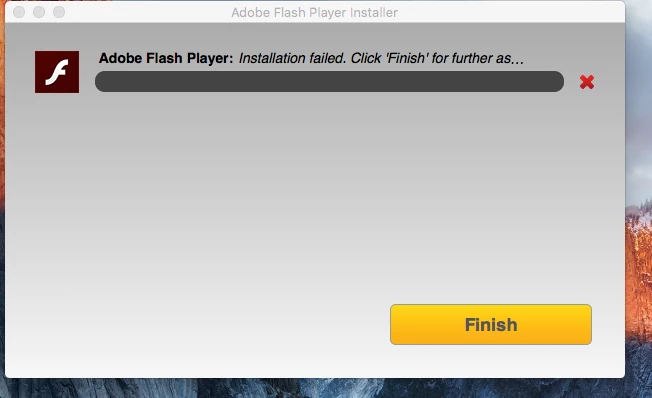
I am trying to download FP but over 6 months,  its been impossible...the installation makes it to 90-99%, then it fails…I have attached the required information…can someone please tell me what i am doing wrong…at one time it worked till sometime after an yosemite (10.9) update…it continued to not work after upgrading to el capitan.
This topic has been closed for replies.

7 replies

jeromiec83223024
Inspiring
December 12, 2015

Is the date and time on your computer correct?  If not, that may explain the digital signing failure.

ahabbaAuthor
Participant
December 12, 2015

That was the first I checked...I tried to follow the instructions provided by Maria but nothing worked.

_maria_
Legend
December 2, 2015

Hi ahabba,

I'll need to get some install log files from you to troubleshoot further.  Please review the FAQ Where do I find the Flash Player installation log on the Macintosh? and provide all 4 files (install.log, FlashPlayerInstallManager.log, Adobe_ADM.log, and Adobe_GDE.log).  Upload the files to cloud.adobe.com using the instructions How to share a document or a file sharing service of your choice.  Post the link to the uploaded files in your reply.

Thank you.

--

Maria

ahabbaAuthor
Participant
December 9, 2015

Hello Maria;

I hope the attached are accessible.

Shared Files - Acrobat.com

_maria_
Legend
December 10, 2015

Hi ,

Installation is failing due to the following error:

installer: Certificate used to sign package is not trusted. Use -allowUntrusted to override.

This error is being returned by Apple's installer utility, not Flash Player.  Flash Player installer file is correctly signed, however, the OS thinks it's not.  There are a number of reasons that cause this (could be missing root certificate, permissions issue, or some other reason).  You can view the following posts on from other users with the same issue and see if one of these solutions resolves your issue, or contact Apple for assistance.


--

Maria