


Participant
September 6, 2020
Answered

"Java" Command-line tool error message

  • September 6, 2020
  • 3 replies
  • 1431 views

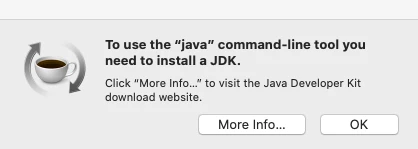
On my computer, I am getting a pop up message that says "To use the "java" command-line tool you need to install a JDK. Click "more-info..." to visit the Java Developer Kit download website." When I click "more info" it prompts me to install adobe flash player, I do, I restart my computer and that pop up still shows up. It does it over 10 times a day. I've uninstalled Flash Player and restarted my computer again and it still pops up. Help!

This topic has been closed for replies.
Correct answer Nancy OShea

I don't know what Java JDK has to do with Flash Player or vice versa.  But you would obtain a Java JDK from Oracle, not Adobe.

https://www.oracle.com/java/technologies/javase-downloads.html


When was the last time you performed a system-wide virus and spyware scan?


3 replies

Participant
February 20, 2021

I've had this darn pop up for over a year

and it won't give up! lol! 

Participant
September 20, 2020

Following.


I've been dealing with the same pop up since I started up my new Mac over a month ago. 😞

_maria_
Community Manager
Community Manager
September 21, 2020

Please contact Oracle for your issue with Java.  The answer marked correct is still correct.  Java is an Oracle product, not Adobe product.  Nothing anyone here can do for this issue.

Nancy OShea
Community Expert
Nancy OSheaCommunity ExpertCorrect answer
Community Expert
September 8, 2020

I don't know what Java JDK has to do with Flash Player or vice versa.  But you would obtain a Java JDK from Oracle, not Adobe.

https://www.oracle.com/java/technologies/javase-downloads.html


When was the last time you performed a system-wide virus and spyware scan?


Nancy O'Shea— Product User & Community Expert