


Participant
September 7, 2016
Question

Keep getting fake Adobe update popup

  • September 7, 2016
  • 2 replies
  • 1391 views

It seems like every month I get a pop up page on Internet Explorer.  (See pic below)
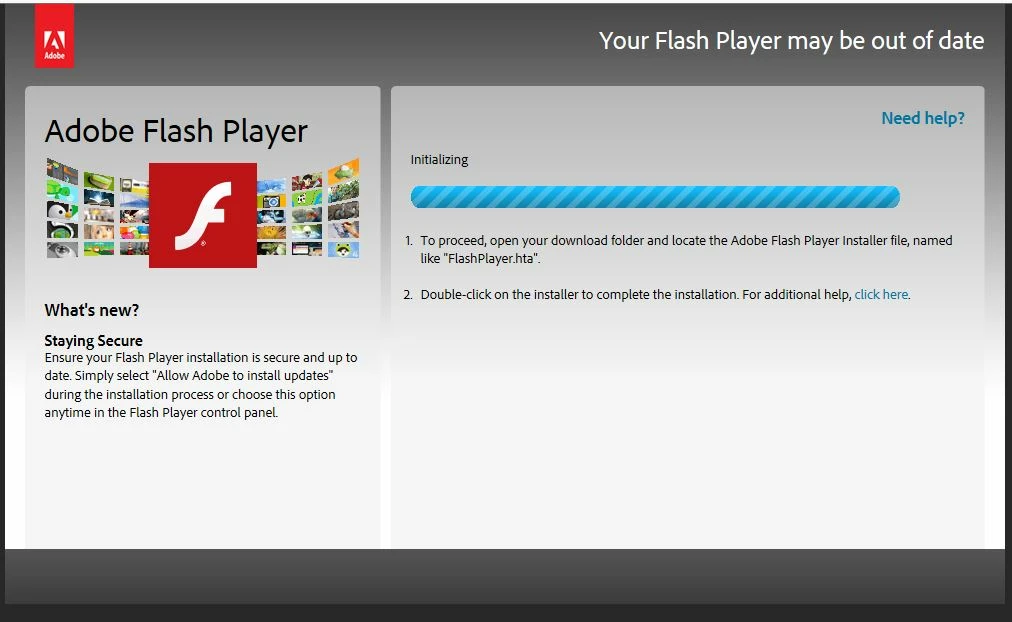
The address for the webpage is not Adobe.  The address attached to the page is show in pic 2 below

As you can see, this does not go to anything Adobe. If I right click on the "click here" link and view properties, it shows me the following.
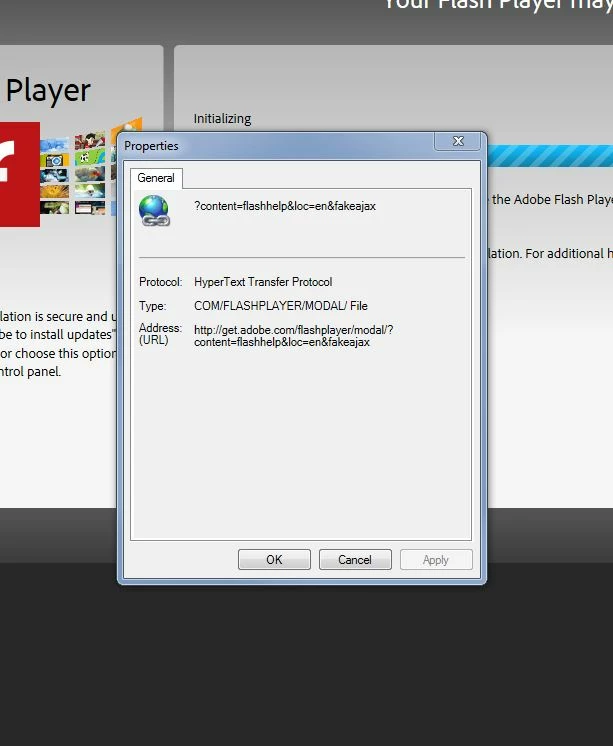
So, what is this? I assume it is malicious and fake but how did I get it and how do I get rid of it? I have scanned my computer several times and get no results of malicious content on my computer.   I can't call or chat with Adobe so I am pretty much on my own without help from this forum.

Any insight or help would be greatly appreciated.

Thanks

    This topic has been closed for replies.

    2 replies

    jeromiec83223024
    Inspiring
    September 8, 2016

    There was a vulnerability in a lot of consumer-grade routers that allowed the installation of malware, and there were some interesting phishing attacks like this as a result.  If you haven't upgraded the firmware on your router recently, now might be a good time to update it. 

    It's also possible that you're getting fake update notification popups by any other number of vectors -- local malware infection, compromised remote website or ad network, etc.

    In general, the best defense is to simply enable automatic updates for Flash Player, or use a browser that includes a built-in Flash Player, like Chrome or IE11/Edge on Win8 and higher.  On those platforms, there's nothing separate to manage or install, as long as you have automatic updates enabled for Chrome, or Windows Update for IE and Edge.  Once you have automatic updates enabled, you can just assume that any notifications are sketchy and ignore them.

    If in doubt, fire up a new browser window and navigate directly to adobe.com to find the latest version.  This holds true for all software updates.  Get them directly from the vendor, or for the appstore on your platform to minimize the risk of downloading a counterfeit installer.

    Captiv8r
    Legend
    September 7, 2016

    Thread moved here from RoboHelp FlashHelp forum