


September 17, 2016
Question

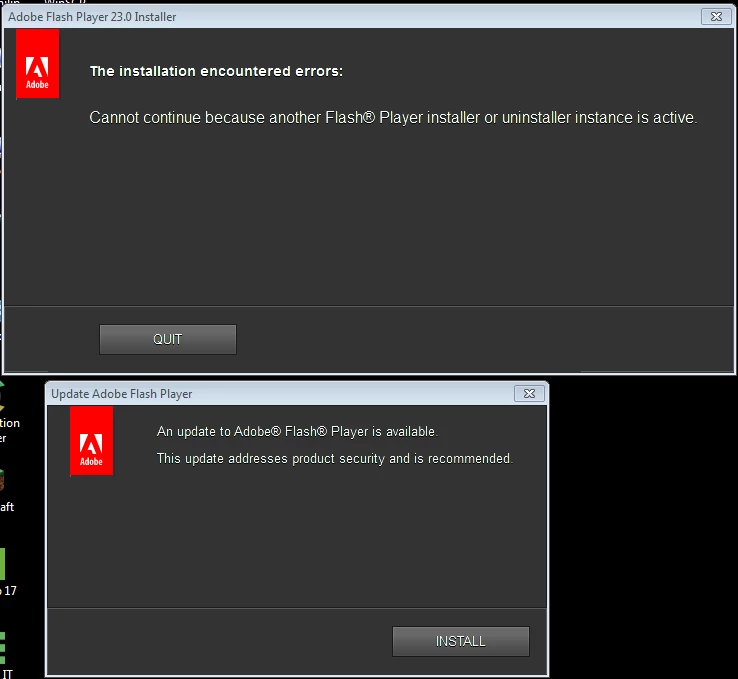
Keep getting "Update Adobe Flash Player" popup even when have newest version

  • September 17, 2016
  • 1 reply
  • 2634 views

This question was already asked and answered but the answer does not work for me.

I have Windows 7 Pro. I have been getting this pop-up constantly since version 22. I have used the Adobe uninstaller from this article; Uninstall Flash Player for Windows  and removed all the folders as instructed.  I currently have Flashplayer 23,0,0,162 re-installed in Firefox 48.02 and IE 11.0.9600.18230.

If I ignore the UPDATE prompt, another pop-up will show up with title of Adobe-Flashplayer 23.0 Installer saying unable to launch because another one is running. How can I get rid of this prompt. A lot of my work applications use Flash so I don't have the option to just not use it.
This topic has been closed for replies.

1 reply

Carm01
Legend
September 18, 2016

It is stating that there are multiple instances of the installer running.

1) did you re-boot?

2) did you check task manager for rogue flash related processes?

3) Did you check your control panel under uninstall a program to see if there are any other versions of flash player installed?

You also might want to check out my guide for the manual flash install/cleanup process, and if you look carefully there are some tools there to try if you are still having difficulty. Guide to Manually updating Flash Player for Windows

Best Regards

Please be sure to mark my post here helpful or answered if I assisted you

Thanks

September 19, 2016

I mentioned I get the 2nd prompt to update flashplayer if I ignore the first one. The updater attempts to launch another session.

I have rebooted many, many, many, times and followed the Adobe uninstall steps as well as running the uninstaller so I had a clean system before re-installing.

I am pretty sure there were no rogue flash processes running after a clean un-install and I made sure any other applications that could have hooks into flash were not running. I will test again today to confirm.

The below are the only adobe products installed. When I do a clean uninstall, there are no other flash versions listed. I will take a look at your guide today.

Carm01
Legend
September 19, 2016

Alright, You might want to give Process hacker a try. It can find things that are related to a process you might not know about. You can find it on sourceforge. Give it a try. If you type 'flash' in the search you may or may not find anything

You can use the portable so you do not have to install anything: Downloads - Process Hacker

Here is a snip it of an example of something that uses flash player

Best Regards

Please be sure to mark my post here helpful or answered if I assisted you

Thanks