

Participant
October 26, 2018
Answered

Mac Ins

  • October 26, 2018
  • 1 reply
  • 279 views

Hi,

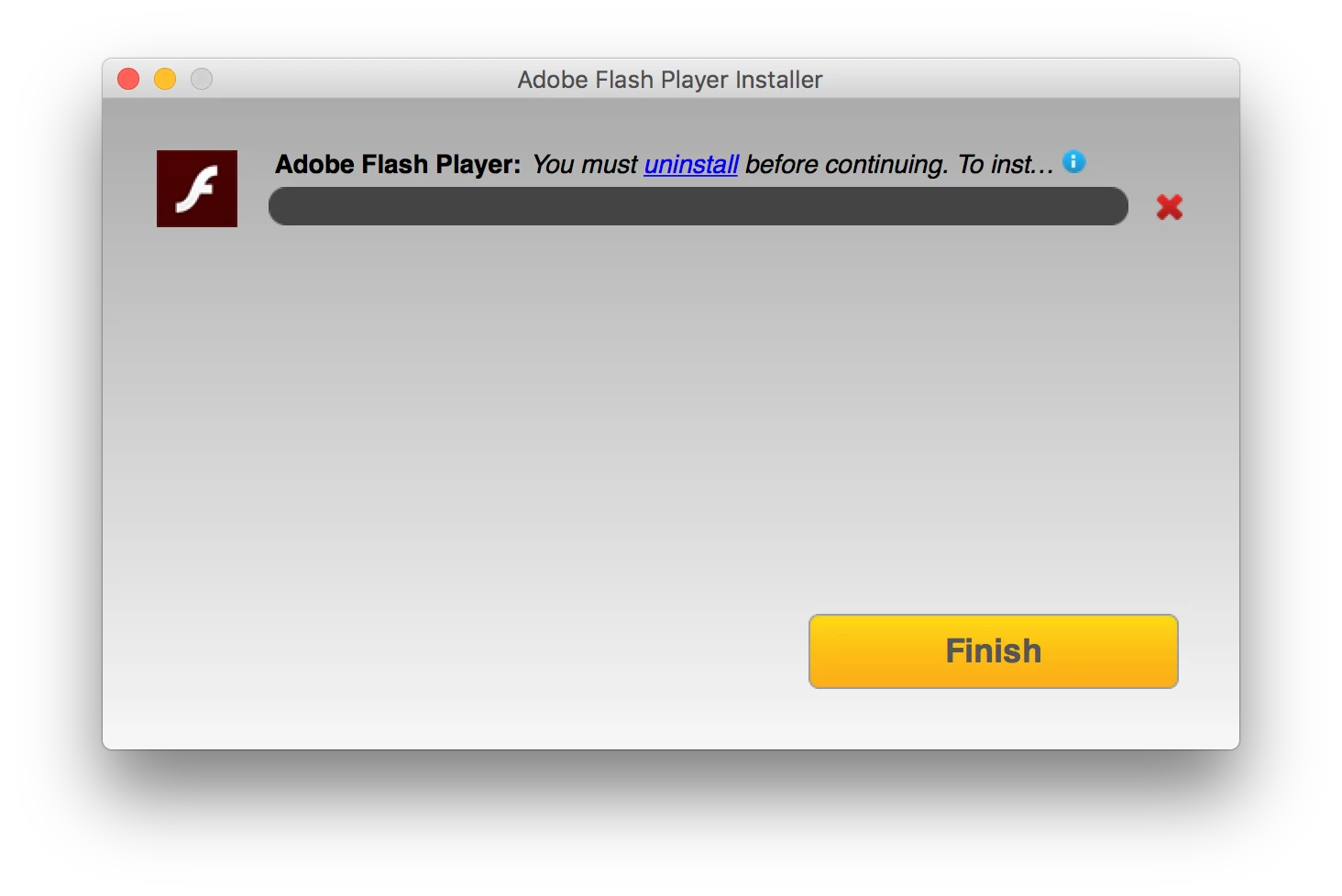
I'm using Mac 10.12.6 and wondering why is said uninstall before continuing?

I have tried to remove this to trash and download again. However, it keeps an unsuccessful result.

Is there any suggestion to this issue? many thanks;)

    This topic has been closed for replies.
    Correct answer _maria_

    This usually happens when a user attempts to install a release version over a beta version, or vice versa, or attempting to install a version older than what's already in the system.  In these cases, the currently installed version must be uninstalled first.

    Moving the package to the trash bin doesn't completely uninstall Flash Player.  The 'uninstall' link in the error message takes you to the Uninstall Flash Player for Mac OS page, where you can download the standalone uninstaller, run it, and completely remove Flash Player from the system.

    1 reply

    _maria_
    _maria_Correct answer
    Legend
    October 26, 2018

    This usually happens when a user attempts to install a release version over a beta version, or vice versa, or attempting to install a version older than what's already in the system.  In these cases, the currently installed version must be uninstalled first.

    Moving the package to the trash bin doesn't completely uninstall Flash Player.  The 'uninstall' link in the error message takes you to the Uninstall Flash Player for Mac OS page, where you can download the standalone uninstaller, run it, and completely remove Flash Player from the system.

    Participant
    October 26, 2018

    Many thanks, I can download and use it now.

    Hope you have a great day;)

    _maria_
    Legend
    October 26, 2018

    You're welcome.  Glad you were able to resolve the issue.