Participant
April 27, 2011
Resuelto

Mac ppc is now incompatible with most websites needing Flash Player?

  • April 27, 2011
  • 3 respuestas
  • 31215 visualizaciones

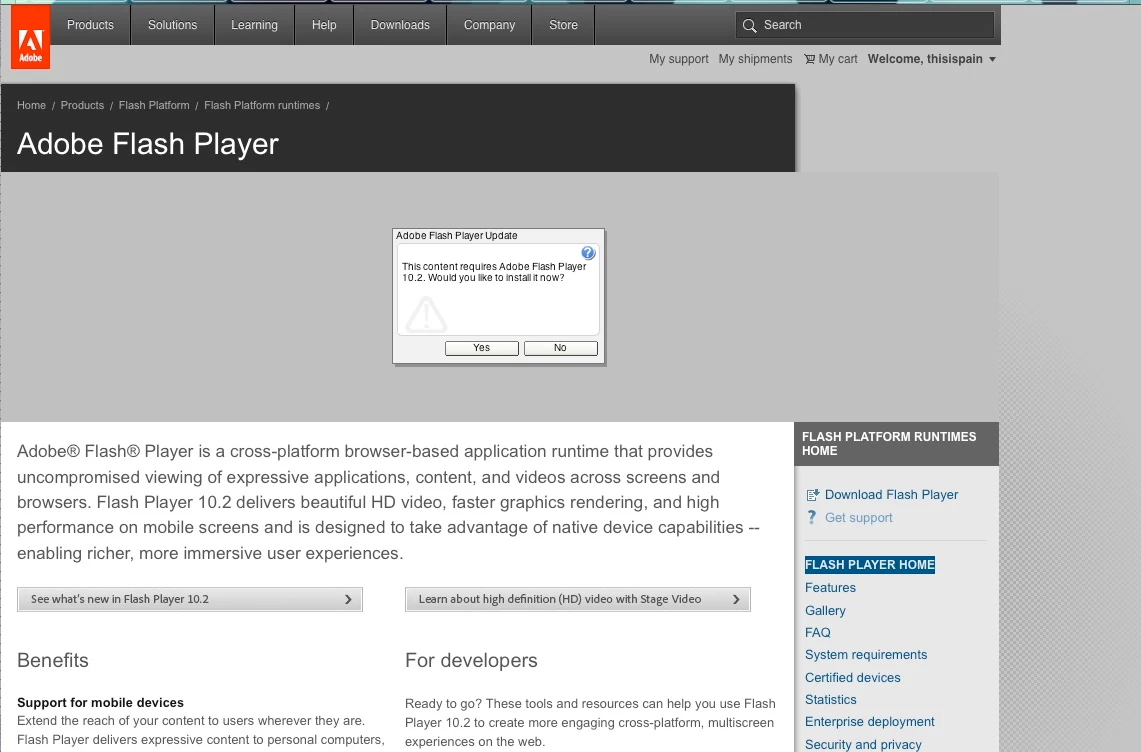
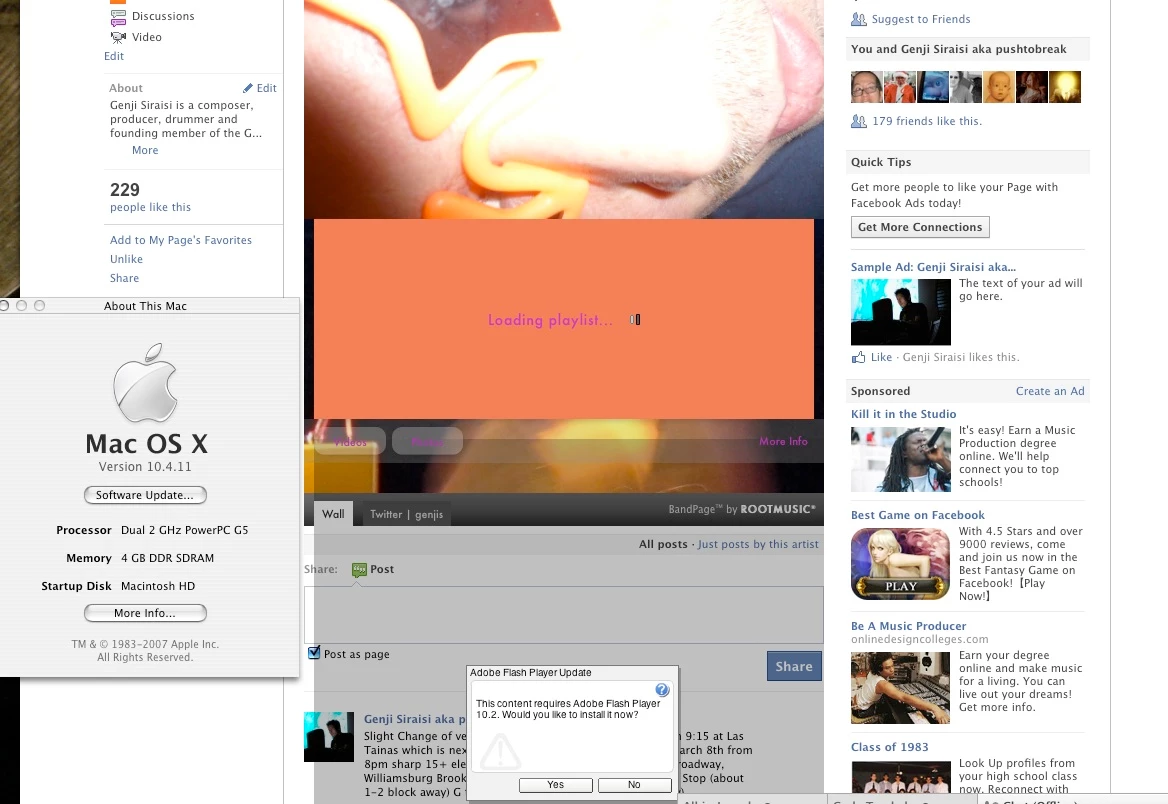
I uninstalled Flash Player to  trouble shoot a different problem I was having last week. It wasn't the  cause but, when I tried to re-install, Adobe would only allow my system  to download and install Flash Player 9. I'm pretty sure I had some  version of 10 before but I can't say for sure. In any case that's when most every website requiring Flash Player (including Adobe's site stopped working for  me on this system saying I need to install Flash Player 10.2.

As is clear on the Adobe download page a ppc running osx 10.4.11 can only use Flash Player 9!  Does that mean this computer has just become obsolete for use on the web?!!

There does seem to be some thread of discussion on  the web but nothing concrete and I can find no download anywhere for  Flash Player 10 below 10.2! Even Version Tracker as far as I can find  has nothing.

Can you confirm that Flash Player 9 will not work with the Adobe site? Has it been changed or upgraded in the past  week or so?

And...Do you have any ideas where I might be able t find a version of Flash Player 10 below 10.2?

All of these sites were working on this computer until last week so I know it's possible (unless all these sites have  changed in the past week).

Is there something else I can try?

Thanks for any help!

I've attached some screen shots.
    Este tema ha sido cerrado para respuestas.
    Mejor respuesta de

    Hi, That version of Flash Player is Archived: http://kb2.adobe.com/cps/142/tn_14266.html 

    You will need to download the Flash Player 10.1 (81.7 MB) and SAVE it to your Desktop. Then you will find the 10.1.102.64 version for the Mac Platform. There is a readme file also.

    Here are instructions from Apple Discussions:

    *Flash Player for PPC Macs*
    Adobe's last release of Flash Player for PPC Macs was in November, 2010 with release 10.1.102.64 Subsequent releases are for Intel based Macs only. To update you should download:

    Flash uninstaller: [http://kb2.adobe.com/cps/865/cpsid_86551.html#prob1=uninst,os=m10.6,] Make sure you get the right one.

    Flash installer 10.1.102.64 [http://fpdownload.macromedia.com/get/flashplayer/installers/archive/fp10.1.102.64_and_9.0.289.0archive.zip] Open the archive to reveal yet more archives and multiple files. Select: flashplayer101r102_64_ubmac.dmg

    To install:

    1) Run Disk Utility and verify your hard drive. If the hard drive reports errors then it will need repairing first (another topic). If it verifies, run Disk Utility's repair permissions.

    Quit all applications to ensure nothing is actively using Flash.

    Run the uninstaller application. Adobe says, "Adobe recommends that you restart your computer before you install a different version of the player."

    Run the Installer
    Use Disk Utility to repair permissions on your computer. this is important when installing anything from Adobe.

    7) Restart your computer.

    You may not need these instructions, but I posted them if you do.

    Hope that helps.

    eidnolb

    3 respuestas

    Participant
    June 30, 2011

    Hi! I have exactly the same problem … with an additional detail : I am using a 1.8 GHz PowerPC 970 (G5) that does not yet have an Intel chip (and can therefore not work on OS 10.6). I use two harddisks with two systems (10.4.11 and 10.5.8), and I encounter the corresponding limits when wanting to upgrade. I am using Adobe Flash Player 10.1.102.64 and should upgrade because some websites prompt me to do that. When doing so on the Adobe website I am asked to download 10.3.181.34 - which does not work on non-Intel PPCs. Yet there is no information on anything between 10.1.102.64 and 10.3.181.34, which seems a bit bizarre when lookig at those version numbers.

    June 30, 2011

    Hello sascha42, The latest Flash Player version for the PPC 10.4.11 is 10.1.102.64. There is no Flash Player version after that for the PPC's with the non-Intel chip.

    Apple does not support the PPC. You can read this article about that here:

    http://news.cnet.com/8301-13579_3-10260972-37.html

    The Technology needed in the PPC for Flash Player versions after 10.1.102.64 is not there, since Apple does not support the PPC with updates. Same thing with Windows, Microsoft doesn't support any OS earlier than XP. All XP users will face the same thing the PPC users are. Technology moves >>>>> :-)

    Hope that helps explain it.

    Thanks,

    eidnolb

    Participant
    July 1, 2011

    ah, what a drag!!! 10.1.102.64 is of autumn 2010 - and the further

    pursuit has already been abandoned - this is ridiculous

    Am 30.06.2011 um 17:04 schrieb eidnolb:

    *Hello sascha42, The latest Flash Player version for the PPC

    10.4.11 is 10.1.102.64. There is no Flash Player version after that

    for the PPC's with the non-Intel chip.*

    >

    *Apple does not support the PPC. You can read this article about

    that here:*

    >

    *http://news.cnet.com/8301-13579_3-10260972-37.html

    *

    >

    *The Technology needed in the PPC for Flash Player versions after

    10.1.102.64 is not there, since Apple does not support the PPC with

    updates. Same thing with Windows, Microsoft doesn't support any OS

    earlier than XP. All XP users will face the same thing the PPC

    users are. Technology moves >>>>> *

    >

    >

    Hope that helps explain it.

    >

    >

    Thanks,

    >

    >

    eidnolb

    >

    Respuesta
    April 27, 2011

    Hi, That version of Flash Player is Archived: http://kb2.adobe.com/cps/142/tn_14266.html 

    You will need to download the Flash Player 10.1 (81.7 MB) and SAVE it to your Desktop. Then you will find the 10.1.102.64 version for the Mac Platform. There is a readme file also.

    Here are instructions from Apple Discussions:

    *Flash Player for PPC Macs*
    Adobe's last release of Flash Player for PPC Macs was in November, 2010 with release 10.1.102.64 Subsequent releases are for Intel based Macs only. To update you should download:

    Flash uninstaller: [http://kb2.adobe.com/cps/865/cpsid_86551.html#prob1=uninst,os=m10.6,] Make sure you get the right one.

    Flash installer 10.1.102.64 [http://fpdownload.macromedia.com/get/flashplayer/installers/archive/fp10.1.102.64_and_9.0.289.0archive.zip] Open the archive to reveal yet more archives and multiple files. Select: flashplayer101r102_64_ubmac.dmg

    To install:

    1) Run Disk Utility and verify your hard drive. If the hard drive reports errors then it will need repairing first (another topic). If it verifies, run Disk Utility's repair permissions.

    Quit all applications to ensure nothing is actively using Flash.

    Run the uninstaller application. Adobe says, "Adobe recommends that you restart your computer before you install a different version of the player."

    Run the Installer
    Use Disk Utility to repair permissions on your computer. this is important when installing anything from Adobe.

    7) Restart your computer.

    You may not need these instructions, but I posted them if you do.

    Hope that helps.

    eidnolb

    Participant
    April 27, 2011

    Thank you so much that worked perfectly and was exactly what I had thought would be the fix but without any way to find the links without this forum post and answer. I have spent three days trying to track down this answer. It would be much easier to solve if the download page did not have incorrect and missing information. The third link to the installer in the solution reply does not work but it is easy to find using the first link when following the information in the message. Thanks again.

    April 27, 2011

    Hi, I'm glad that worked for you. I try to search from the threads of the Mac Users from the Flash Player Forum and also from the Apple discussions that are helpful. It would be a lot easier for Mac Users if I used a Mac, but I depend on Users as yourself and others for information:-)

    I would be very interested in knowing the site that has incorrect or missing information as you've said. If you would post back a link, I would be happy to follow up on that. Also the third link you mentioned. It's important that I understand what you are saying so I can pass it on. If you have time to do that, it would be appreciated.

    Thanks for marking your thread as answered also. I know other Users have the Mac PPC and this info in your thread will help them also.

    Regards,

    eidnolb

    April 27, 2011

    Hi, You should be able to use Flash Player vs 10.1.102.64 for your PPC. I have some info on that and will post it back.

    eidnolb