Participating Frequently
July 16, 2018
Question

mms.cfg not working as expected

  • July 16, 2018
  • 1 reply
  • 1835 views

Hello,

Deploying flash-player-settings

We want to deploy these flash-player-settings (edit/add: using flash player 30 on Win7 and/or Win10 with Internet Explorer 11 or Firefox 61😞

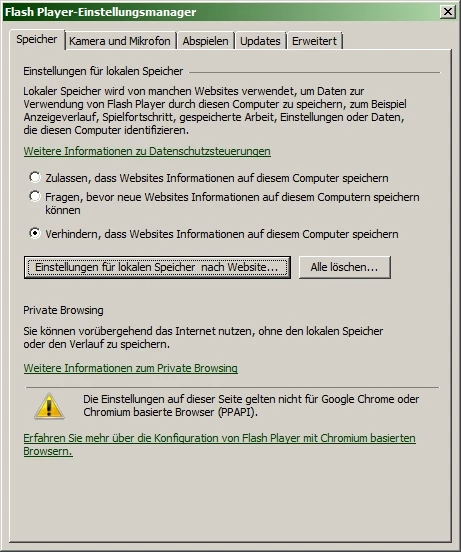
  • prevent websites from using local storage
    • exception: conference.intern (always allow)
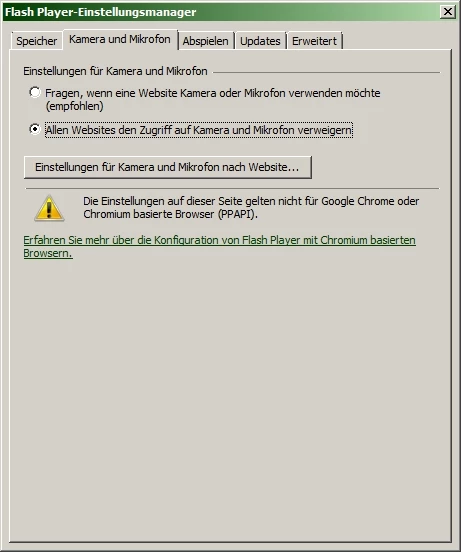
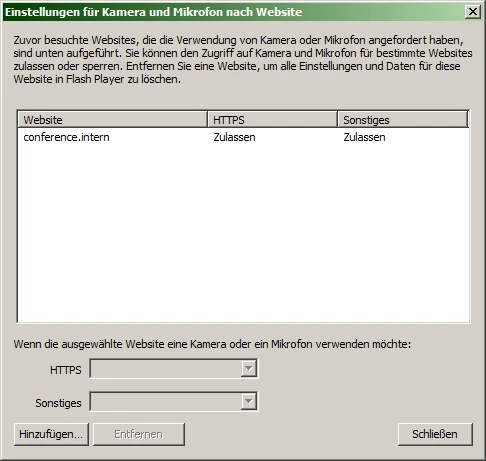
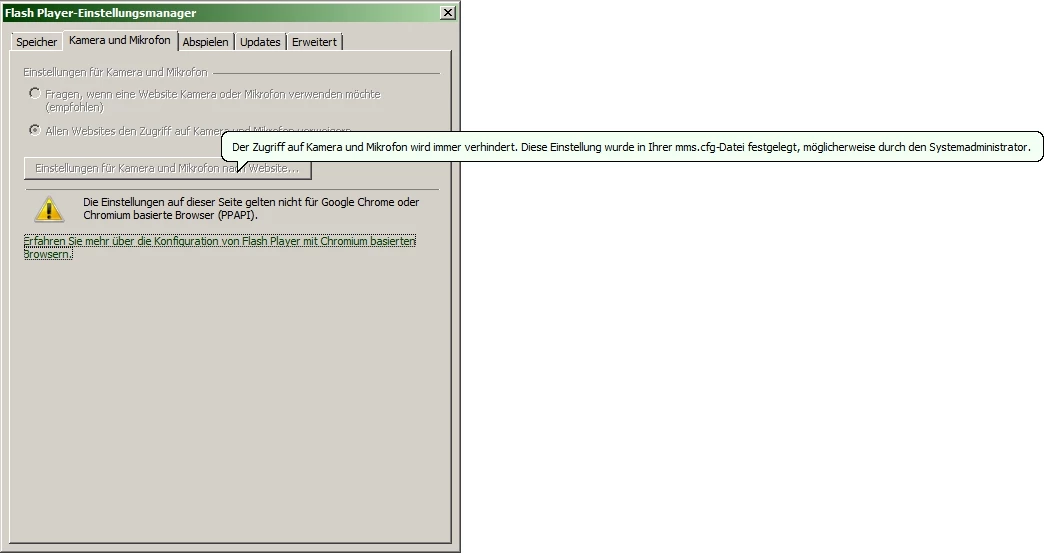
  • prevent websites from using camera or microphone
    • exception: conference.intern (always allow)
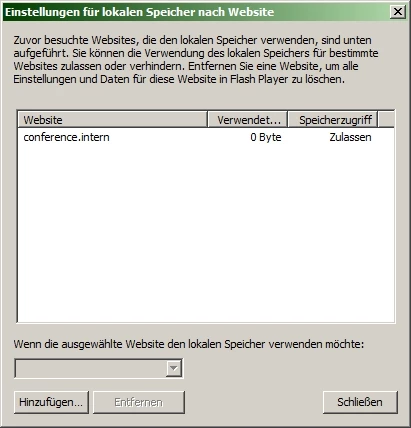
What we did: using mms.cfg

So we created a mms.cfg-file, containing these lines:

AVHardwareDisable=1

AVHardwareEnabledDomain=conference.intern

FileDownloadDisable=1

FileDownloadEnabledDomain=conference.intern

LocalStorageLimit=5

This file is ANSI-coded (since this is the format the FlashPlayerApp.exe uses if you meddle with the update-settings) and located in C:\Windows\SysWOW64\Macromed\Flash.

We created the mms-lines using the info from https://www.adobe.com/content/dam/acom/en/devnet/flashplayer/articles/flash_player_admin_guide/pdf/flash_player_30_0_admin_guide.pdf.

The effect: mms.cfg not working properly

The mms-cfg-lines concerning AVHardware seem to work, the lines concerning FileDownload don't.
Question

What are we doing wrong? How can we prevent flash from asking users, if they want to allow websites to use the local storage?

Best regards,

Alex

This topic has been closed for replies.

1 reply

jeromiec83223024
Inspiring
July 17, 2018

There are no per-domain options for Flash Player's Local Shared Objects.  You're limited to global controls.

I'm curious about what you're trying to guard against by restricting LSOs.  In terms of ads and behavior-tracking, HTML5 and server-side tracking have largely supplanted Flash Player as the preferred method for tracking user habits.  Disabling LSOs in Flash doesn't really buy you meaningful privacy at this point.  

Participating Frequently
July 18, 2018

Hello and thank you for your answer.

So, you're saying:

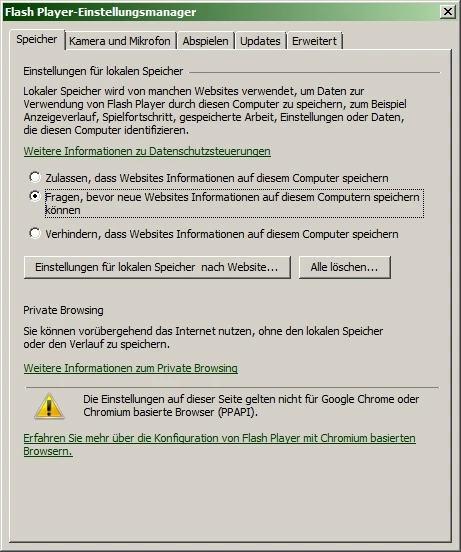
  1. I can use the GUI (FlashPlayerApp.exe) in order to configure domain options for Local Shared Objects (see: image 2), but this cannot be done using mms.cfg?
  2. Although the admin-guide for Flash Player 30 uses exactly the lines I'm using, this won't work?

FileDownloadDisable=1

FileDownloadEnabledDomain=test.mydomain.com

FileDownloadEnabledDomain=10.1.1.10

What I'm trying to archive (as admin) is, to control the usage of the local storage.

Example:

A user visits a public site. This site should not be allowed, to use the local storage (e.g. in order to store Flash-Cookies).

A user visits an internal site. This site should be allowed, to use the local storage.

In both cases, the user should not be asked/prompted.

Instead, I want to generally disable the use of the local storage, with the exceptions of our internal sites.

The admin-guide describes exactly this scenario with the three lines mentioned above.

Since the user can control these settings (first he is prompted to allow/deny, furthermore he can adjust these settings using the flashplayerapp.exe), there must be a way for network-administrators to control these settings as well!

description: on public sites, the use of the local storage should be denied, but without prompting the user!

description: on internal sites, the use of the local storage should be allowed, but without prompting the user!

I can't administrate all my computers using Adobe - Flash Player: Einstellungsmanager - Website-Speichereinstellungen!

Best regards,

Alex

jeromiec83223024
Inspiring
July 18, 2018

You're misinterpreting the description of the FileDownload* flags in the admin guide.

From the admin guide, pp. 32:

     FileDownloadDisable - Lets you prevent the ActionScript FileReference API from performing file downloads.

This is talking about actual file downloads, not local stored objects.  So you're just disabling the ability for Flash Player to pop a "Save File" prompt on these machines.

You're correct in the observation that at this point, the only controls are available on individual clients.  You can disable LocalSharedObjects globally at an administrative level, but there's no per-domain whitelist option.  It's not a bad suggestion (I'd still posit that the reasoning for disabling Local Shared Objects is largely superstition and doesn't result in an actual improvement in privacy in the context of the web in 2018), but it doesn't exist at this point.  It's probably also worth pointing out that whenever the user deletes their browser cookies, Flash Player purges it's Local Shared Objects store, and we honor Private/Incognito Browsing Mode.