


Participant
June 23, 2018
Question

My Adobe flash player is updated but when I try to use it, it says it needs an update

  • June 23, 2018
  • 3 replies
  • 281 views

Help! My adobe flash player is installed and up to date but when I try to use it, it says it needs an update! I've tried everything from reinstalling it again and again to fixing the settings on chrome and safari. and it says in settings it doesn't need an update. I'm so frustrated!

I use both safari and chrome and I use a mac book air.

here are some screenshots
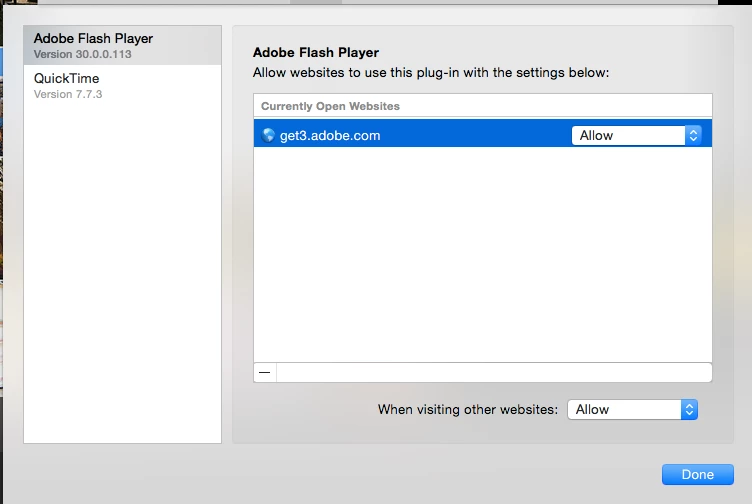
Help!

    This topic has been closed for replies.

    3 replies

    jeromiec83223024
    Inspiring
    June 25, 2018

    Most browsers at this point are blocking Flash Player by default.  You'll need to activate Flash Player in the browser in addition to having a current version.

    You can find instructions on enabling Flash Player here:

    https://helpx.adobe.com/flash-player.html

    It's also the case that malware authors will often times try to impersonate legitimate update notifications in order to trick you into installing malware.

    Always download Flash Player directly from Adobe, or better yet, set it to update automatically.


    Here's the official download URL: https://get.adobe.com/flashplayer

    _maria_
    Legend
    June 25, 2018

    Please provide a direct link to the content that is not working.

    Legend
    June 23, 2018

    Please show the "needs an update" message. Please bear in mind that there are MANY sites with a virus which put up FAKE update messages to trick you.