
Participant
November 17, 2013
Question

No Option To Opt Out Of McAfee Plus Installation!

  • November 17, 2013
  • 3 replies
  • 2810 views

Hi!

If you read these forums you will see this issue quite a lot. The response from Adobe is that there will always be an option during installation to opt out of the installation of McAfee Plus. Adobe even provided screen shots to prove this fact. Well today I was finally given the option to update my Flash Plug In when I booted my computer. Since I was aware of this issue I decided to see for my self if I was given this opt out option during the installation of the latest Flash. So was I given the choice to opt out?

NO! And here is the screen shoots to prove that there was no option nor anything mentioned about McAfee anywere!
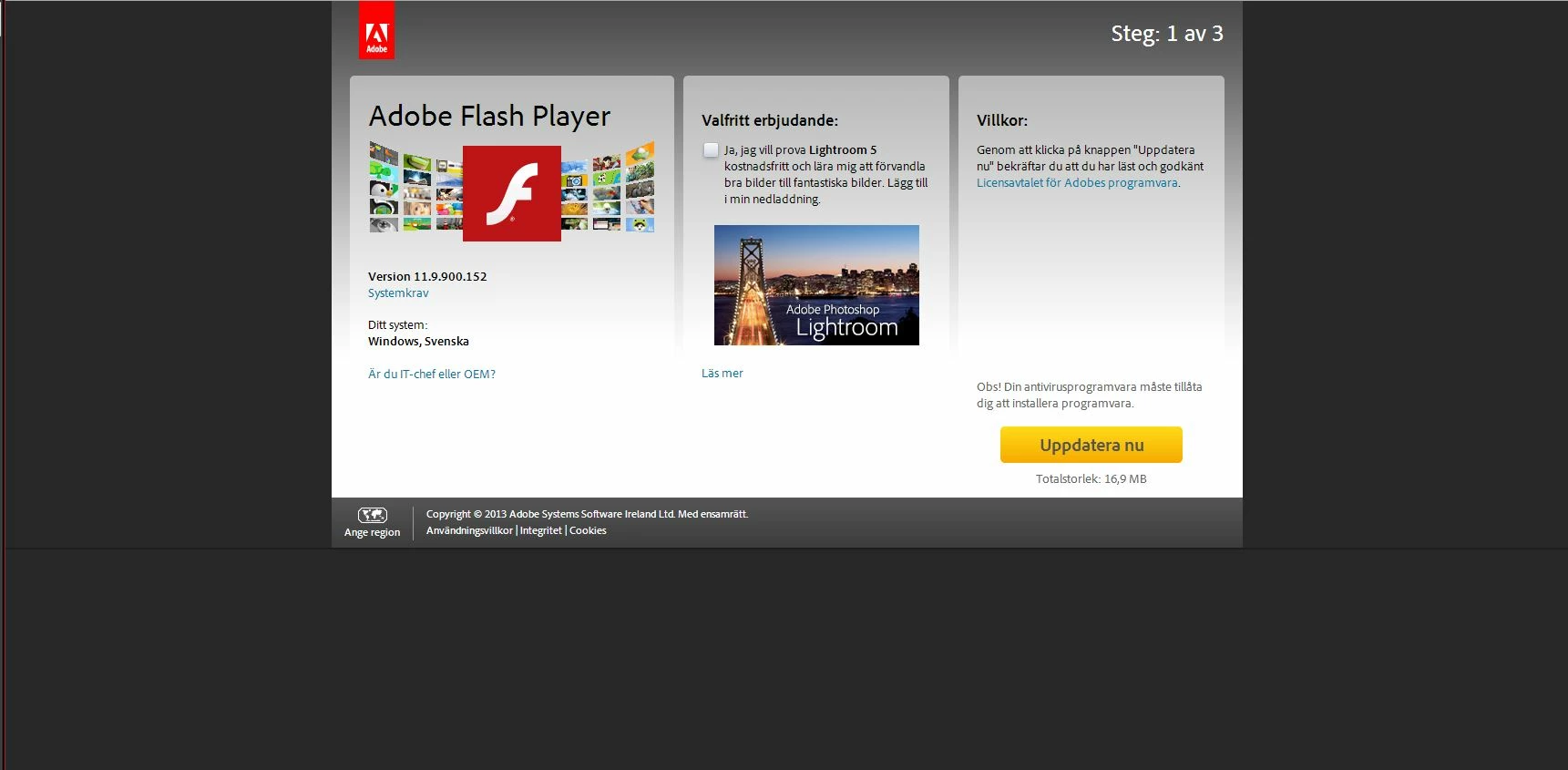
The only thing I see is the offer to try out Adobe PhotoShop Lightroom 5 for free, nothing mentioned nor checked about McAfee anywere. Next screen once I click the update button is this:
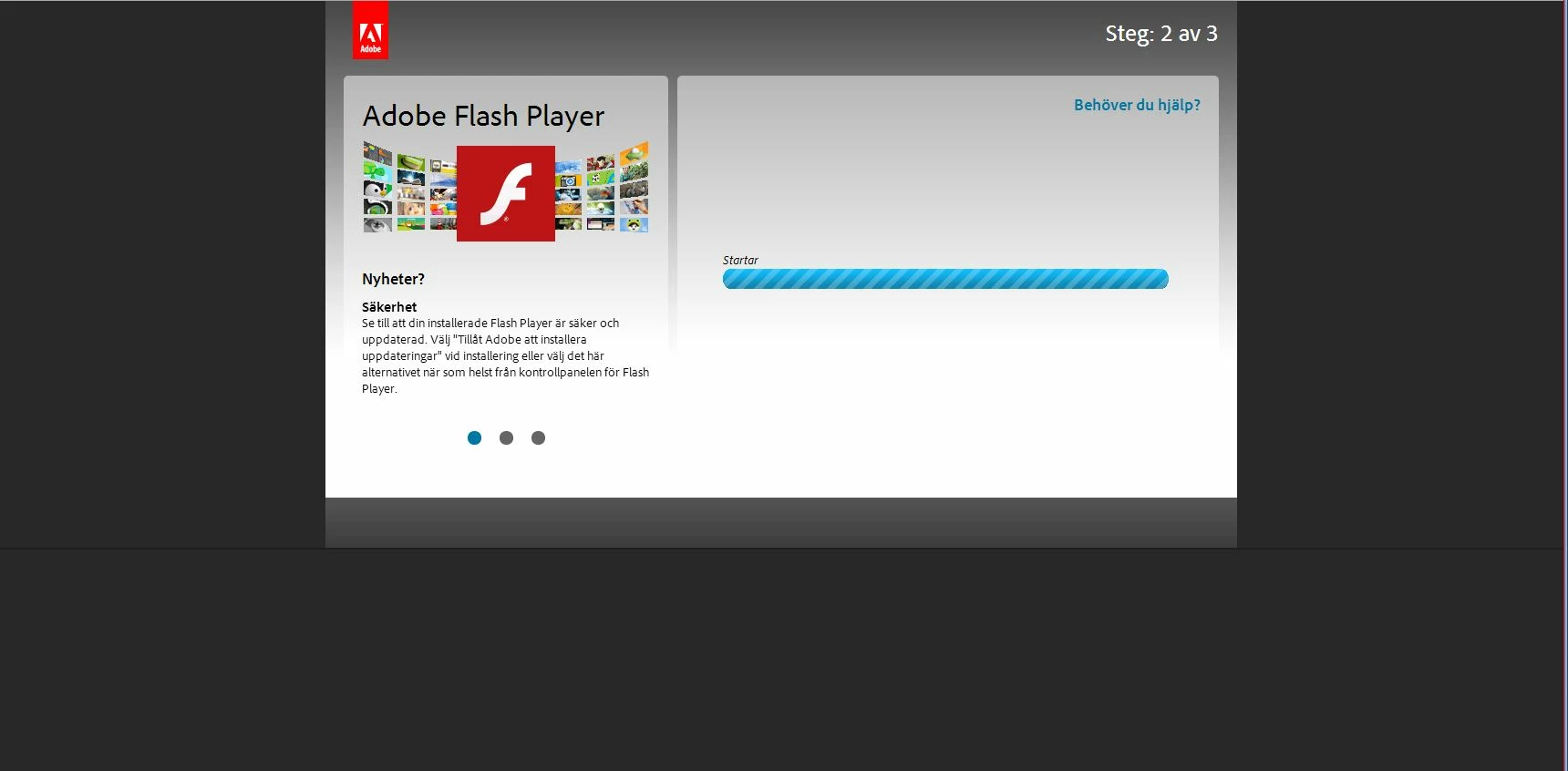
Still no option, what happens here is that the installation of the .exe file starts and the save dialog pops up to save the installer.

Once I downloaded the installer this page is showing:
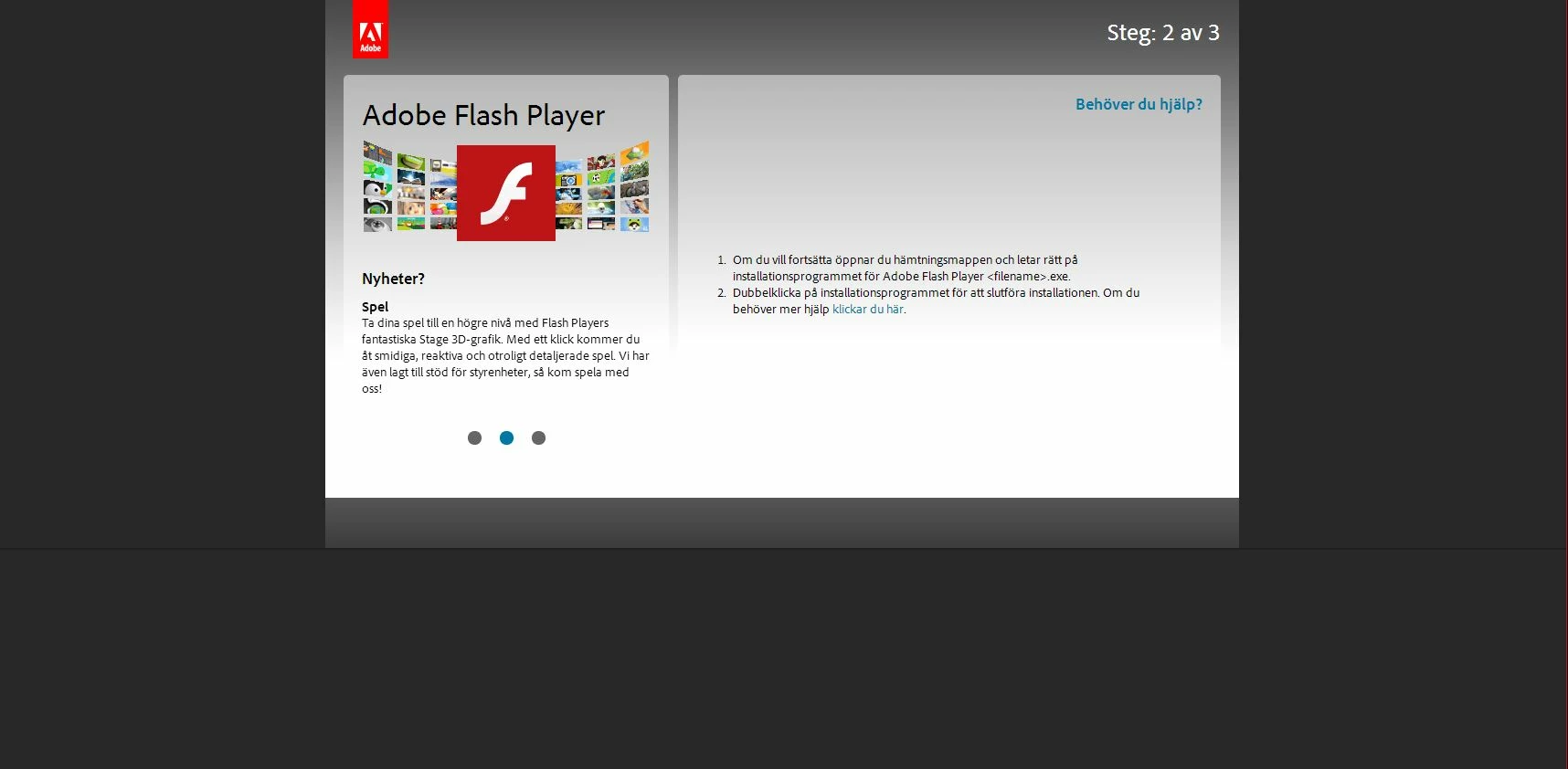
There I am only given instructions to locate and click the .exe file. Nothing mentioned about any McAfee.

I have no screeners for the actual install. But what happened when I clicked the .exe file was that a installation window opened where I saw 2 progress bars one for the installation of Flash and one for the installation of  McAfee. I had no option to terminate the McAfee installation.

(The screeners above are in Swedish since I have a Swedish system but I hope you can still see there is nothing about McAfee in there).

So Adobe why are you claiming that we have an option to opt out when there is no such option? At least there was none for me!

I have since un installed the McAfee Plus from my machine!

I do not think this is acceptable behaviour for an installer coming form a supposedly serious and established company such as Adobe!

This topic has been closed for replies.

3 replies

November 21, 2013

Thanks for posting the complaint, shared by many. Used to be, the 'don't install this other unrelated crap' box was availalble, but not this time. Pitiful behavior on Adobe's part. If forum users can't bear to have their thread lists sullied by what they for some reason consider off-topic or old news then they needn't bother getting involved. For me, it is new and a turn from bad to worse: before you had to tedioously watch and uncheck, now even that option has gone away.

C_F_McBlob
Inspiring
November 17, 2013

I'll add to Pat's post, that the screenshot you used, shows the Lightroom trial download option.
To my knowledge, (and it's in Swedish, so it may be different in Europe) the Lightroom download is a Mac option with Flash Player. At least in the U.S. it's Mac only.
McAffee is useless on a Mac, so it would never download, let alone install.

But as Pat points out, if you peruse these forums, you'll find literally hundreds of posts with links to the direct downloads.

pwillener
Legend
November 17, 2013

Joakim Agren wrote:

If you read these forums you will see this issue quite a lot.

And if you read these forums, you will find the links to the offline installers (that are not bundled with any 3rd-party crap software) posted several dozen times every day:

Flash Player for ActiveX (Internet Explorer)

Flash Player Plug-in (All other browsers)

This is a user forum; we have no power to change Adobe policy, and even the Adobe tech people who frequent this forum have no such power either.

Participant
November 17, 2013

I am aware of those links. That is the method I normally use to install Flash Player on my Windows 7 machine. But since I saw posts here were users reported that when using the regular updater they were not given the option to opt out but Adobe claims that you should be given the option to opt out and also provided a screen shot to prove it. So I wanted to see for my self if I used the regular updater that comes up with a prompt on your desktop when you boot your computer, if I would be given the choice to opt out. It turned out that no I were not given any information to opt out of the McAfee Plus download. So I wanted to show other users as well as Adobe that what Adobe claims about the opt out option is not accurate. At least it was not for me and I presume many others who have been complaining about this.

The regular updater is what the vast majority of users are going to use to update their Flash players. So most users would never look for any offline installers. So when expert users here in the user forums recommend the offline installers instead that is kind of irrelevant for most users because most users are not going to visit these forums and the most of them will be using the Adobe updater option.

This was just an experiment from my side to find out if I would experience the same as many others have reported. And it turned out that I would!

I do not think it is ok for a software company especially not a supposedly big and serious one such as Adobe to include adware in their installations with no option for the user to be informed nor given the choice to opt out of it. Is that even a legal thing to do in the US? Adobe have claimed with the help of screenshots that users are given the option to be informed about and have the ability to opt out of the McAfee Plus installation. But that does not seem to be the case atleast not for me (and many others) when it installed on my machine running 64 bit Windows 7 and Google Chrome as the browser. So Adobe are not being honest about this situation.

C_F_McBlob
Inspiring
November 17, 2013

Again, posting about it here (aside from giving you a chance to vent), won't accomplish anything. We're just users like you are.
And to be quite certain about it, Adobe is just one of about three dozen companies I know of, that bundle things like McAffee, Norton, Google toolbar, Chrome, AVG Safe Search, RealPlayer, and a host of other apps. It's been going on for ten years or more (I first saw it in 2003), and it isn't going to change anytime soon.

We (users in this forum) provide the alternate links becuase, believe it or not, we don't really like "blind installed software" either. We're not making excuses, or condoning it, we're just telling you that you DO have the option to avoid it, and showing you that option.

It wasn't mentioned yet, but you have the option to disable automatic updates (http://kb2.adobe.com/cps/713/a7138026.html) so that when you boot up, you won't see updater notices. I personally don't allow ANY software to auto update on any of my systems, Mac or Windows.