


Permanantly turning off "Install Google Toolbar" and changing the default of future updates
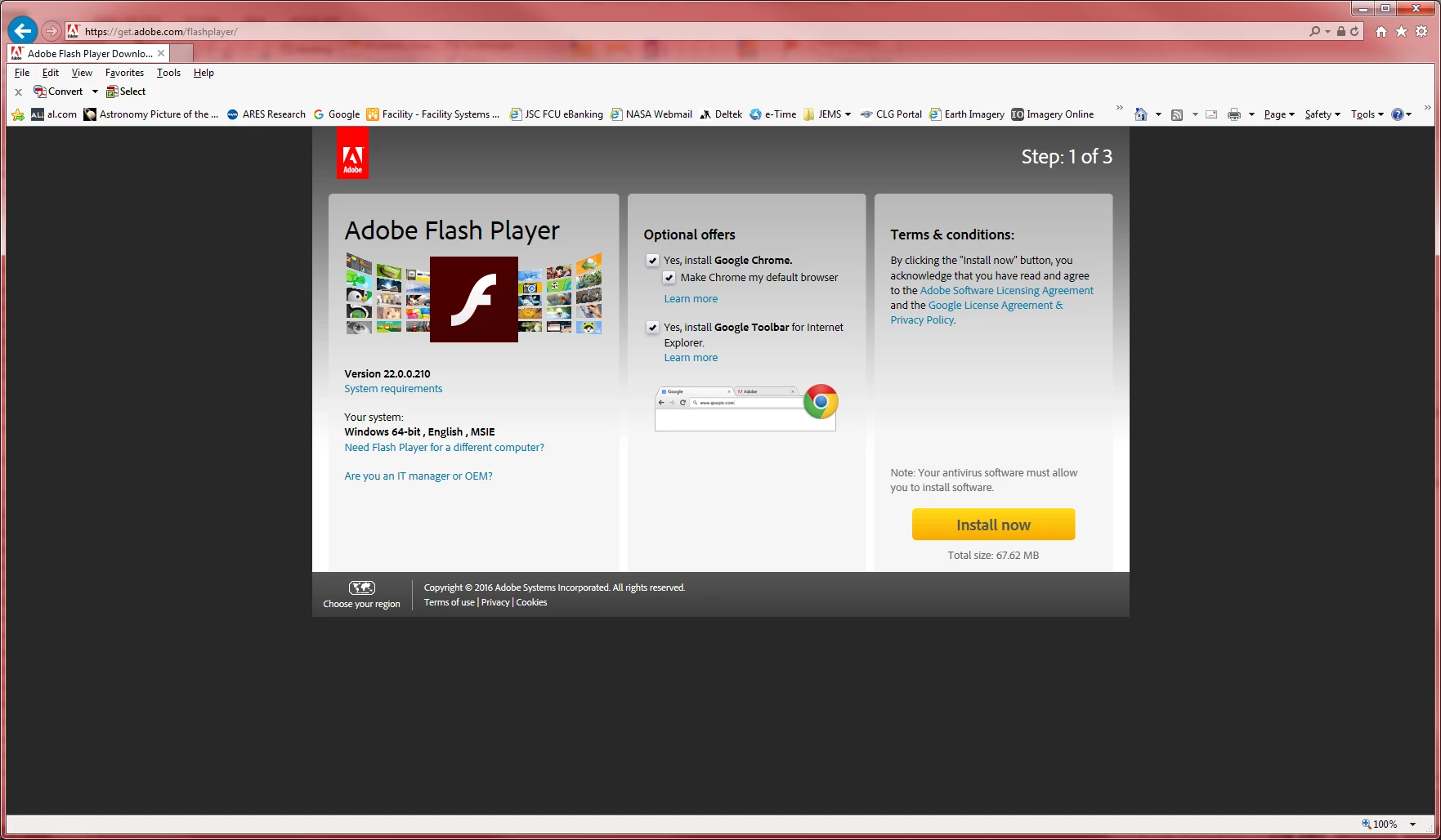
I have been using Adobe products for years and, in general, find that Adobe generates some really useful tools for computer users and productivity. With that, ever time I get notice of an update to "Adobe Flash Player" I am forced to answer the same questions during the update / installation process. During installation the installer application ask if I want to install the "Google Toolbar", and the default is Yes, so I have to uncheck the box prior to installation or I will receive software on my system I do not want or desire. In addition, toward the end of the update, the installation app provides three options about future updates:
1) Download and install automatically
2) Ask me before installing
3) Never install ......
And every install I have to uncheck the "Google Toolbar" installation and tell Adobe to "Ask me ..." before downloading and installing future updates.
Is there a way to permanently turn off the Google Toolbar option and default my answer to the update download and install question to always be "Ask me" first? Adobe is passing cookies to the machine during this process, so please do not suggest that it is not possible. Adobe simply needs to change the installation package to look for those cookies and apply the users preferences to the installation process instead of continually trying to push unwanted applications and choices on to the user.

 AdChoices