


Player Output Problem with Chrome on Windows 10
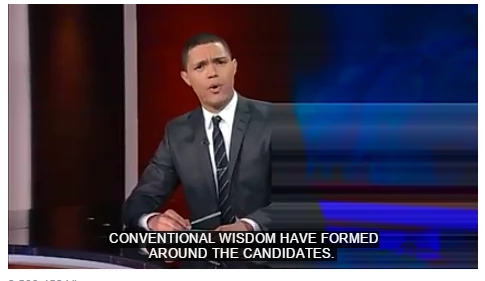
PepperFlash runs for me in Chrome, but half of the video screen is blurred---as if it takes the video input for the center pixel line and treats that as the input for every pixel column to the right of center. The left half of the video screen plays just fine. This problem manifests for me on most flash sites. Facebook, Netflix, HBOGO, etc. See attached image below.
I've taken the basic steps suggested by Adobe: cleared the cache, reinstalled Chrome, closed other programs. None help.
Running Windows 10, and the most up-to-date version of Chrome (and hence PepperFlash).
The problem started after upgrading to Windows 10, so I suspect that's the culprit, but I've not seen any indication of a similar problem here in the forums.
Flash runs fine in IE, but of course that's a different beast...
Any suggestions on what to do?
 AdChoices