
Participating Frequently
December 13, 2014
Answered

plug-in (Shockwave Flash) isn’t responding

  • December 13, 2014
  • 4 replies
  • 46608 views

Following a recent Adobe upgrade, I am no longer able to use Flash. When attempting to browse almost any site, I get the following error:

‘A plug-in (Shockwave Flash) isn’t responding. Stop plug-in’

Then a popup

‘Page(s) Unresponsive

The following page(s) have become unresponsive. You can wait for them to become responsive or kill them.  Kill pages   Wait’

I am using:

Windows 7 Home Premium Service Pack 1

Web browser Google Chrome Version 39.0.2171.71 m

Internet Explorer 11 Version 11.0.9600.17501

Adobe Flash Player 15.0.0.239

Shockwave Flash 15.0 r0 plugin

I disabled Adobe Flash Player / Shockwave Flash plug-ins and don’t have the problem. Of course, I can’t view videos.

Can someone advise me on how to resolve the problem? I have tried uninstalling and reinstalling several times. Thank you.
This topic has been closed for replies.
Correct answer jeromiec83223024

Web browser Google Chrome Version 39.0.2171.71 m. 


Hmm, that's no good.  It sounds like the problems might extend to the browser based on your description, but let's check to make sure you're using the right Flash Player in Chrome.

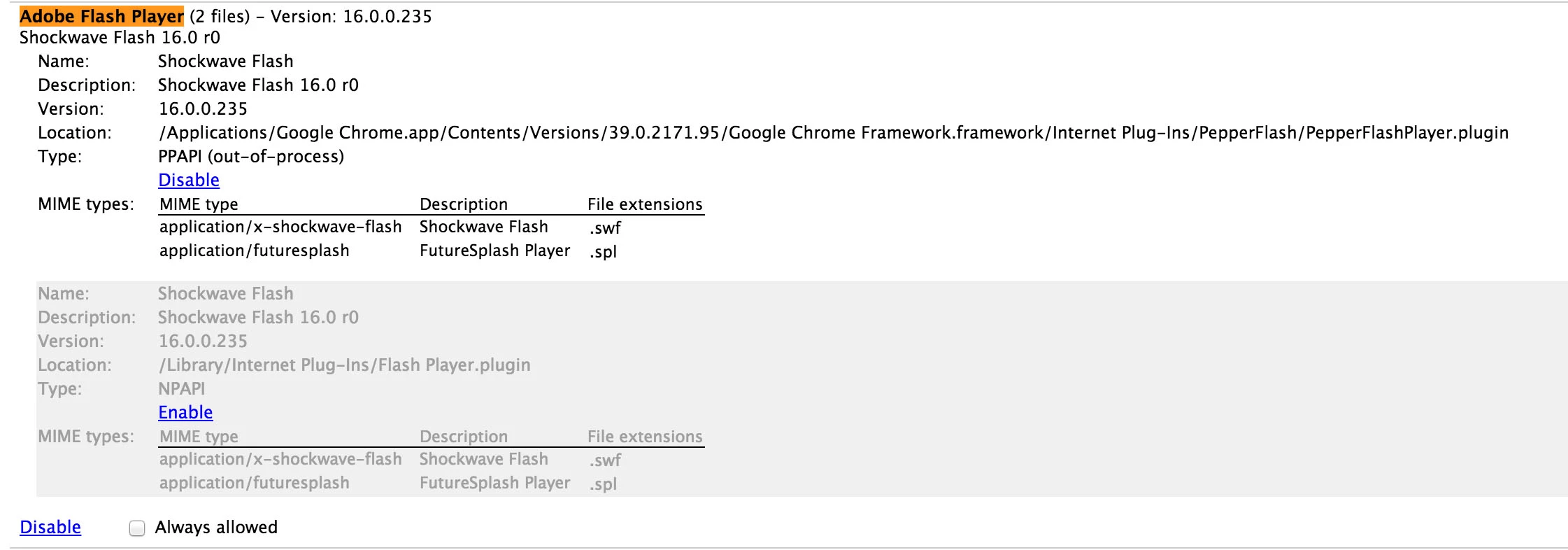
Type chrome://plugins in the address bar and hit Enter

Towards the top of the page on the right, there's a button that says Details.  Expand it.  (It should show - instead of + in the button)


Make sure that the PPAPI version of Flash Player is Enabled, and that if the NPAPI version of Flash Player is listed, that it's disabled.  You may also want to check Always Allowed.

If things are still unstable, you might want to consider doing a clean install of Chrome as a next step.


4 replies

jeromiec83223024
Inspiring
December 18, 2014

The DirectX diagnostic tool will provide an inventory of your system.  I can point you to the right drivers at that point.

There are instructions on getting that information here:

Video playback issues

bek8462Author
Participating Frequently
December 19, 2014

Per instructions on the link, a bug report has been submitted. The DxDiag.txt file is attached to the bug report. Which drivers should I update? Thank you.

Adobe Flash Player 15.0  -  Bug 3912682

December 17, 2014

The link says, "Try disabling hardware acceleration. Right-click the Flash Player logo below, choose Settings from the context menu".  I cannot see the logo. Is there another way to get to the settings?

chopwood94
Participant
December 15, 2014

I'm also having this same issue. It's affecting all my browsers and I finally just disabled Flash, but now I can't view videos or do anything like that, so it's annoying. But yeah, pretty much every site I go on I get that pop-up.

jeromiec83223024
Inspiring
December 16, 2014

Check out the guidance on disabling hardware acceleration here:

Video playback issues

If disabling hardware acceleration solves the hang, you'll want to update to the latest available drivers for your graphics hardware, then try re-enabling hardware acceleration for the best performance.

December 17, 2014

The link says, "Try disabling hardware acceleration. Right-click the Flash Player logo below, choose Settings from the context menu".  I cannot see the logo. Is there another way to get to the settings?

December 14, 2014

I have the same problem with Firefox: I had to deactivate Shockwave to get rid of this problem. I am using the latest version of Firefox and Shockwave, and windows 8.1